

Popsicle is a USB image writer. It’s designed for creating bootable installation and recovery media, with particular emphasis on preparing several USB drives from the same disk image.
Rather than running a separate writing operation for each drive, Popsicle lets users prepare multiple devices in a single session. This makes it useful for system administrators, educators, and anyone who regularly needs to distribute identical operating system images.
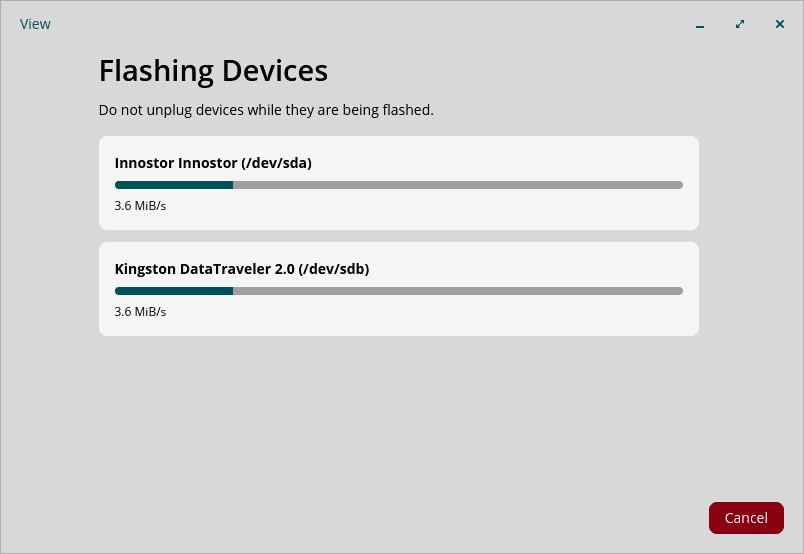
The application provides a guided graphical interface built with COSMIC. Users select an image, choose the destination devices, initiate flashing, and review the results. A separate command-line interface caters for terminal-based workflows and automation.
This is free and open source software.
Key Features
- Flash ISO and IMG disk images to multiple USB drives simultaneously.
- Supports parallel writing through USB hubs, including USB 2.0 and USB 3.0 devices.
- Select images through a file chooser or drag and drop.
- Verify source images against SHA512, SHA256, SHA1, MD5, or BLAKE2b checksums.
- Automatically detect connected USB storage devices and refresh the device list when drives are attached or removed.
- Display device information, including manufacturer, model, device path, and capacity.
- Prevent selection of destination devices that are too small for the chosen image.
- Monitor writing progress and transfer speeds separately for each device.
- Display a summary of successful and failed writing operations, including errors.
- Command-line interface supports explicitly selected drives or all detected USB drives, optional write verification, and machine-readable progress output.
Website: github.com/pop-os/popsicle
Support:
Developer: System76
License: MIT License (core library and CLI); GNU General Public License v2.0 (COSMIC interface)
Popsicle is written in Rust. Learn Rust with our recommended free books and free tutorials.
Related Software
| Flash OS Images | |
|---|---|
| Ventoy | Create bootable USB drive for ISO/WIM/IMG/VHD(x)/EFI files |
| USBWriter | Cross-platform disk image writer |
| Etcher | Image burner with multi-platform support |
| UNetbootin | Create bootable Live USB drives for Ubuntu and other distros |
| USB Imager | Lightweight cross-platform utility for writing and verifying disk images |
| Raspberry Pi Imager | Create bootable media. Not only useful for the Raspberry Pi |
| Imagewriter | Write RAW images and ISO images to USB keys |
| Fedora Media Writer | Creates bootable Fedora USB media and supports custom ISOs |
| Caligula | Terminal-based tool for flashing disk images to removable media |
| Impression | Create bootable drives |
| MultiBootUSB | Create multi boot live Linux on a removable USB disk |
| dd | Convert and copy files |
| GNOME Disks | View, modify and configure disks and media |
| MultiWriter | Write an ISO file to multiple USB devices at once |
| Mintstick | Tool for creating bootable USB media and formatting sticks |
| JustDD | USB image writer |
| KDE ISO Image Writer | Simple KDE utility for writing ISO files to USB drives |
| MajUSB | USB bootable drive creator with a GTK4 GUI |
Read our verdict in the software roundup.
 LinuxLinks helps you discover the best free and open source software for Linux. Explore our extensive collection of recommended applications, including alternatives to popular proprietary software. We also publish software reviews, Linux tutorials, hardware reviews, free programming books and articles covering the wider open source community. Browse our Linux resources to discover more. Know a useful free and open source Linux application we haven't covered? Suggest a program for inclusion. Has your software been featured on LinuxLinks? Display one of our Featured on LinuxLinks badges on your website or GitHub README. |
Please read our Comment Policy before commenting.