

wayshot is a native screenshot utility for Wayland systems that target wlroots-based compositors such as sway and river.
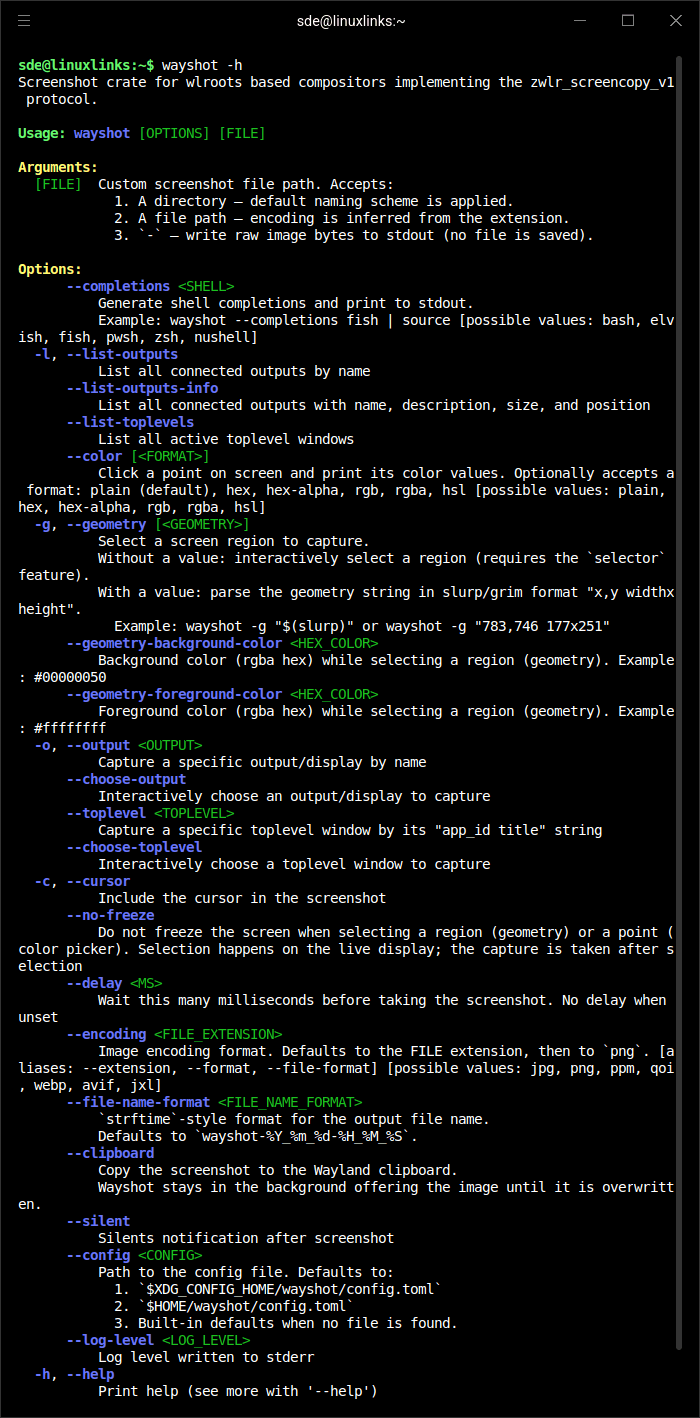
It provides a command line tool for taking full-screen, output-specific, window, and region captures, with support for clipboard use and other capture-related workflows on modern Wayland desktops.
This is free and open source software.
Key Features
- Captures the full screen, a selected region, a specific output, or an interactively chosen toplevel window.
- Can copy screenshots directly to the clipboard for quick sharing and paste workflows.
- Includes color-picking functionality for selecting pixel colors from the screen.
- Supports PNG, JPEG, WebP, AVIF, QOI, PNM and JPEG XL image encodings, subject to enabled build features.
- Provides shell completions for Bash, Zsh, Fish, Elvish, PowerShell, and Nushell.
- Includes configuration and manual pages for command options and runtime behavior.
- Integrates with wlroots screenshot capabilities used by Wayland compositors.
- Can display desktop notifications after screenshot capture, including a configurable click action.
Website: github.com/waycrate/wayshot
Support:
Developer: Waycrate
License: BSD 2-Clause License
wayshot is written in Rust. Learn Rust with our recommended free books and free tutorials.
Related Software
| CLI Screen Capture Tools | |
|---|---|
| maim | Make Image aims to improve on scrot |
| scrot | SCReenshOT is a simple command line screen capture utility |
| slop | Queries for a selection from the user and prints the region to stdout |
| wayshot | Screenshot tool for wayland compositors |
| termframe | Terminal output SVG screenshot tool |
| grim | Utility to take screenshots of Wayland desktops |
| shotman | Uncompromising screenshot tool for Wayland compositors |
| shotgun | Minimal screenshot utility |
| ImageMagick | Create, edit, and compose bitmap images |
| HyprCap | Capture screenshots and screen recordings on Hyprland |
| lqth | Simple but fast screenshot utility inspired by xscreenshot |
Read our verdict in the software roundup.
 Explore our carefully curated directory of recommended free and open source software, covering every major software category. Explore our carefully curated directory of recommended free and open source software, covering every major software category.The directory forms part of our extensive collection of articles for Linux enthusiasts. It includes hundreds of detailed reviews, together with free and open source alternatives to proprietary software from companies such as Google, Microsoft, Apple, Adobe, IBM, Cisco, Oracle, and Autodesk. LinuxLinks also covers interesting projects worth exploring, Linux-compatible hardware, free programming books and tutorials, and much more. Know a useful free and open source Linux application that we haven’t covered? Tell us about it using our submission form. |
Please read our Comment Policy before commenting.