

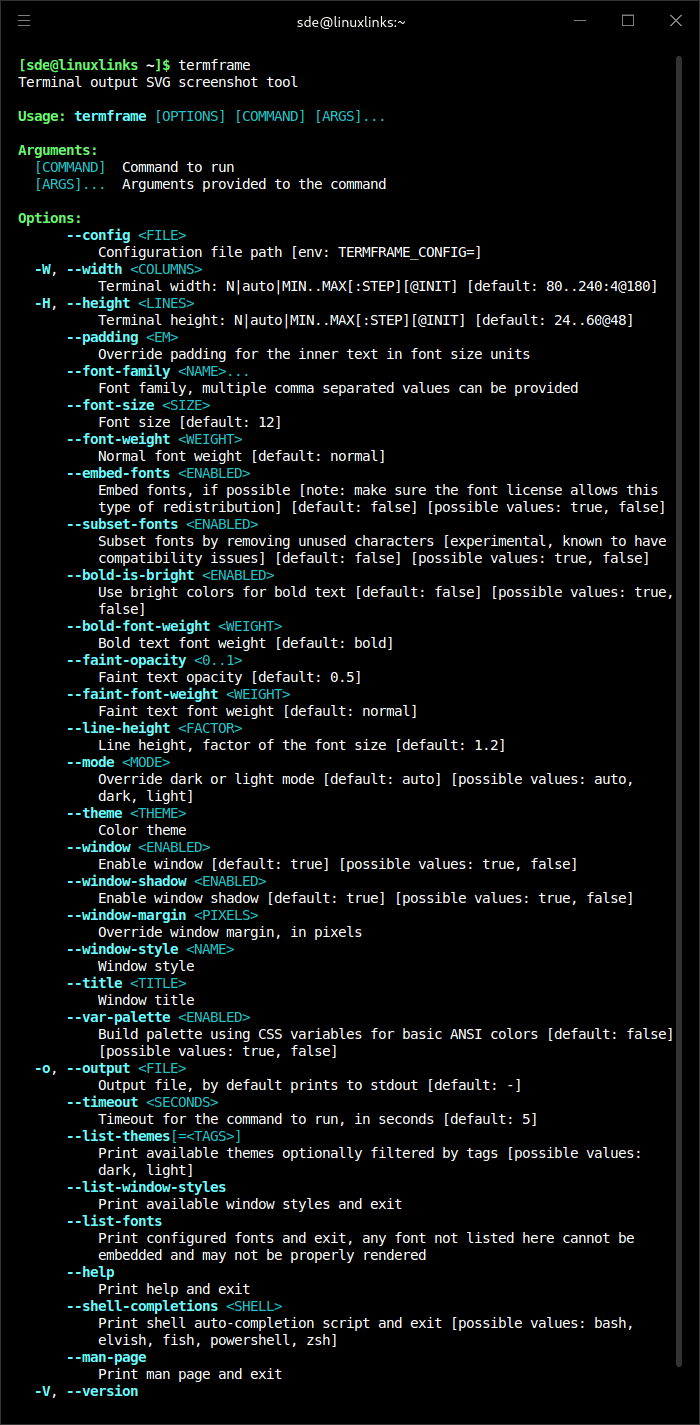
termframe is a terminal output SVG screenshot tool.
This tool is a non-interactive terminal emulator that executes a single command, renders its output in an internal virtual session, and exports a screenshot as an SVG file.
This is free and open source software.
Key Features
- Comprehensive ANSI style support:
- Bold, dimmed (faint), italic, underlined, and strikethrough text.
- Text with reversed background/foreground colors.
- Full range of colors: basic 16 palette, 256 xterm palette, and 24-bit truecolor.
- Optional font embedding for enhanced customization.
- Dark and light mode compatibility.
- Extensive theme collection from iTerm2-Color-Schemes.
- Support for custom themes, refer to custom themes.
- Flexible configuration system, see configuration files.
- Customizable window styles, see custom window styles.
Website: github.com/pamburus/termframe
Support:
Developer: Pavel Ivanov
License: MIT License
termframe is written in Rust. Learn Rust with our recommended free books and free tutorials.
Related Software
| CLI Screen Capture Tools | |
|---|---|
| maim | Make Image aims to improve on scrot |
| scrot | SCReenshOT is a simple command line screen capture utility |
| slop | Queries for a selection from the user and prints the region to stdout |
| wayshot | Screenshot tool for wayland compositors |
| termframe | Terminal output SVG screenshot tool |
| grim | Utility to take screenshots of Wayland desktops |
| shotman | Uncompromising screenshot tool for Wayland compositors |
| shotgun | Minimal screenshot utility |
| ImageMagick | Create, edit, and compose bitmap images |
| HyprCap | Capture screenshots and screen recordings on Hyprland |
| lqth | Simple but fast screenshot utility inspired by xscreenshot |
Read our verdict in the software roundup.
 Explore our carefully curated directory of recommended free and open source software, covering every major software category. Explore our carefully curated directory of recommended free and open source software, covering every major software category.The directory forms part of our extensive collection of articles for Linux enthusiasts. It includes hundreds of detailed reviews, together with free and open source alternatives to proprietary software from companies such as Google, Microsoft, Apple, Adobe, IBM, Cisco, Oracle, and Autodesk. LinuxLinks also covers interesting projects worth exploring, Linux-compatible hardware, free programming books and tutorials, and much more. Know a useful free and open source Linux application that we haven’t covered? Tell us about it using our submission form. |
Please read our Comment Policy before commenting.