
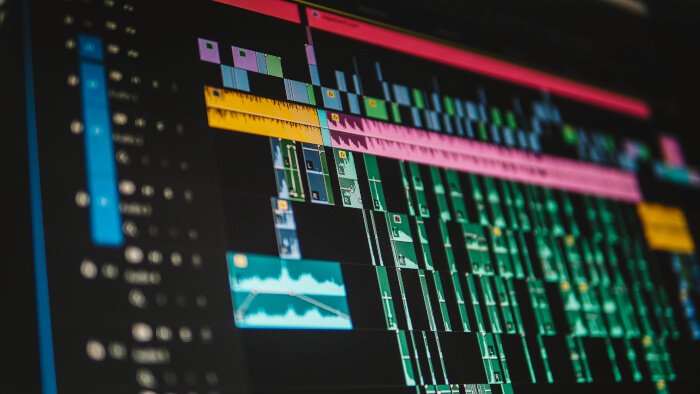
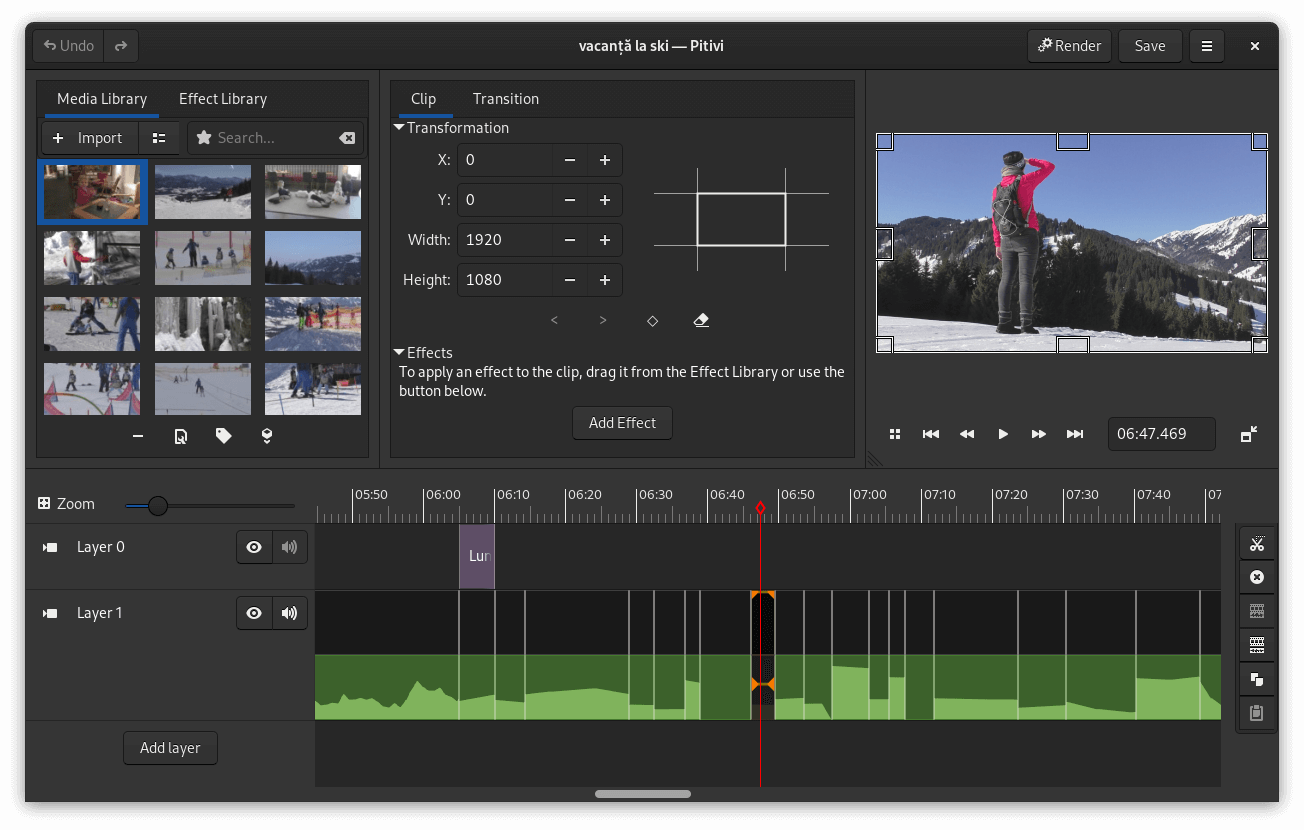
Pitivi is a non-linear video editor built on GStreamer Editing Services and designed to integrate closely with the GNOME desktop. Its interface aims to make common editing operations approachable while retaining tools for more involved projects.
The multitrack timeline supports trimming, splitting, ripple and roll editing, grouping, snapping and keyframe animation. GStreamer’s extensive multimedia support allows Pitivi to work with a broad selection of video, audio and image formats and render through supported codec and container combinations.
More specialised capabilities include proxy editing, object tracking, music beat detection and automatic synchronization of clips by analysing their audio.
This is free and open source software.
Key Features
- Unlimited video and audio layers with full undo and redo history.
- Trimming, splitting, ripple and roll editing, snapping, grouping and frame stepping.
- Keyframe curves for clip properties, opacity, volume and effect parameters.
- More than 70 transitions and a large collection of video and audio effects provided through GStreamer.
- Proxy editing allows demanding or awkward source formats to be edited using intermediate media.
- Automatic alignment synchronizes two or more clips by analysing their audio.
- Object tracking can follow a selected region through footage and apply a covering effect.
- Beat detection places markers on music so clips can snap to the detected rhythm.
- Precise audio waveforms and a playback VU meter assist with audio editing.
- Media Library supports searching, tagging and background generation of thumbnails, waveforms and proxies.
- Transform clips directly in the viewer with positioning, scaling and cropping controls.
- Project and rendering presets for frequently used configurations.
- Automatic project backups with recovery following a crash or interruption.
- Imports formats supported by installed GStreamer plugins and renders using supported codecs and containers.
Website: www.pitivi.org
Support:
Developer: Pitivi contributors
License: GNU Lesser General Public License v2.1
PiTiVi is written in Python. Learn Python with our recommended free books and free tutorials.
Related Software
| Video Editors | |
|---|---|
| OpenShot | Non-linear editor built with Python and Qt |
| Shotcut | Very powerful video editor |
| Kdenlive | Non-linear video editor for KDE |
| LosslessCut | Swiss army knife of lossless video/audio editing |
| Blender | 3D content creation suite targeted at media professionals and artists |
| Editly | Tool and framework for declarative NLE using Node.js and ffmpeg |
| Flowblade | Multitrack non-linear video editor |
| PiTiVi | Non-linear audio/video editor using GStreamer |
| LiVES | Video Editing System designed to be simple to use, yet powerful |
| Avidemux | Designed for simple cutting, filtering and encoding tasks |
| lazycut | Terminal-based video trimming tool |
| Auto-Editor | Automatically edit video and audio |
| VidCutter | Simple media cutter and joiner |
| Vimix | Mixing and blending of movie clips and computer generated graphics |
| Video Trimmer | Quickly trim videos |
| OpenCut | Video editor for web, desktop, and mobile |
| Olive | Non-linear video editor |
| Cinelerra-GG | Powerful non-linear video editor |
| Footage | Simple video editing tool |
| GoZen | Minimalistic video editor |
| Drift | Beginner-friendly multitrack video editor built with Qt and FFmpeg |
| VideoCut | Lossless video cutter |
Read our verdict in the software roundup.
 LinuxLinks helps you discover the best free and open source software for Linux. Explore our extensive collection of recommended applications, including alternatives to popular proprietary software. LinuxLinks helps you discover the best free and open source software for Linux. Explore our extensive collection of recommended applications, including alternatives to popular proprietary software.We also publish software reviews, Linux tutorials, hardware reviews, free programming books and articles covering the wider open source community. Browse our Linux resources to discover more. Know a useful free and open source Linux application we haven't covered? Suggest a program for inclusion. Has your software been featured on LinuxLinks? Display one of our Featured on LinuxLinks badges on your website or GitHub README. |
Please read our Comment Policy before commenting.