

mcat is a terminal viewer and conversion utility for images, video and documents.
It accepts local files, URLs and input from standard input. mcat automatically identifies the content and passes it through a suitable conversion or display pipeline.
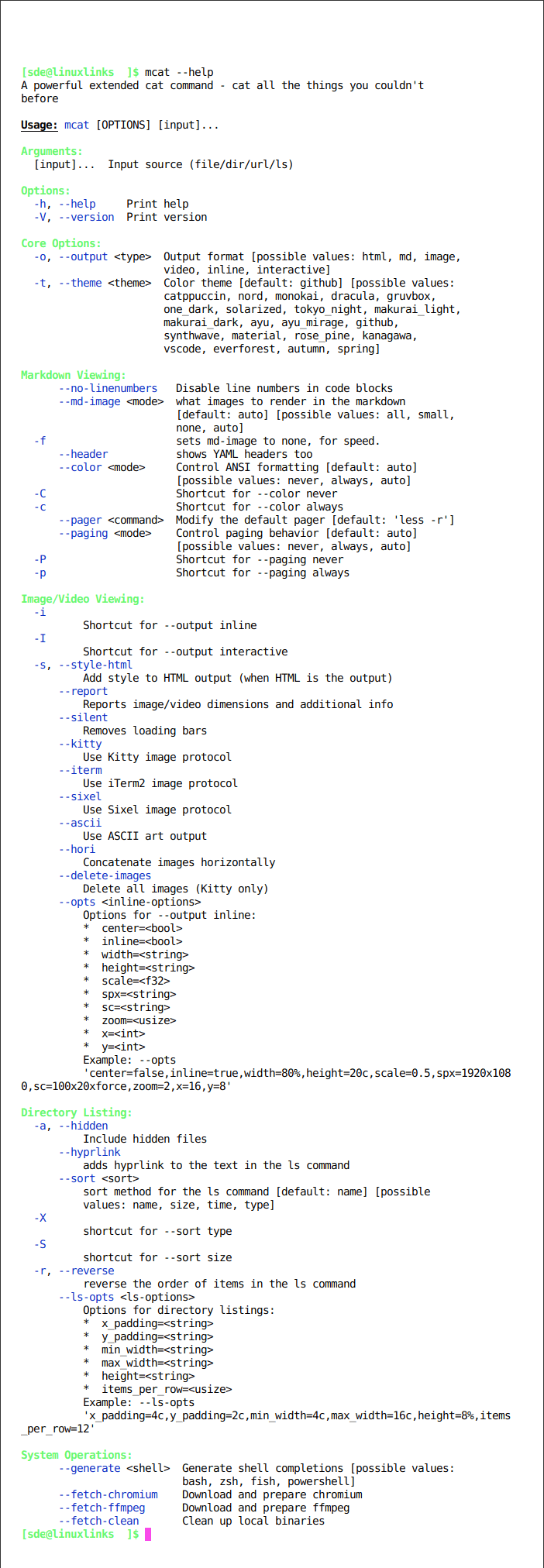
The program handles considerably more than images, with support for video, PDF, Markdown, Office documents, archives and interactive media browsing.
This is free and open source software.
Key Features
- Displays images directly inside compatible terminal emulators.
- Plays video inside the terminal.
- Views PDF documents.
- Views Markdown documents.
- Handles Microsoft Office documents.
- Handles other convertible document formats.
- Accepts local files.
- Accepts URLs.
- Accepts input through standard input.
- Automatically detects input types.
- Can convert supported files to Markdown.
- Can convert source material to HTML.
- Can render HTML as an image.
- Can output converted content as an image.
- Provides ANSI-formatted document viewing.
- Supports inline image viewing.
- Provides an interactive image viewer.
- Interactive image mode supports zooming.
- Interactive image mode supports panning.
- Can render PDF pages as images for interactive browsing.
- Can interactively browse multiple files.
- Provides an image-aware ls mode.
- Can select files interactively from a directory.
- Can inspect the contents of ZIP archives.
- Can combine multiple inputs in a conversion workflow.
- Supports Kitty terminal graphics.
- Supports iTerm terminal graphics.
- Supports Sixel terminal graphics.
- Can work through tmux.
- Can use Chromium or a compatible browser to render HTML and Markdown.
- Can use FFmpeg for video playback.
- Cross-platform support – runs on Linux, macOS, and Windows.
Website: github.com/Skardyy/mcat
Support:
Developer: Meron Bossin
License: MIT License
mcat is written in Rust. Learn Rust with our recommended free books and free tutorials.
Return to Terminal-Based Image Viewers | Alternatives to cat
Related Software
| Terminal-Based Image Viewers | |
|---|---|
| timg | Image and video viewer with good range of features. Written in C++ |
| Chafa | Character Art Facsimile |
| viu | Rust-based image viewer |
| vv | Image viewer for sixel terminals |
| TIV | Tiny C++ program that displays images in a terminal |
| Ranger | Terminal-based file manager supporting high quality previews of images |
| mcat | Extended cat command |
| icat | Cat like utility can specify multiple image files and/or directories |
| PixelTerm-C | High-performance terminal image browser written in C |
| pho | Lightweight image viewer |
| catimg | Renders images in the terminal |
| PTUI | Real-time image preview capabilities |
| imv | X11/Wayland image viewer |
| iv | Image viewer using terminal graphics |
| TermVisage | Front-end to the term-image library |
| Foto | Simple image viewer |
| vat | Renders SVG and other vector graphics in multiple formats |
| image_to_console | Fast image viewer supporting animations and graphics protocols |
| rsimg | Uses crossterm and zune as dependencies |
| imgcat | Displays images and gifs in your terminal emulator. |
Read our verdict in the software roundup.
| Alternatives to cat | |
|---|---|
| bat | Super charged cat - Features in our Top 100 CLI Apps |
| mdcat | Sophisticated Markdown rendering for the terminal - Features in our Top 100 TUI Apps |
| grcat | Frontend for generic colouriser grc |
| tac | Concatenate and print files in reverse |
| ccat | Colorizing cat |
| see | Cute cat replacement |
| lolcat | Add some zest to the cat command. Features in our Linux Candy series |
| kat | cat command that almost tastes like chocolate |
| meow | Renders text using your existing Neovim configuration |
| mcat | Extended cat command |
| batdoc | cat for Office documents and PDFs |
| umber | Designed to replace cat for reading source code and other text files |
| rucat | Aimed at developers and system administrators |
| peek | Multi-buffer terminal pager |
 LinuxLinks helps you discover the best free and open source software for Linux. Explore our extensive collection of recommended applications, including alternatives to popular proprietary software. LinuxLinks helps you discover the best free and open source software for Linux. Explore our extensive collection of recommended applications, including alternatives to popular proprietary software.We also publish software reviews, Linux tutorials, hardware reviews, free programming books and articles covering the wider open source community. Browse our Linux resources to discover more. Know a useful free and open source Linux application we haven't covered? Suggest a program for inclusion. Has your software been featured on LinuxLinks? Display one of our Featured on LinuxLinks badges on your website or GitHub README. |
Please read our Comment Policy before commenting.