

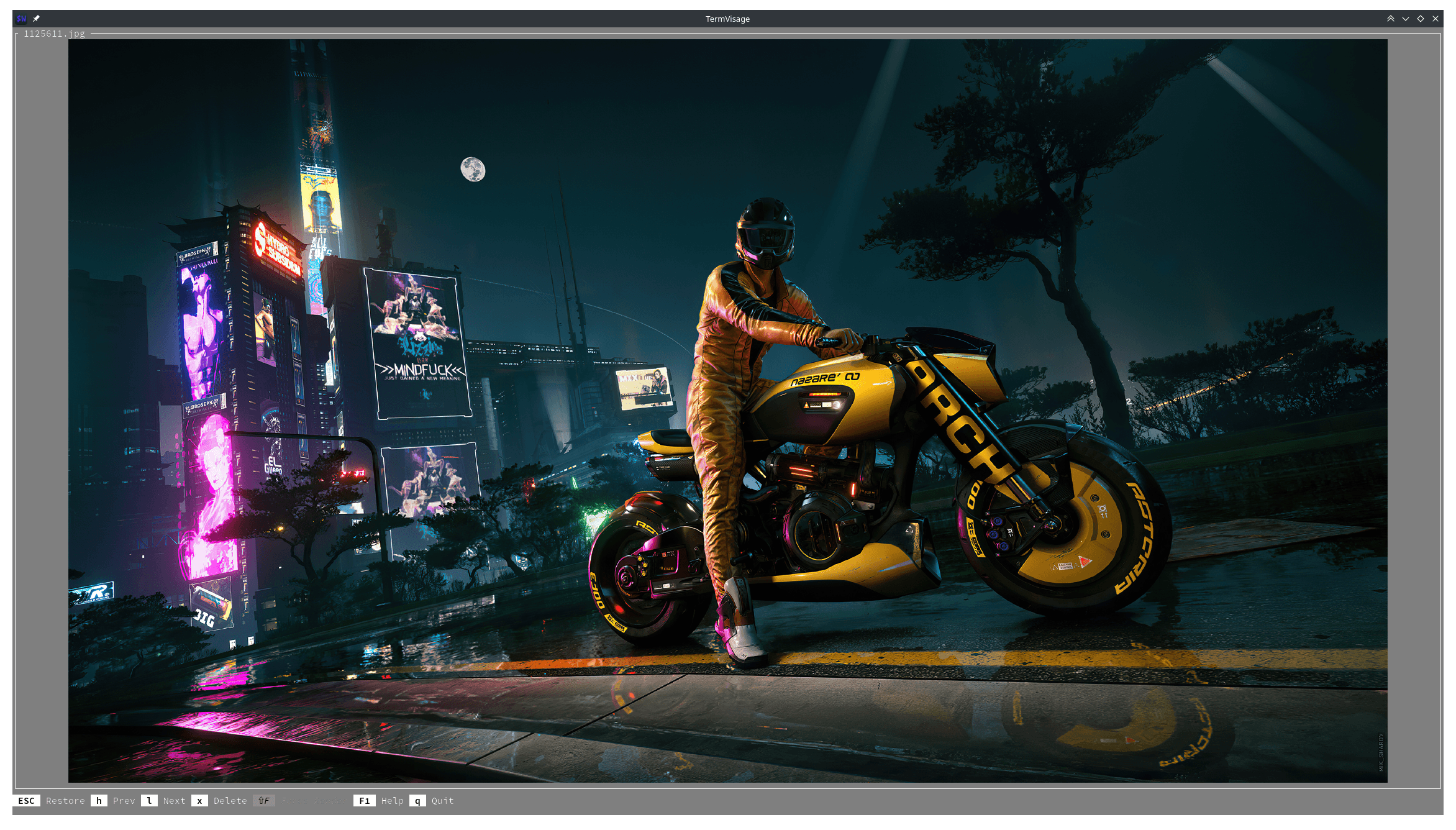
TermVisage is a terminal image viewer and browser built on the term-image Python library. It allows users to inspect individual images or navigate collections without leaving their terminal emulator.
The application offers both command-line operation and an interactive interface. A single image can be displayed directly, while selecting multiple files or directories opens a navigable browser. Images can be loaded from local storage or remote URLs, making the utility suitable for inspecting graphics during everyday shell work.
TermVisage adapts image rendering to the capabilities of the terminal emulator. Where supported, it uses dedicated graphics protocols for high-resolution output. Other terminals can display images using Unicode characters and truecolour sequences. The program also handles animated images, with controls for viewing collections and customising navigation.
This is free and open source software.
Key Features
- Display individual images or browse collections through an interactive terminal interface.
- Support Kitty and iTerm2 graphics protocols, with Unicode and truecolour rendering as alternatives.
- Automatically select an appropriate image rendering style for the terminal.
- Open local image files and images specified by URL.
- Browse directories recursively, including nested image collections.
- Generate thumbnails efficiently with configurable thumbnail settings.
- Arrange images in adjustable grids.
- Display animated GIF, APNG and WebP images with continuous looping.
- Provide context-sensitive controls and interactive help.
- Customise keyboard shortcuts and other application settings, including Vim-style navigation.
- Support shell completion for command-line arguments.
- Cross-platform support – runs on Linux, macOS, and Windows, with limited functionality on Windows.
Website: github.com/AnonymouX47/termvisage
Support:
Developer: Toluwaleke Ogundipe
License: MIT License
TermVisage is written in Python. Learn Python with our recommended free books and free tutorials.
Related Software
| Terminal-Based Image Viewers | |
|---|---|
| timg | Image and video viewer with good range of features. Written in C++ |
| Chafa | Character Art Facsimile |
| viu | Rust-based image viewer |
| vv | Image viewer for sixel terminals |
| TIV | Tiny C++ program that displays images in a terminal |
| Ranger | Terminal-based file manager supporting high quality previews of images |
| mcat | Extended cat command |
| icat | Cat like utility can specify multiple image files and/or directories |
| PixelTerm-C | High-performance terminal image browser written in C |
| pho | Lightweight image viewer |
| catimg | Renders images in the terminal |
| PTUI | Real-time image preview capabilities |
| imv | X11/Wayland image viewer |
| iv | Image viewer using terminal graphics |
| TermVisage | Front-end to the term-image library |
| Foto | Simple image viewer |
| vat | Renders SVG and other vector graphics in multiple formats |
| image_to_console | Fast image viewer supporting animations and graphics protocols |
| rsimg | Uses crossterm and zune as dependencies |
| imgcat | Displays images and gifs in your terminal emulator. |
Read our verdict in the software roundup.
 LinuxLinks helps you discover the best free and open source software for Linux. Explore our extensive collection of recommended applications, including alternatives to popular proprietary software. We also publish software reviews, Linux tutorials, hardware reviews, free programming books and articles covering the wider open source community. Browse our Linux resources to discover more. Know a useful free and open source Linux application we haven't covered? Suggest a program for inclusion. Has your software been featured on LinuxLinks? Display one of our Featured on LinuxLinks badges on your website or GitHub README. |
Please read our Comment Policy before commenting.