
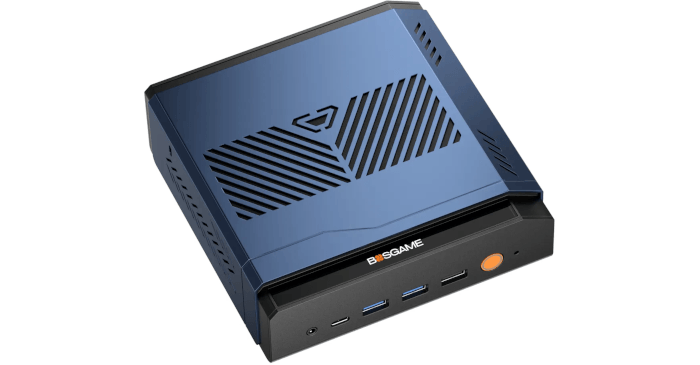
The BOSGAME VTA-439 has three potential resources for running AI models locally: the Ryzen AI 9 HX 470’s CPU, Radeon 890M integrated graphics and XDNA 2 NPU. Putting them to work involves different software, however. llama.cpp handles CPU and GPU inference, while FastFlowLM targets the NPU, each with its own setup and model requirements.
Lemonade Server brings these runtimes together, providing model management, a browser interface and APIs for other applications. For this review, I’m testing how well it puts the BOSGAME’s hardware to use under CachyOS, and whether switching between the different inference engines is as convenient as it sounds.
Installation
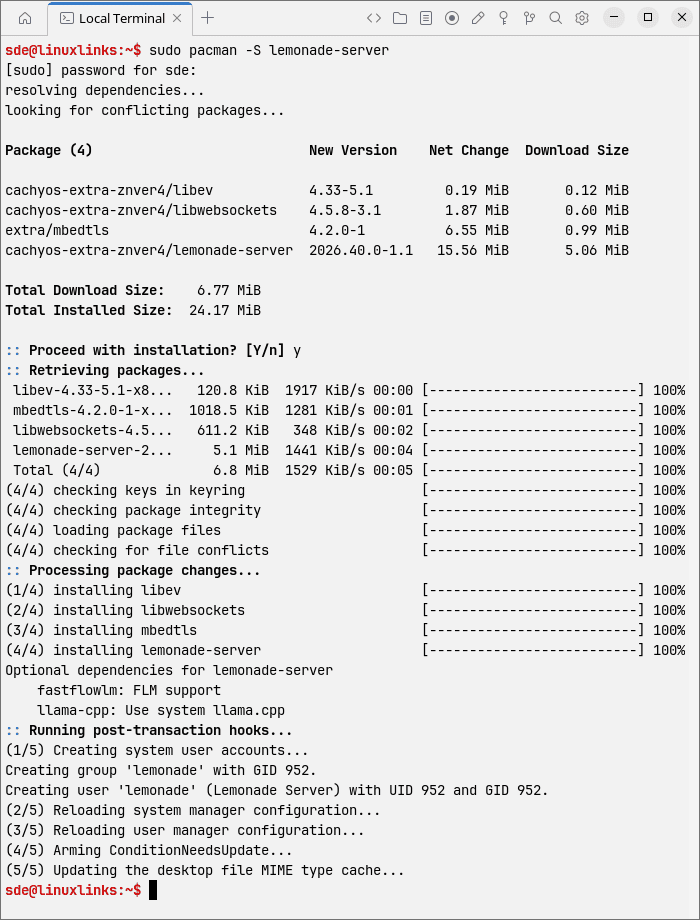
Packages make installation straightforward on CachyOS. Install the server and enable its service with:
$ sudo pacman -S lemonade-server
$ sudo systemctl enable --now lemond
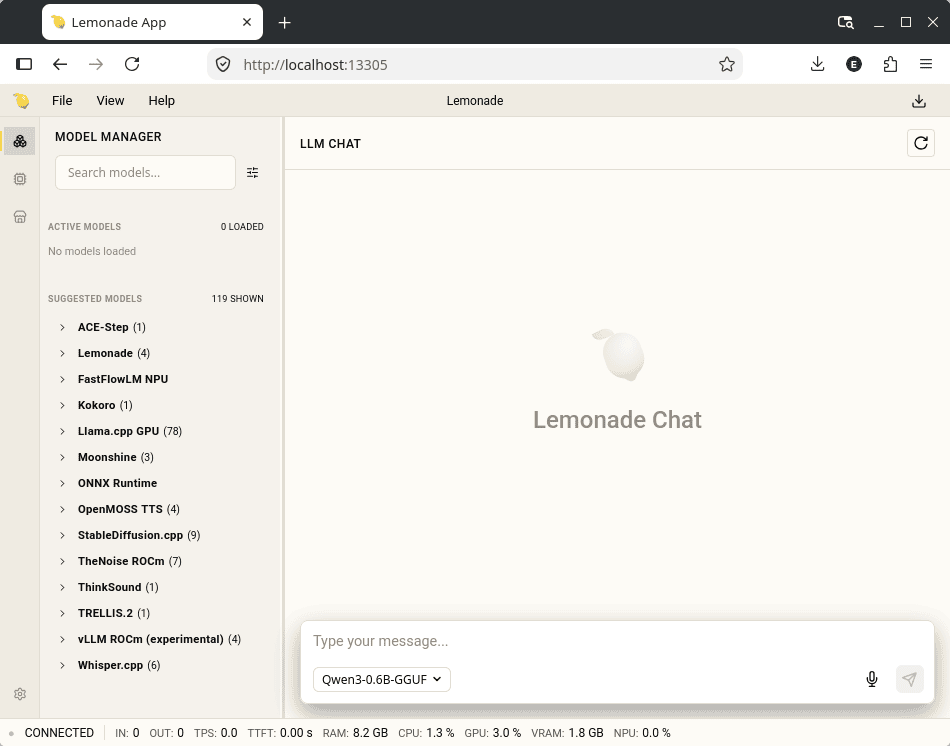
The browser interface is available at http://localhost:13305 and handles model management and chat. I used this interface for the review.
An optional desktop frontend is available with:
$ sudo pacman -S lemonade-desktop
The browser provides the main functionality. Terminal users also have the lemonade client for managing models and backends, while lemond runs the HTTP server.
To see which inference engines Lemonade recognises, run:
$ lemonade backends
On the VTA-439, it identifies the Radeon GPU’s ROCm and Vulkan options alongside FastFlowLM for the NPU. It also gives the commands needed to install the available backends.
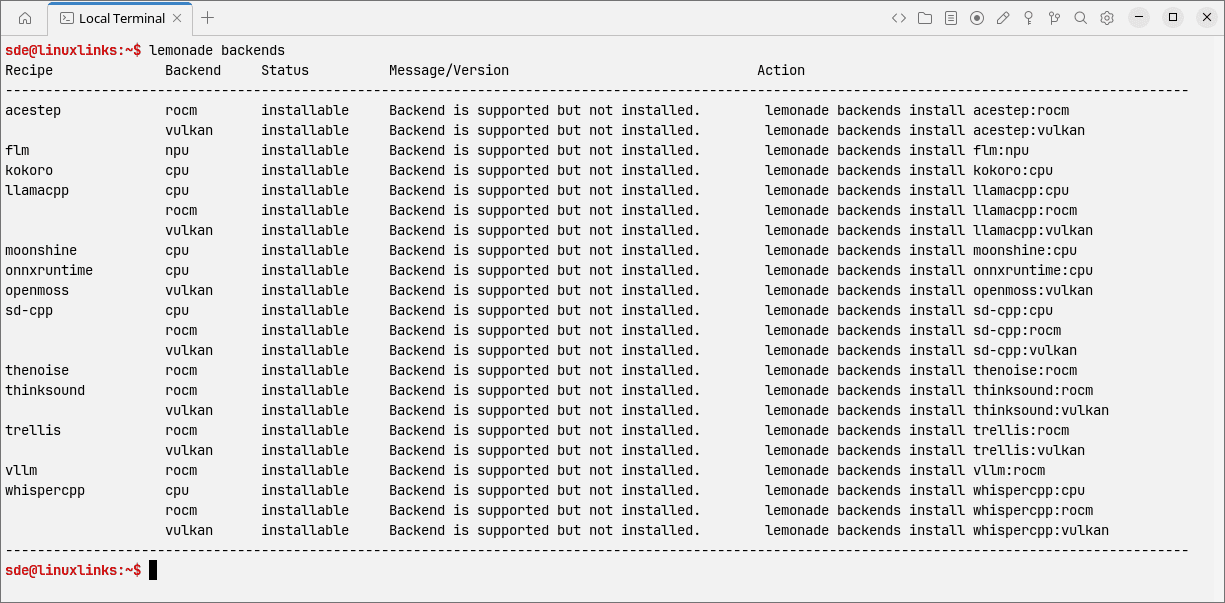
For this evaluation, I installed four backends to compare the CPU, Radeon 890M and NPU:
$ lemonade backends install llamacpp:cpu
$ lemonade backends install llamacpp:rocm
$ lemonade backends install llamacpp:vulkan
$ lemonade backends install flm:npu
In operation
Model Manager is one of Lemonade’s real strengths on the VTA-439. It brings model discovery, downloading and management into one place, with built-in chat for trying a model immediately. When experimenting with CPU, GPU and NPU inference, that saves a fair bit of faff.
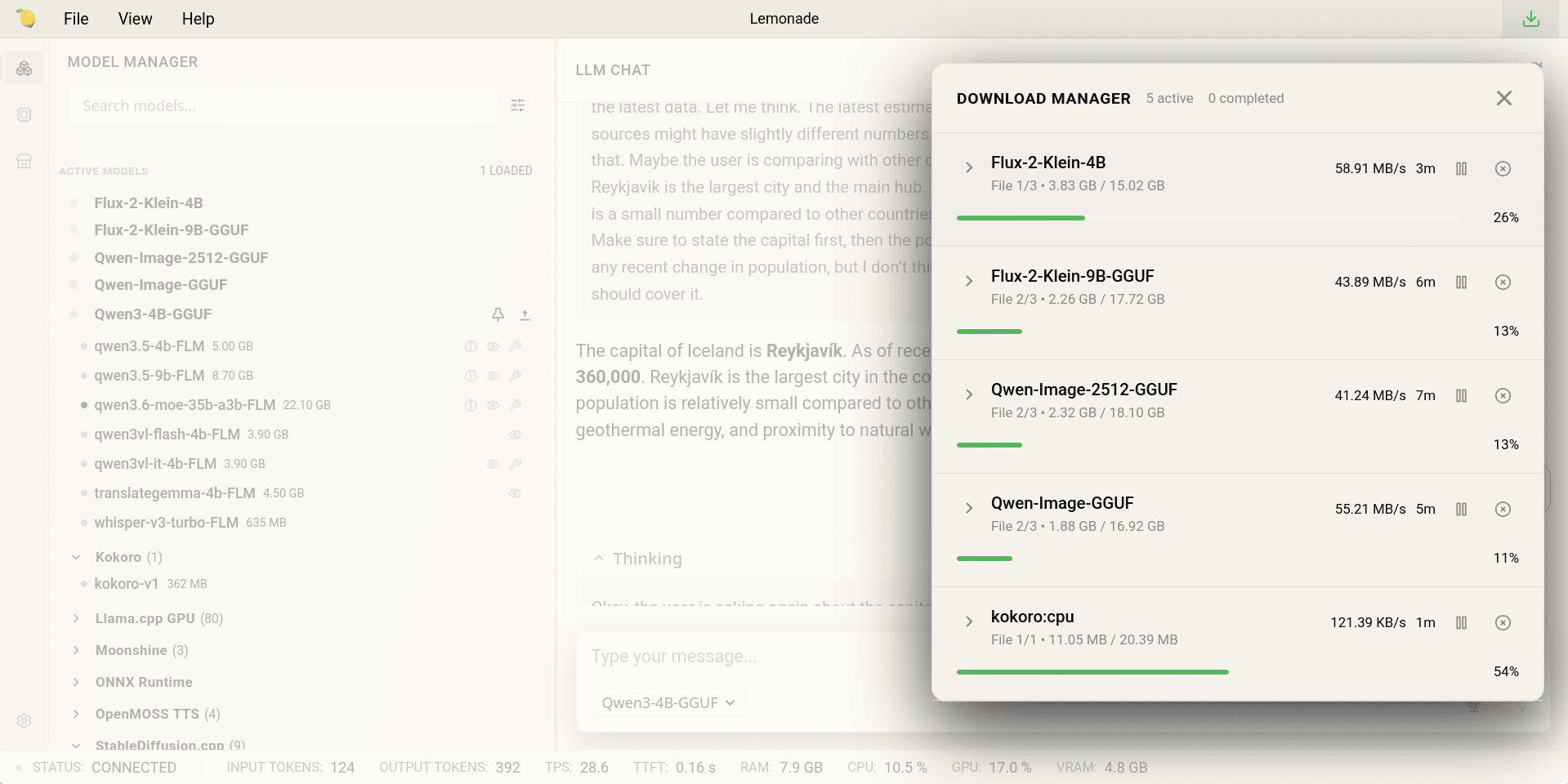
Other features worth mentioning include:
- Speech, images and vision – speech recognition, text-to-speech, image generation and vision-language models through suitable backends. The web UI’s voice selector is more limited than the underlying Kokoro backend, with additional voices available only by entering their IDs/API use.
- Application compatibility – OpenAI, Ollama and Anthropic-compatible APIs for connecting other applications, including chat frontends such as Open WebUI.
- Shared local server – multiple applications can use a loaded model, with access from other machines on the local network when configured.
- Memory management – load and unload models as needed to release memory for other workloads.
- Terminal tools – manage models and backends, script operations and benchmark latency and generation speed from the command line.
The additional workloads depend on compatible models and backends. My tests here concentrate on language models under CachyOS.
CPU, ROCm and Vulkan
I used Qwen3-4B-GGUF to compare the three llama.cpp backends with the same model. This VTA-439 has 64GB of RAM, with 48GB allocated to integrated graphics through a hidden BIOS setting; the default graphics allocation is only 4GB. The 4B model therefore leaves plenty of memory headroom.
Download the model and run Lemonade’s built-in benchmark:
$ lemonade pull Qwen3-4B-GGUF
$ lemonade bench --backend cpu --backend rocm --backend vulkan --ctx-size 4096 --runs 5 Qwen3-4B-GGUF
For sustained generation, ROCm and Vulkan are much of a muchness: they average 31.5 and 31.7 tokens per second respectively, against roughly 27 on the CPU. Both GPU backends are about 17% faster.
The more noticeable gain is how quickly a response begins. In the code-debug test, time to first token falls from almost 1.9 seconds on the CPU to 334ms with ROCm and 365ms with Vulkan. ROCm has lower initial latency in most of the heavier tests, while Vulkan is particularly quick with short prompts. Both GPU backends use around 4GB of memory.
Larger context settings
Next, I repeated the GPU benchmarks with context windows set to 4,096, 8,192 and 16,384 tokens:
$ lemonade bench --backend rocm --backend vulkan --ctx-size 4096 --ctx-size 8192 --ctx-size 16384 --runs 3 Qwen3-4B-GGUF
Both backends stay at around 31-32 tokens per second. Initial response times also show little change; Vulkan’s short chat result remains around 55ms.
Memory use rises from about 3.9GB to 5.5GB with ROCm, and from roughly 4GB to 5.6-5.7GB with Vulkan. That’s comfortably within this BOSGAME’s graphics allocation. These runs measure the effect of increasing the configured window; they don’t establish performance with a prompt filling all 16,384 tokens.
XDNA 2 NPU
FastFlowLM uses its own optimised models, so the NPU test requires qwen3-4b-FLM. It has the same model family and parameter count as the GGUF model, although model format and runtime both affect this comparison.
$ lemonade pull qwen3-4b-FLM
$ lemonade bench --backend npu --ctx-size 4096 --runs 5 qwen3-4b-FLM
FastFlowLM averages around 21.8 tokens per second, trailing both the CPU and Radeon 890M. This isn’t a like-for-like hardware comparison, as the NPU uses a different model format and runtime, but it does show what Lemonade’s current XDNA 2 route delivers in practice. Its attraction is less raw speed than moving inference onto dedicated hardware and leaving the CPU and Radeon available for other work.
Everyday use
I also tried a factual question, a simple Python programming exercise and a long article to summarise. These tasks gave me a feel for responsiveness and how smoothly the responses appeared.
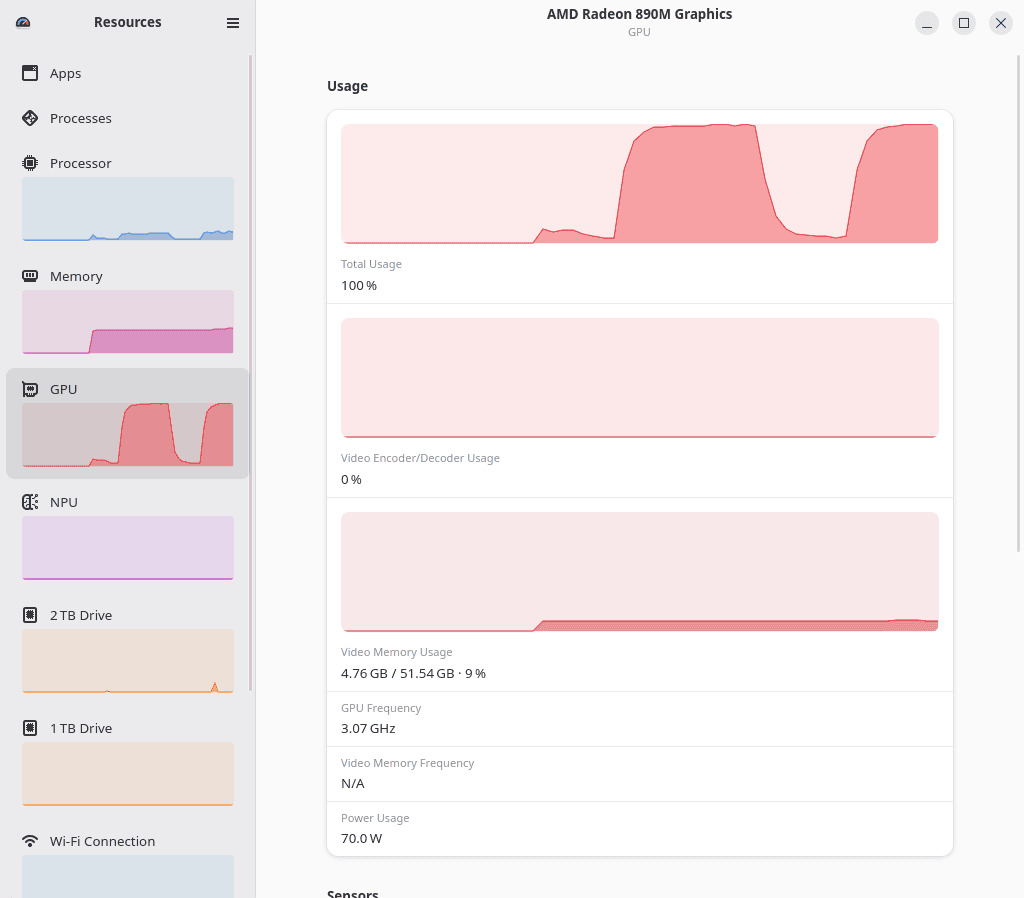
Vulkan began answering almost immediately whereas CPU inference had a perceptible pause. KDE remained responsive during testing, and generation was smooth. CPU generation throughput looks surprisingly competitive on paper, but it was noticeably less pleasant in interactive use. Longer waits before the first token, together with the CPU load generated during inference, made ROCm and Vulkan feel substantially more responsive.
Summary
On the BOSGAME VTA-439, Lemonade is a huge time saver. It brings model downloads, backend installation and CPU, Radeon GPU and NPU inference into a single manageable environment. That convenience matters on the Ryzen AI 9 HX 470, where trying the different accelerators would otherwise involve juggling several tools and model requirements.
For these Qwen3 4B workloads, the Radeon 890M is the option I’d use day to day. ROCm and Vulkan both deliver around 31-32 tokens per second, with much shorter waits for responses than the CPU. ROCm’s lower latency in the heavier coding tests gives it a slight edge for my use. The NPU’s roughly 22 tokens per second makes it a slower alternative, with the potential to keep the Radeon available for other work.
My 64GB configuration, with 48GB allocated to graphics, has ample headroom beyond the roughly 6GB used at the largest context setting tested, and KDE remains responsive. Larger models warrant further testing, but Lemonade already makes exploring this BOSGAME’s AI hardware remarkably straightforward.
What impressed me most wasn’t a particular inference engine, but how easily Lemonade let me move between them. I strongly recommend it for running local AI on the VTA-439 under Linux.
Complete list of articles in this series:
| BOSGAME VTA-439 Mini PC | |
|---|---|
| Introduction | Introduction to the series and interrogation of the machine |
| Benchmarks | Benchmarking the BOSGAME VTA-439 Mini PC |
| Power | Testing and comparing the power consumption |
| Easy Diffusion | Local Stable Diffusion package with a browser-based GUI |
| BIOS | Explore the machine's BIOS |
| Noise | How quiet is this mini PC? |
| NPU | Running LLMs on the Ryzen AI 9 HX 470 NPU |
| VirtualBox | Run VirtualBox on the Ryzen AI 9 HX 470's Zen 5 Cores |
| Gaming with the Radeon 890M | |
| Shadow of the Tomb Raider | Comparing graphics presets and frame rates |
| Tiny Tina’s Wonderlands | How well does this demanding shooter perform? |
| The Callisto Protocol | Pushing the integrated GPU with a demanding title |
| Deus Ex: Mankind Divided | Performance across the graphics presets |
Please read our Comment Policy before commenting.