
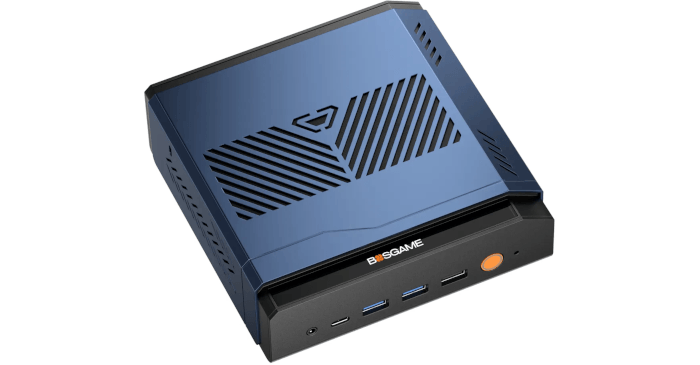
This is a series looking at the BOSGAME VTA-439 Ryzen AI 9 HX 470 mini PC running Linux. In this series, I put the BOSGAME mini PC through its paces from a Linux perspective, comparing it with other systems, including desktops, to see how it performs in real-world Linux use.
BIOS, or Basic Input/Output System, remains one of the most important pieces of low-level software in any computer. This firmware handles the essential groundwork before the operating system takes over, initialising hardware and preparing the system to boot.
For this quick look at the BOSGAME VTA-439’s BIOS, I’m using a basic video capture device rather than a camera. This approach delivers far cleaner screenshots and makes the interface much easier to see.
Unless otherwise stated, the screenshots below show the default options.
Main
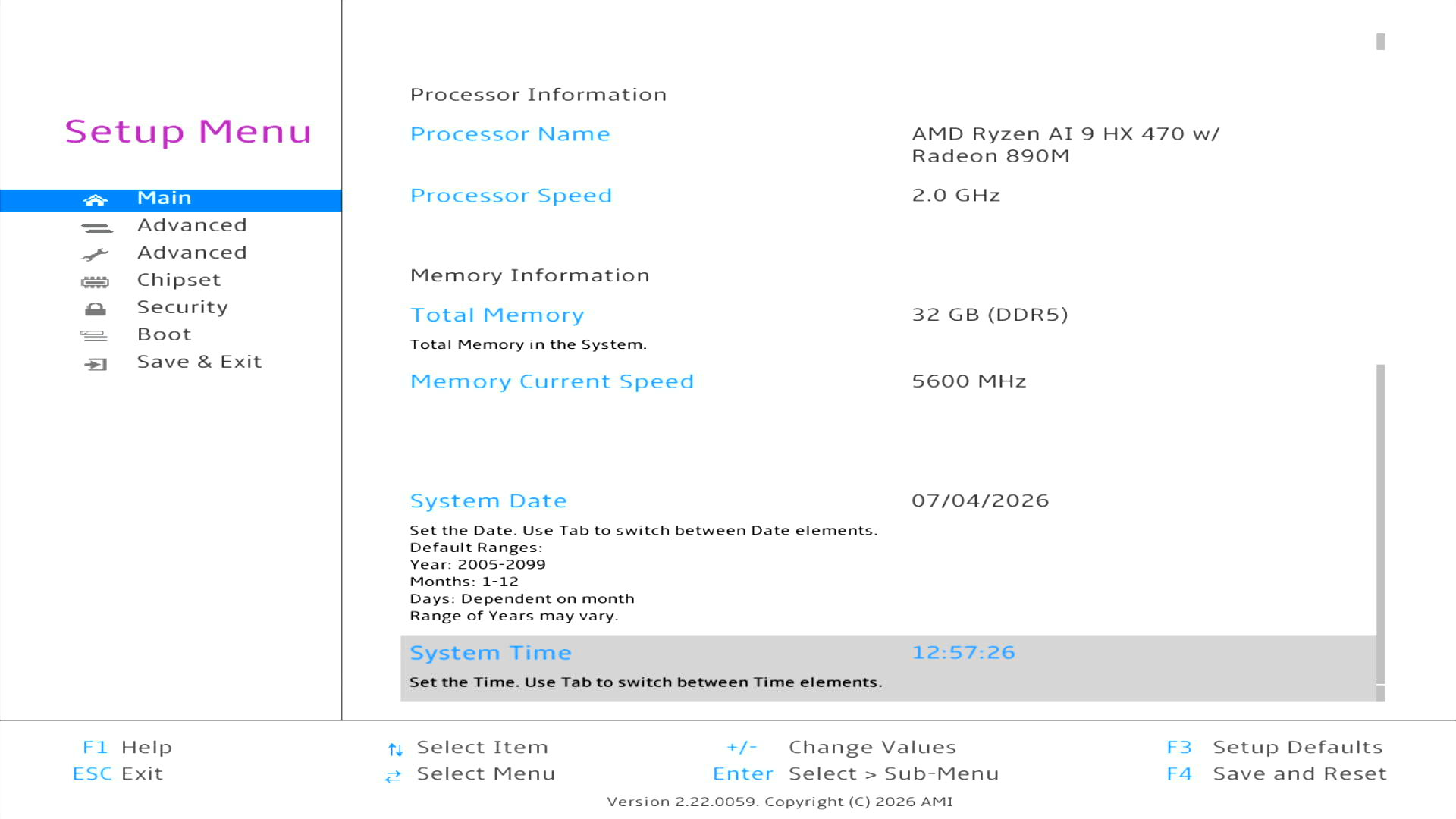
The interface is a conventional AMI setup utility. The system date and time can be adjusted from this screen, while the menu on the left provides access to the more interesting advanced, chipset, security and boot settings.
You may notice that there are two Advanced menus. That’s because I’ve enabled the second Advanced menu, which is hidden by default. To reveal it, boot the machine and enter the BIOS, press [Alt + F5], then press [F4] to save the change and reboot.
Standard Advanced Menu
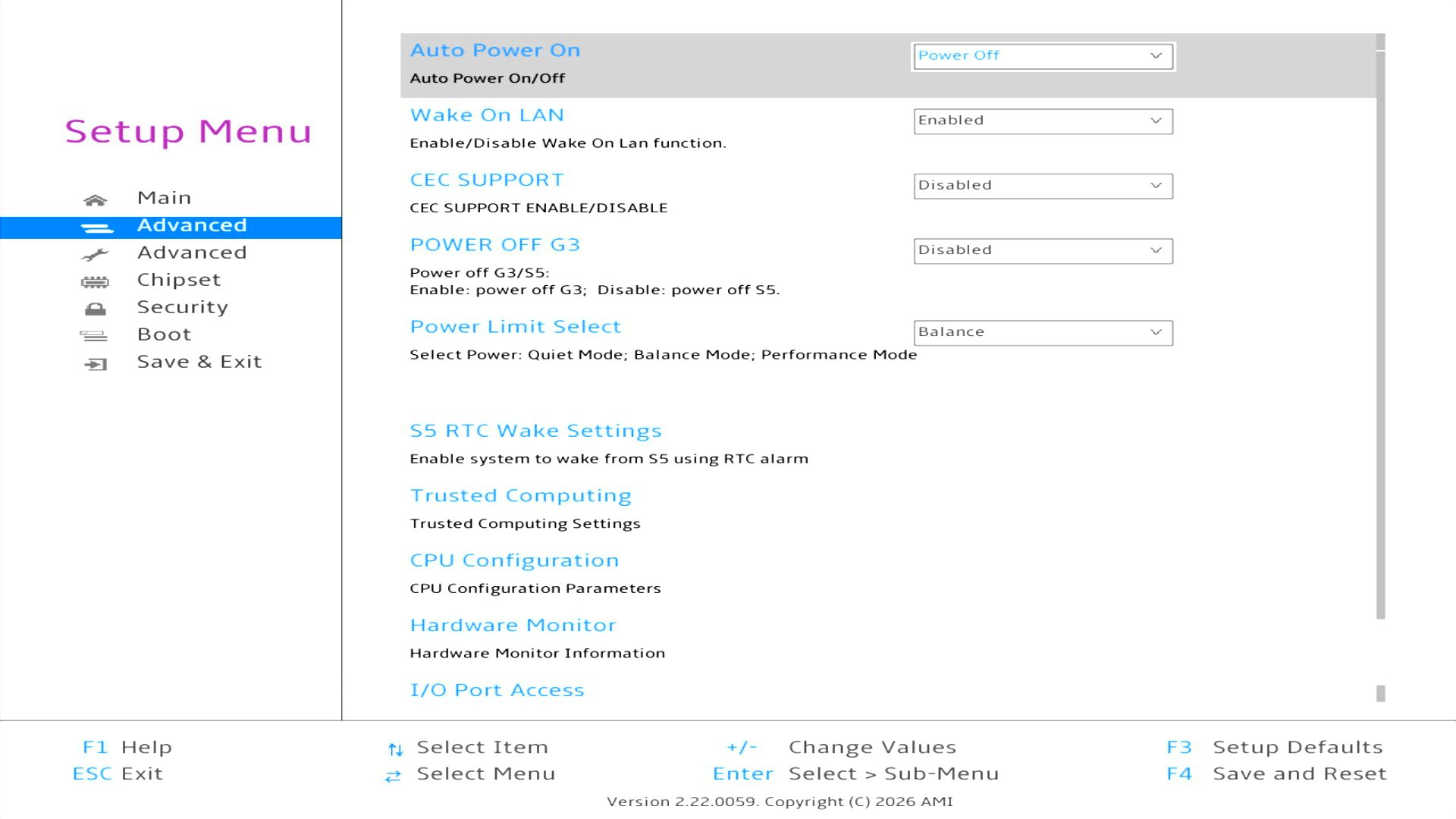
The first Advanced menu provides access to a useful range of system and power settings. These include automatic power-on behaviour, Wake-on-LAN, CEC support, RTC wake scheduling, CPU configuration and hardware monitoring.
Of particular interest is Power Limit Select, which lets you choose between Quiet, Balance and Performance modes. The VTA-439 ships with Balance selected by default.
Let’s look at the Hardware Monitor section.
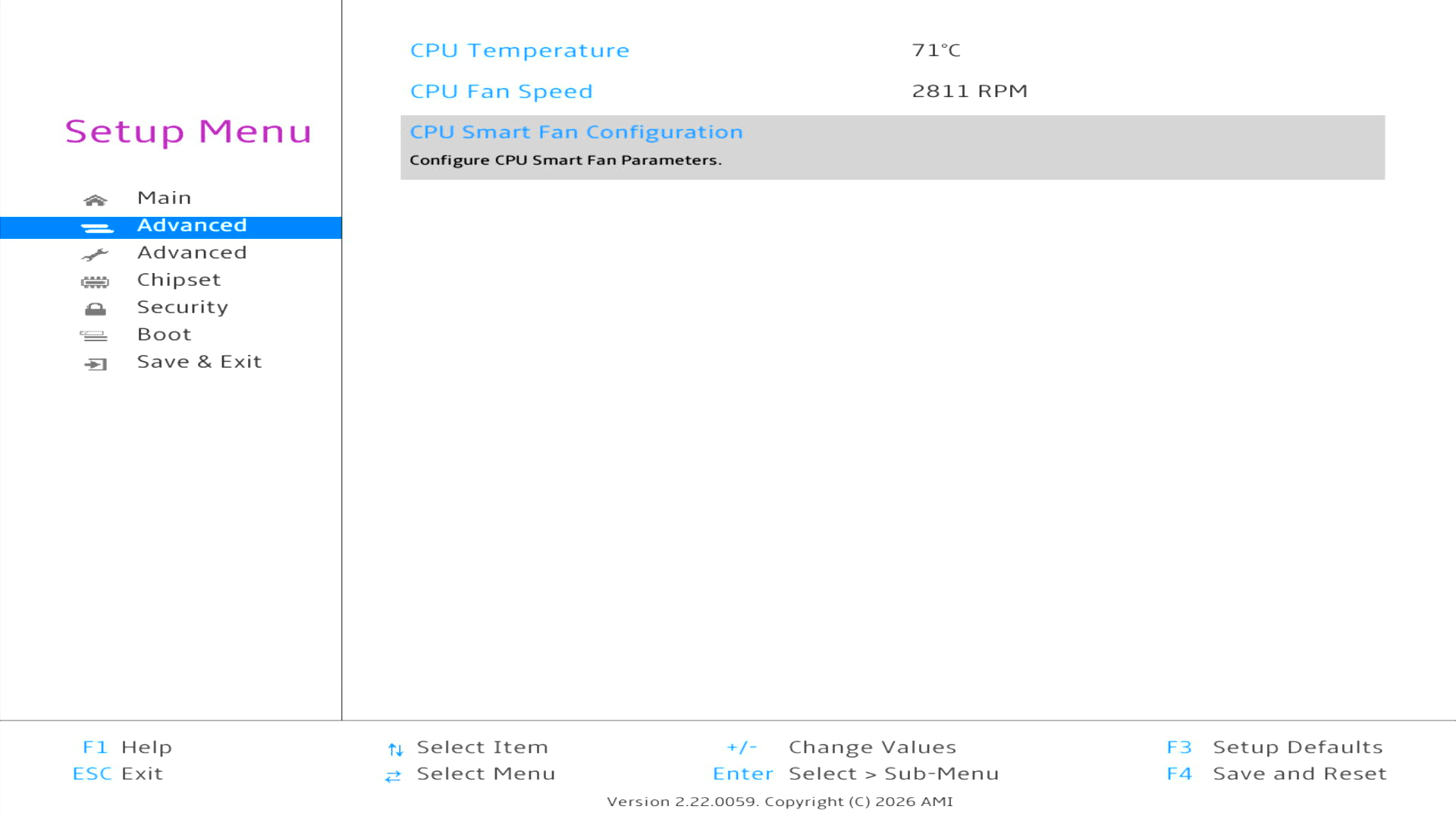
By default, the CPU Smart Fan is disabled.
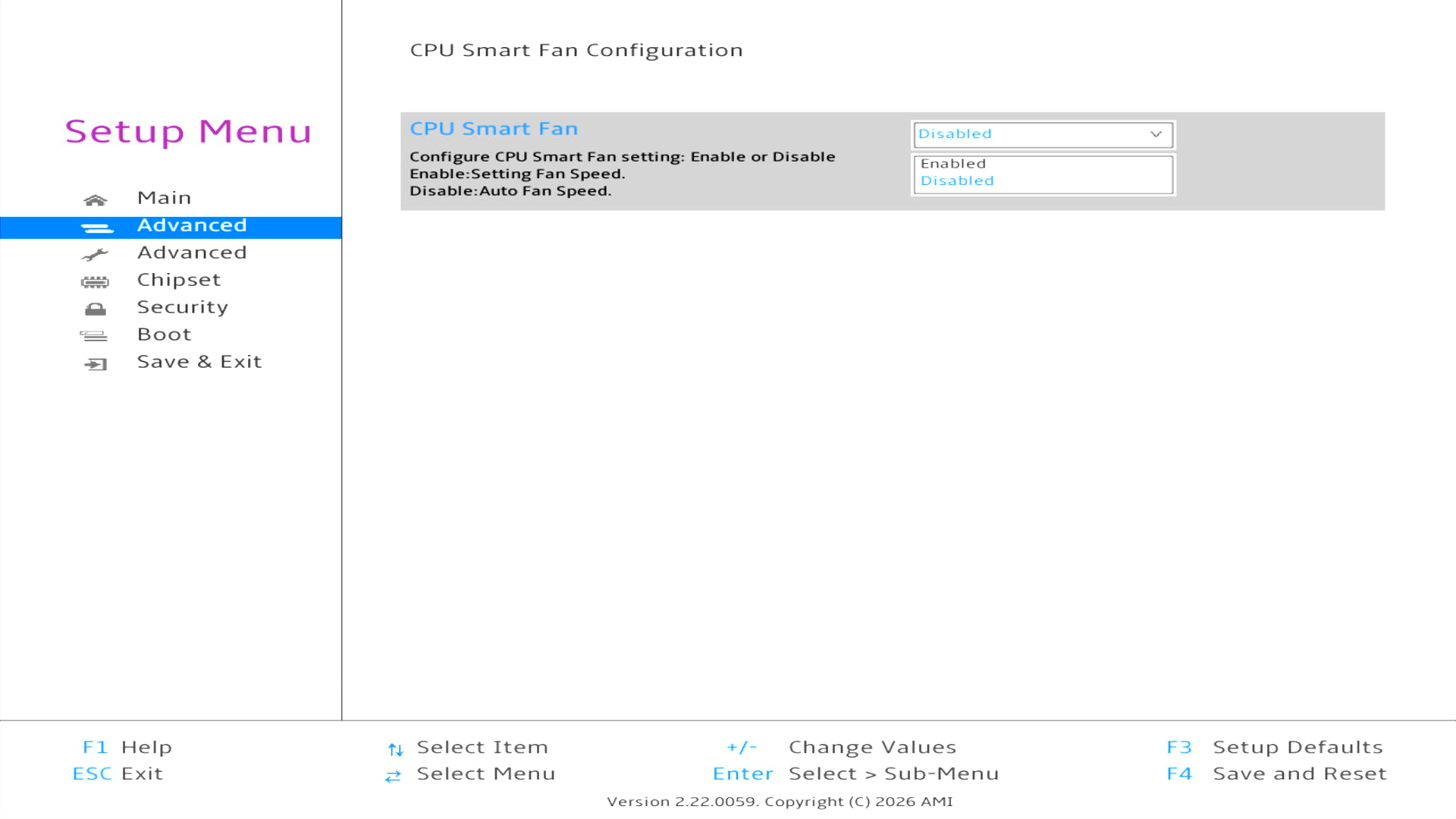
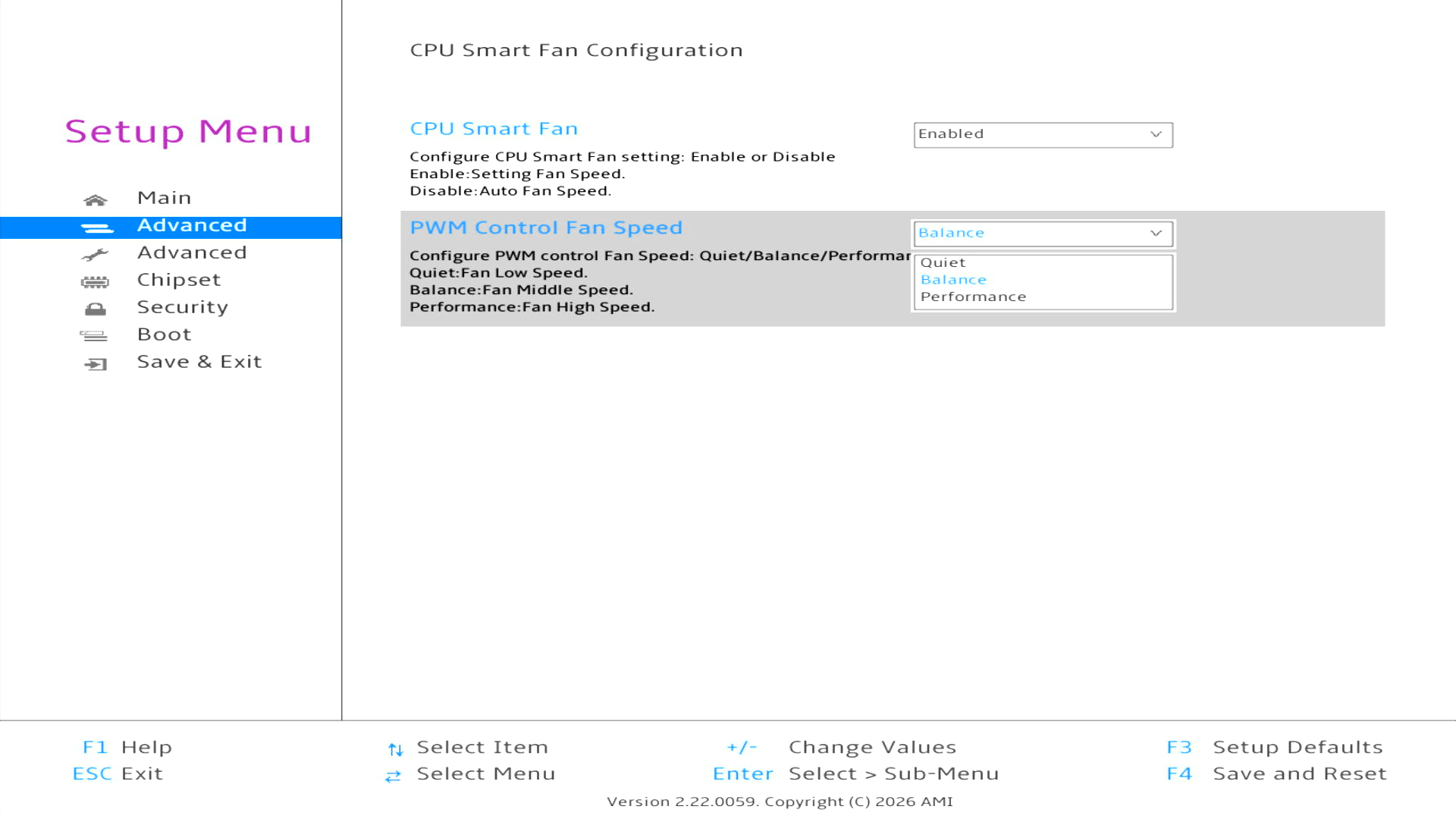
Let’s enable it. With CPU Smart Fan enabled, Balance is selected by default. Quiet lowers the fan speed, while Performance takes the opposite approach and prioritises cooling. Given the VTA-439’s excellent default noise profile, I’ve seen no need to move away from Balance.
Advanced – hidden by default
The hidden Advanced menu exposes a much broader range of low-level firmware settings. These include AMD CBS and PBS options, ACPI, CPU, PCI Express, USB and NVMe configuration, together with settings for the two Realtek 2.5GbE controllers.
Most users should have little reason to change these options, but the extra menu is useful for advanced configuration and hardware tuning.
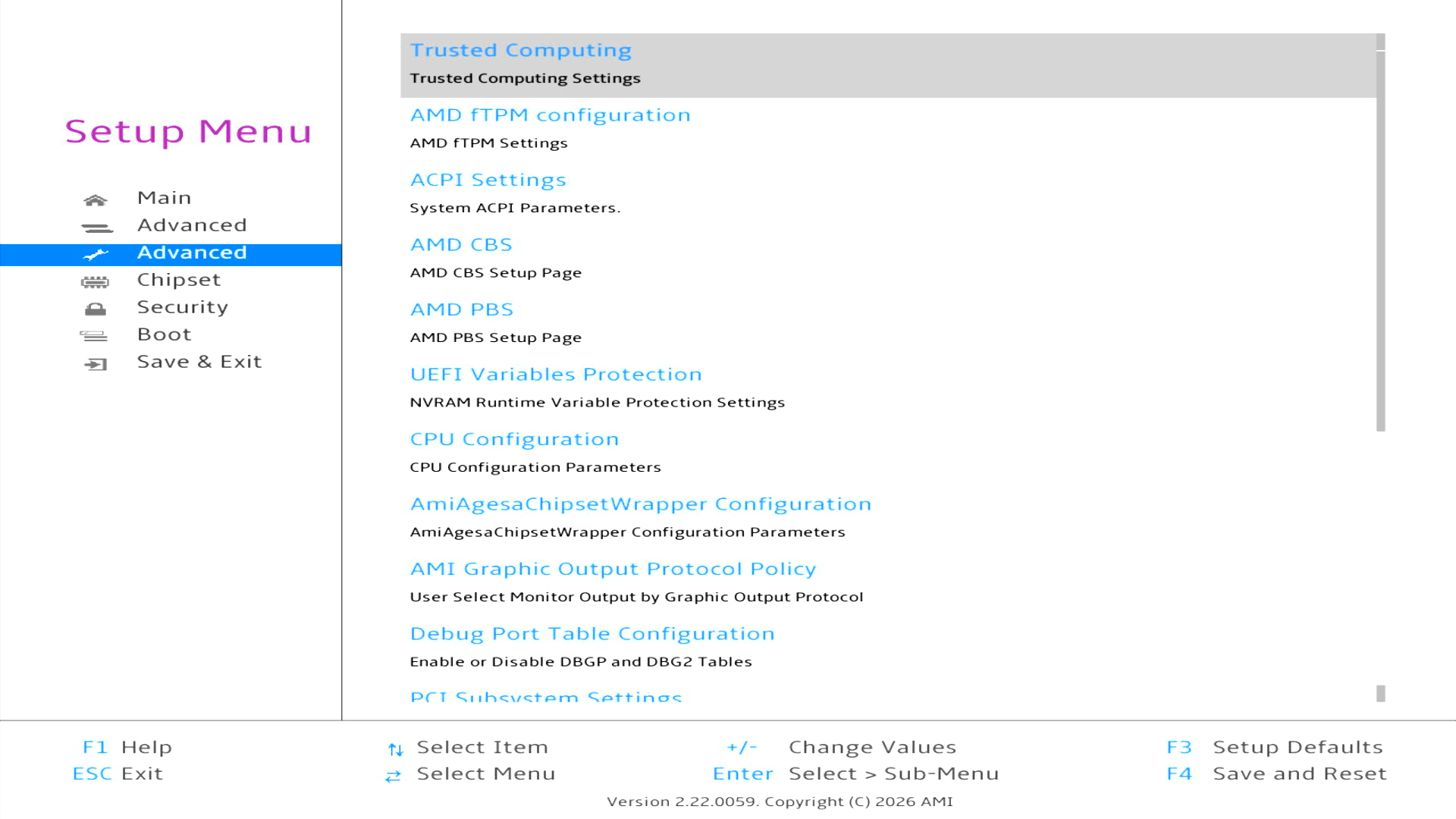
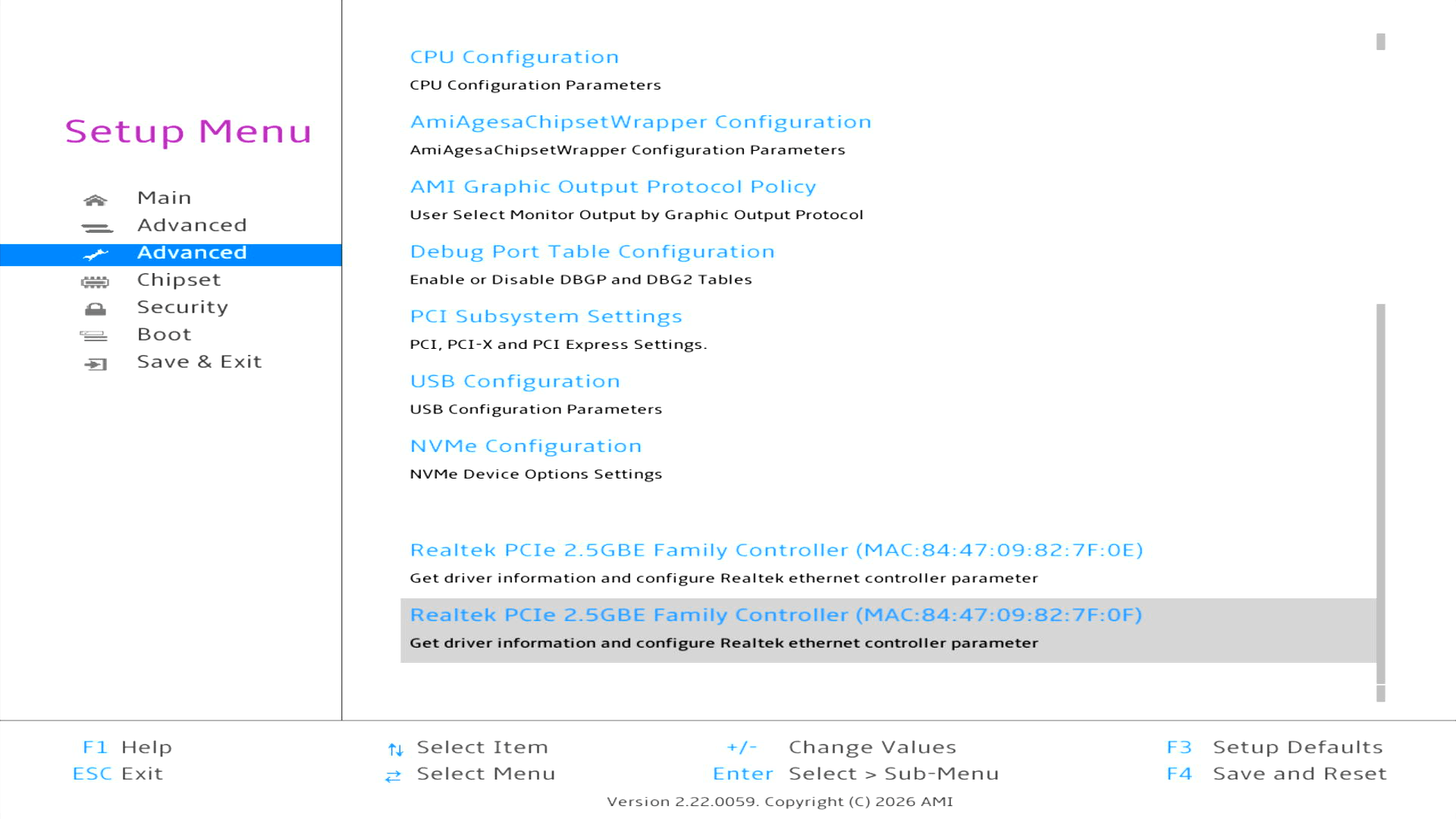
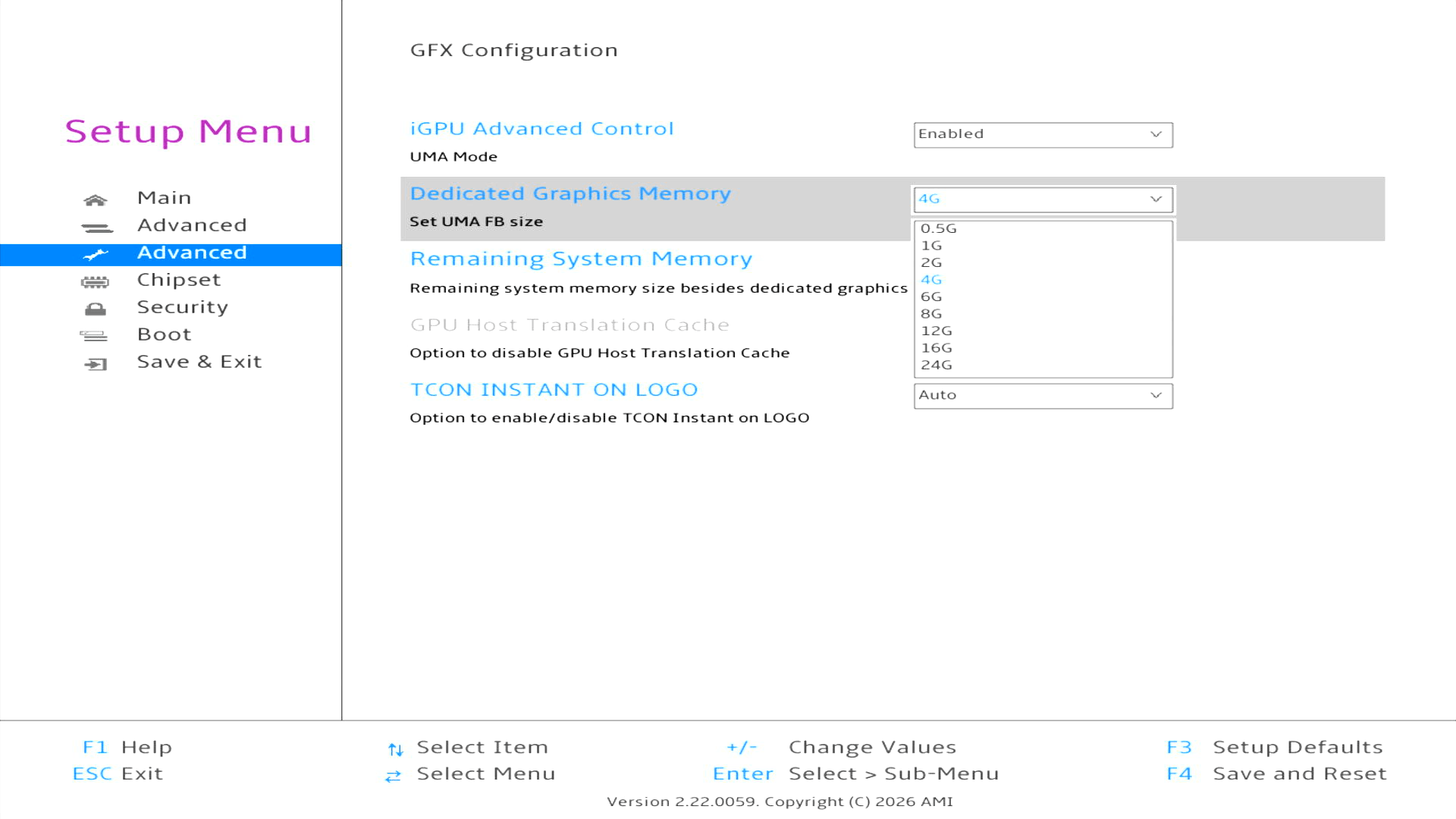
One of the most useful settings is the option to increase the amount of system RAM allocated to the iGPU.
Navigate to AMD CBS → NBIO Common Options → GFX Configuration, where you can change the amount of system memory allocated to the iGPU. By default, 4GB is reserved for the iGPU, but you may wish to increase this when running LLM models. Conversely, reducing the allocation makes more RAM available to the operating system and applications.
Security
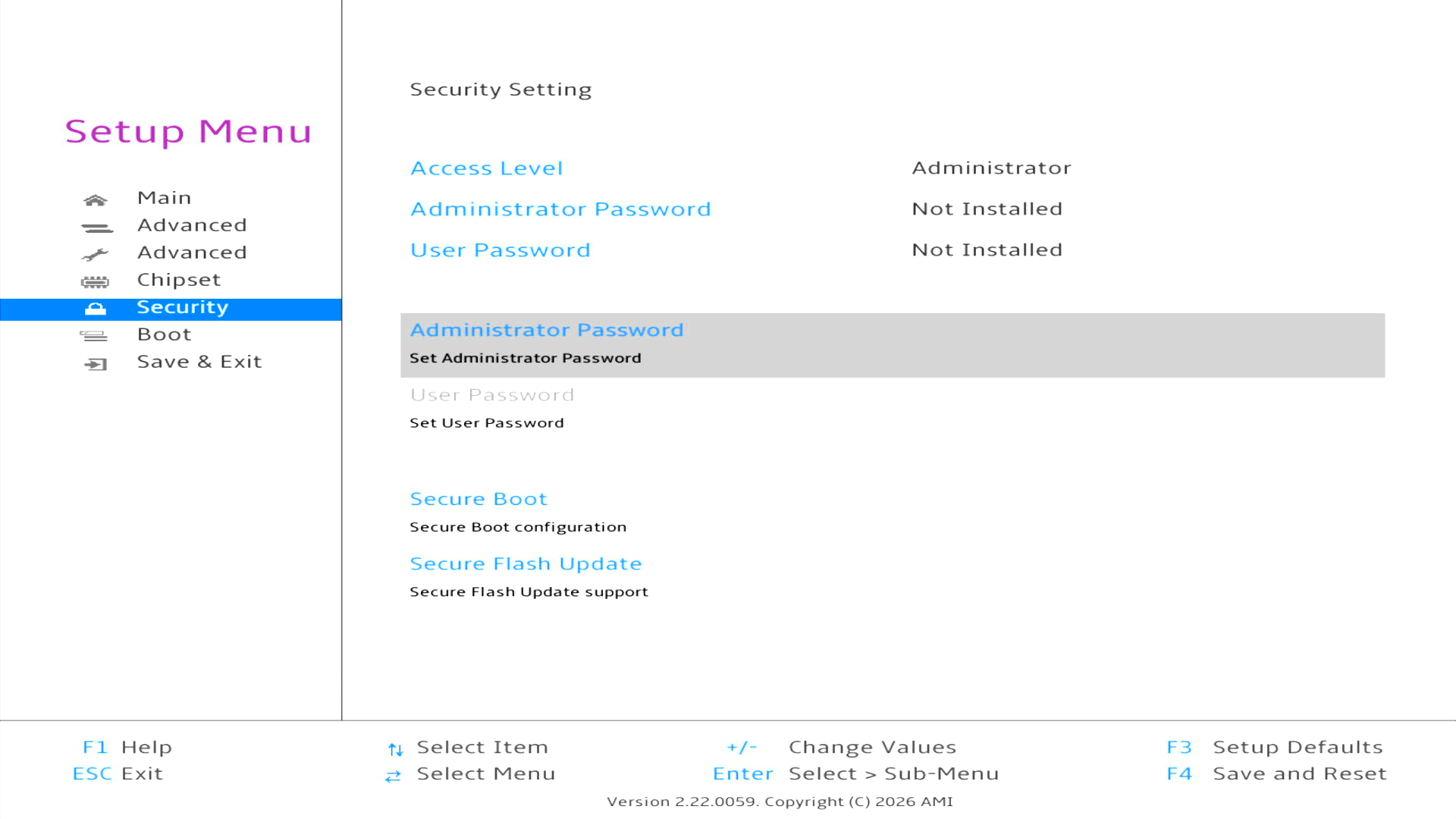
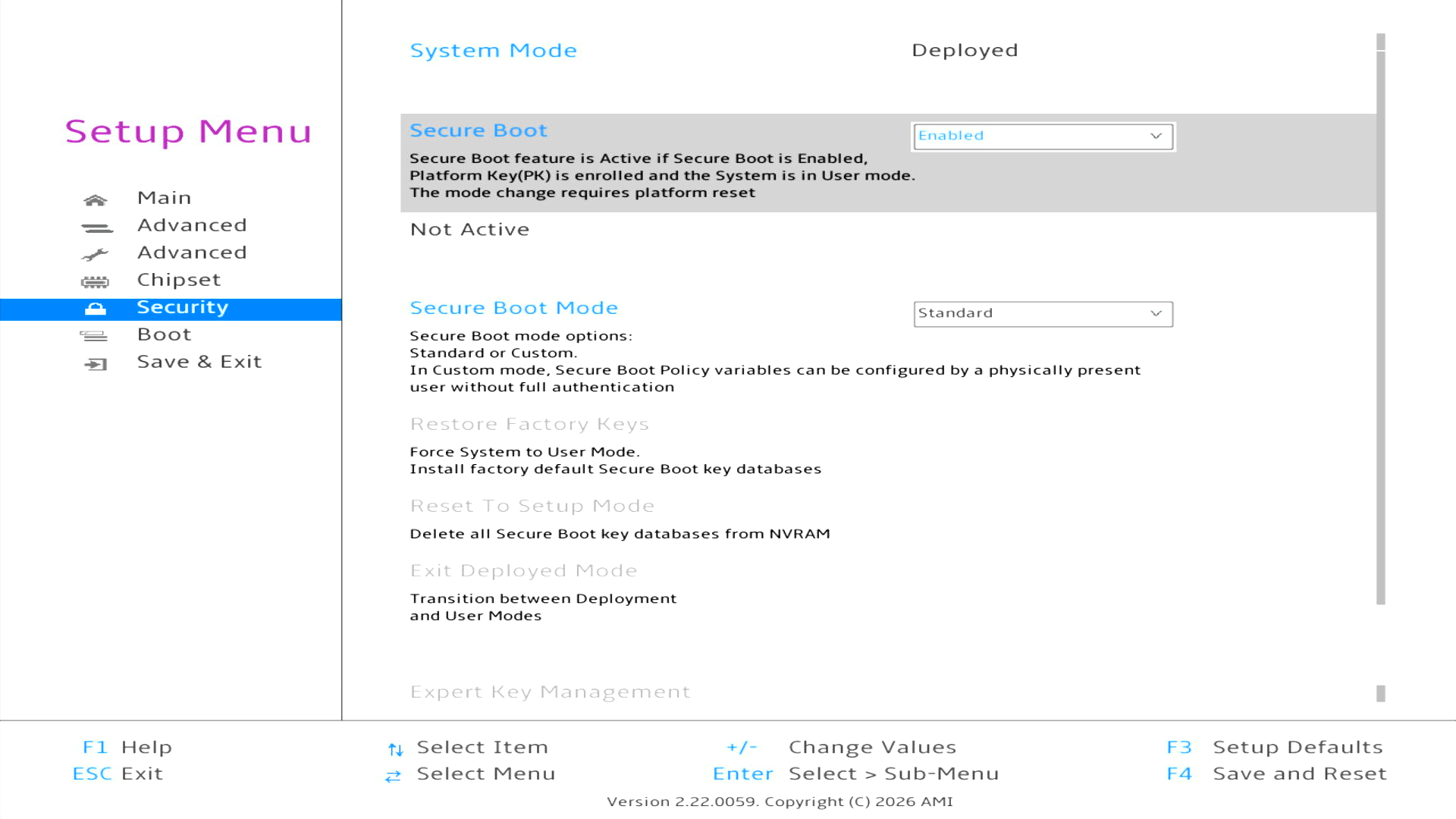
The Security menu provides controls for administrator and user passwords, Secure Boot and secure firmware updates. No BIOS passwords are configured on the review unit. The screenshot shows Secure Boot enabled, although the BIOS reports the feature as Not Active. I subsequently disabled Secure Boot before installing and testing Linux.
Boot
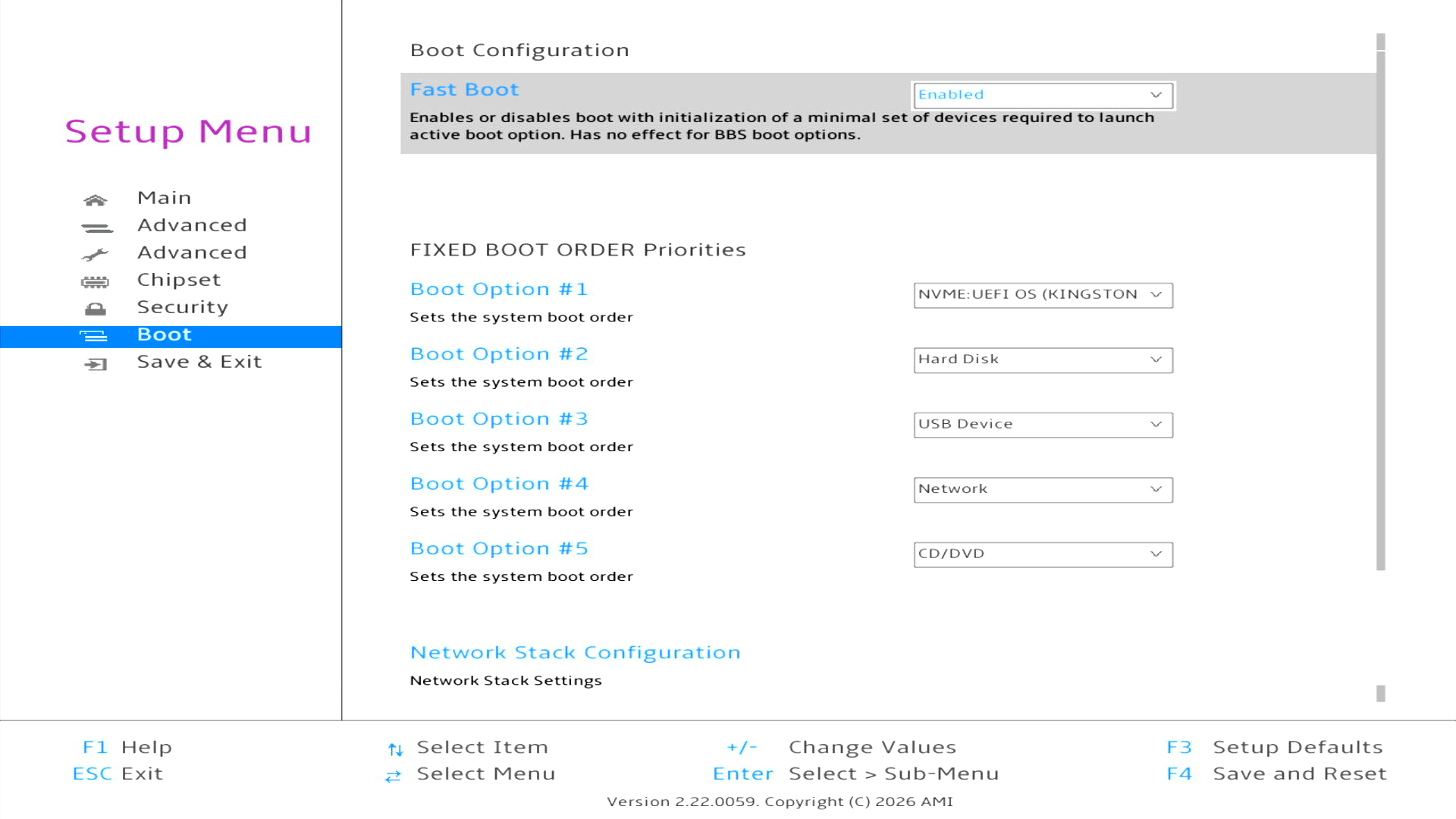
The Boot menu is straightforward, with Fast Boot enabled and controls for setting the boot priority. The NVMe UEFI operating system is first in the boot order, followed by other disks, USB devices, network boot and optical media. There is also a separate section for configuring the network stack.
Complete list of articles in this series:
| BOSGAME VTA-439 Mini PC | |
|---|---|
| Introduction | Introduction to the series and interrogation of the machine |
| Benchmarks | Benchmarking the BOSGAME VTA-439 Mini PC |
| Power | Testing and comparing the power consumption |
| Easy Diffusion | Local Stable Diffusion package with a browser-based GUI |
| BIOS | Explore the machine's BIOS |
| Noise | How quiet is this mini PC? |
| NPU | Running LLMs on the Ryzen AI 9 HX 470 NPU |
| VirtualBox | Run VirtualBox on the Ryzen AI 9 HX 470's Zen 5 Cores |
Please read our Comment Policy before commenting.