

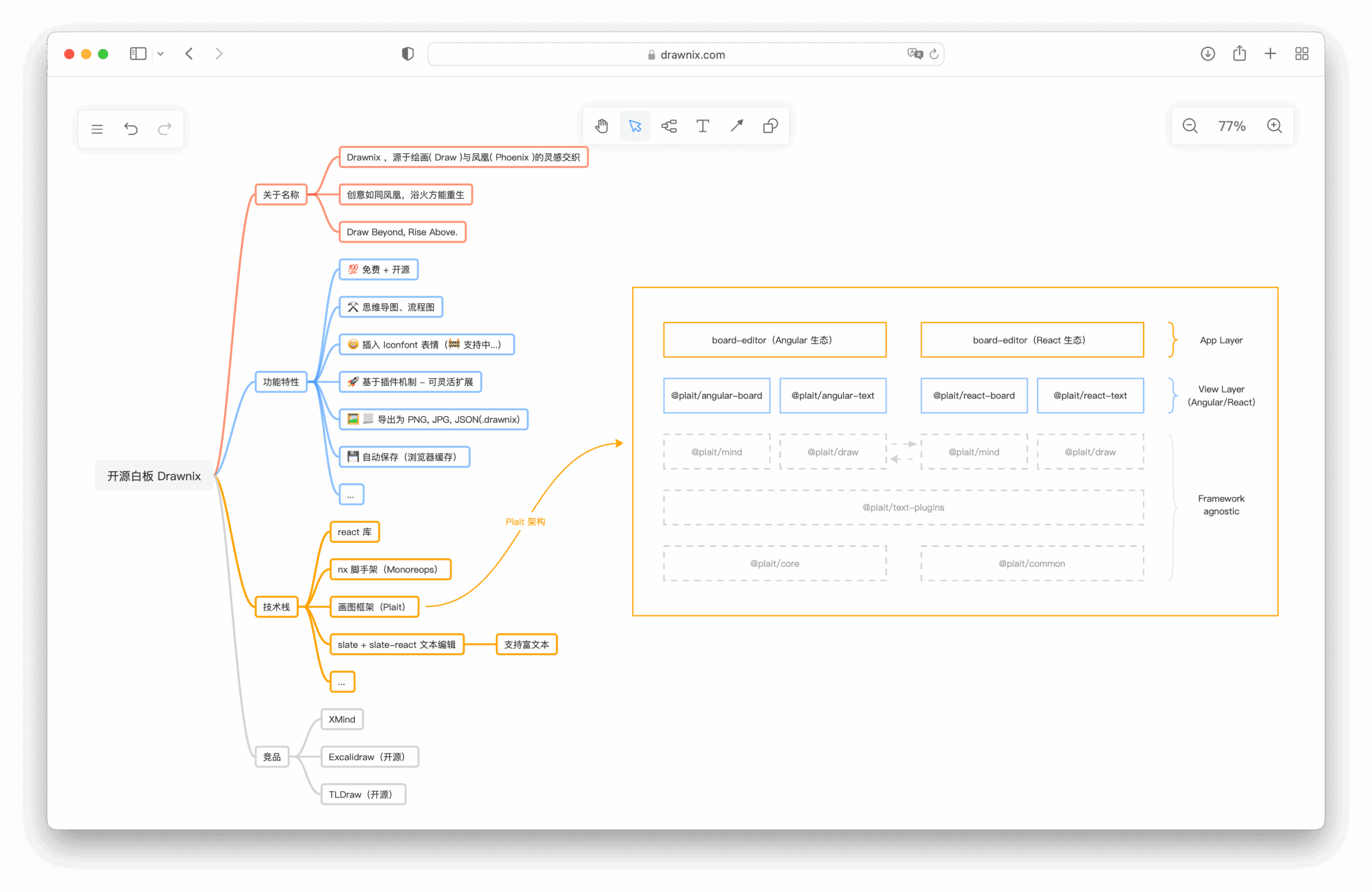
Drawnix is a browser-based whiteboard application for creating mind maps, flowcharts, freehand drawings and other visual content. It combines structured diagramming tools with an infinite canvas, allowing users to arrange ideas, sketches and diagrams within the same workspace. This makes it suitable for brainstorming, explaining processes, organising information and creating illustrations that do not fit neatly into a conventional document.
The application is based on the Plait drawing framework and uses a plugin architecture to support different types of content. Users can draw directly on the canvas, create structured diagrams or convert text-based descriptions into visual representations. Drawnix stores work in browser storage and provides export facilities for retaining or sharing diagrams without requiring a hosted account.
This is free and open source software.
Key Features
- Create mind maps and flowcharts using dedicated diagramming tools.
- Draw freehand sketches directly on the whiteboard.
- Insert images and arrange them alongside other canvas elements.
- Work on an infinite canvas with panning and zooming controls.
- Convert Mermaid syntax into flowcharts.
- Transform Markdown text into mind maps.
- Customise freehand drawing colours and stroke thickness.
- Adjust text sizes and other visual properties of canvas elements.
- Create and manipulate different diagram shapes and connectors.
- Undo and redo editing operations.
- Copy, paste, duplicate and delete selected elements.
- Copy canvas content to the clipboard as SVG or PNG.
- Export diagrams to PNG, JPG, SVG and Drawnix JSON formats.
- Save work automatically in browser storage.
- Use theme settings and customised background colours.
- Provide a mobile-friendly interface for touchscreen devices.
- Extend whiteboard functionality through the Plait plugin architecture.
Website: github.com/plait-board/drawnix
Support:
Developer: Plait Board
License: MIT License
Drawnix is written in TypeScript. Learn TypeScript with our recommended free books and free tutorials.
Related Software
| Interactive Whiteboards | |
|---|---|
| Excalidraw | Virtual whiteboard for sketching hand-drawn like diagrams |
| OpenBoard | Interactive whiteboard for schools and universities |
| Xournal++ | Handwriting notetaking software with PDF annotation support |
| AFFiNE | All-in-one workspace |
| pad.ws | Whiteboard as an IDE |
| Drawnix | All-in-one whiteboard tool |
| WBO | Online collaborative whiteboard that is easy to use |
| Lorien | Infinite canvas drawing/note-taking app focused on simplicity |
| Xournal | Notetaking, sketching, keeping a journal using a stylus |
| python-whiteboard | Build and operate a low-cost electronic whiteboard |
| Drawy | Work-in-progress infinite whiteboard tool |
| Mando | Human computer interface using a camera and a projector |
Read our verdict in the software roundup.
| Mind Mapping Software | |
|---|---|
| TreeSheets | Free form data organizer |
| View Your Mind | Excellent tool to generate and manipulate maps |
| Freeplane | Create and analyze mind maps |
| Drawnix | All-in-one whiteboard for diagrams, mind maps and freehand drawing |
| Minder | Easy-to-use, and highly customizable way of organizing thoughts |
| markmap | Build mindmaps with plain text |
| h-m-m | Create mind maps in the terminal |
| Semantik | Produce complicated documents very quickly and efficiently |
| FreeMind | Visualise ideas, projects, brainstorming, concepts, internet research |
| Heimer | Simple cross-platform mind map and note-taking tool written in Qt |
| Mindolph | Personal knowledge management software with Gen-AI support |
| TeamMapper | Collaborative web app for creating and sharing mind maps |
| WiseMapping | Web-based mind mapping tool |
| tmmpr | Terminal mind mapper |
| myMarkmap | Create interactive mind maps directly from Markdown |
Read our verdict in the software roundup.
 LinuxLinks helps you discover the best free and open source software for Linux. Explore our extensive collection of recommended applications, including alternatives to popular proprietary software. We also publish software reviews, Linux tutorials, hardware reviews, free programming books and articles covering the wider open source community. Browse our Linux resources to discover more. Know a useful free and open source Linux application we haven't covered? Suggest a program for inclusion. Has your software been featured on LinuxLinks? Display one of our Featured on LinuxLinks badges on your website or GitHub README. |
Please read our Comment Policy before commenting.