

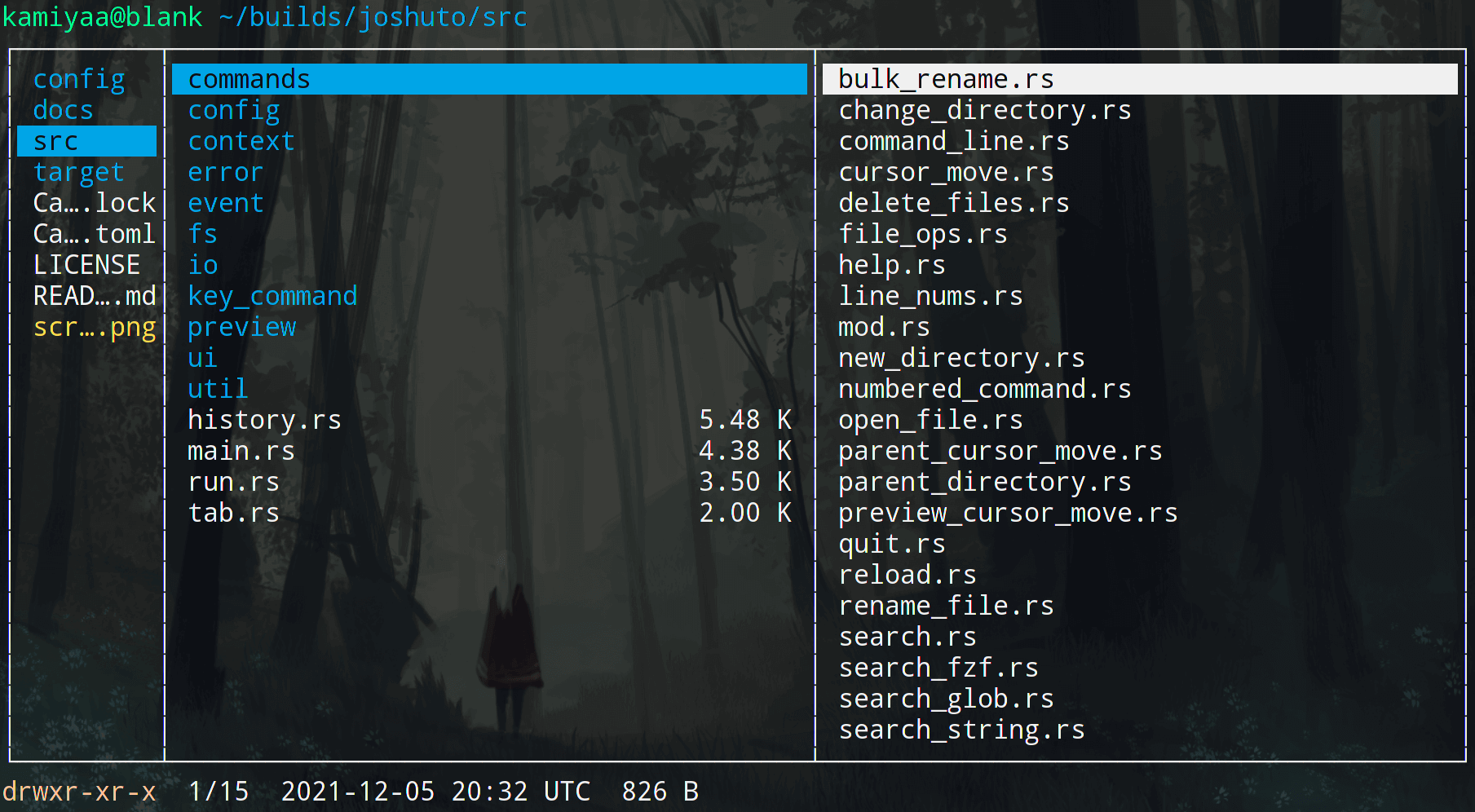
joshuto is a terminal file manager inspired by Ranger. It uses a keyboard-driven interface with Vim-like navigation, making it suitable for users who prefer managing files without leaving the terminal.
The application provides a familiar directory-browsing workflow while supporting asynchronous file operations. This allows users to continue navigating the filesystem while copy, cut, and paste operations are being processed.
joshuto places considerable emphasis on customisation. Its behaviour, keyboard shortcuts, colours, and file associations can be adjusted through configuration files.
File previews are another important part of the application. Although image rendering is not directly built into the file manager, preview hooks allow users to integrate external tools and scripts for displaying different types of content.
This is free and open source software.
Key Features
- Vim-style keyboard navigation for moving between files and directories.
- Multiple tabs for working with separate directory locations.
- Asynchronous file operations, including copying, cutting, and pasting files.
- Bulk file renaming for changing multiple filenames efficiently.
- Fuzzy file searching through integration with fzf.
- Configurable file previews with hooks for external preview scripts, including image previews.
- Customisable keyboard shortcuts with support for Ctrl, Shift, and Alt modifiers.
- Custom colour schemes and themes.
- File icons through Devicons integration.
- Optional line numbers and direct navigation to numbered entries.
- File chooser functionality for selecting files from other applications or scripts.
- Trash support as an alternative to permanently deleting files.
- Configuration of file associations and external applications for opening different file types.
- Option to return the calling shell to the last visited directory when exiting.
- Cross-platform support – runs on Linux and macOS.
Website: github.com/kamiyaa/joshuto
Support:
Developer: Jeff Zhao
License: GNU Lesser General Public License v3.0
joshuto is written in Rust. Learn Rust with our recommended free books and free tutorials.
Related Software
| Console File Managers | |
|---|---|
| nnn | Fast and flexible file manager |
| Midnight Commander | User-friendly yet powerful orthodox file manager |
| superfile | Very fancy and modern terminal file manager |
| Ranger | File manager with an ncurses frontend written in Python |
| lf | Terminal file manager heavily inspired by ranger |
| Yazi | File manager with asynchronous support |
| CliFM | Shell-like, command line terminal file manager |
| joshuto | Ranger-like file manager |
| far2l | Linux fork of FAR Manager v2 |
| Vifm | ncurses based file manager with vi like keybindings |
| fm | Double pane file manager written in Go |
| elio | Fast file browsing with rich previews in three panes |
| felix | TUI file manager with Vim-like key mapping |
| fman | Uses Bubbletea, Lipgloss, Bubblezone, stickers, Chroma, and go-arg |
| FCD | Continuation of rnr |
| Rat Commander | Two-panel file manager with built-in editing and remote access |
| projectable | TUI file manager built for projects |
| Last File Manager | 1 or 2 pane Python based file manager |
| F2 Commander | An orthodox file manager with Vim-like controls and previews |
| Midday Commander | Keyboard-driven dual-panel file manager with archive browsing |
| WCM Commander | A Far Manager clone |
| TUIFI Manager | Termux-oriented file manager |
| runa | Minimalist terminal file browser with configurable keybindings |
| sff | Simple file finder |
| Zeta | Dual-pane file manager with an embedded terminal and Git tools |
| jafff | Just another f* fast file manager |
| goful | Another file manager written in Go |
Read our verdict in the software roundup.
 LinuxLinks helps you discover the best free and open source software for Linux. Explore our extensive collection of recommended applications, including alternatives to popular proprietary software. We also publish software reviews, Linux tutorials, hardware reviews, free programming books and articles covering the wider open source community. Browse our Linux resources to discover more. Know a useful free and open source Linux application we haven't covered? Suggest a program for inclusion. Has your software been featured on LinuxLinks? Display one of our Featured on LinuxLinks badges on your website or GitHub README. |
Please read our Comment Policy before commenting.