

CoreX is a Linux hardware monitor that helps you keep track of system health and performance from a desktop dashboard.
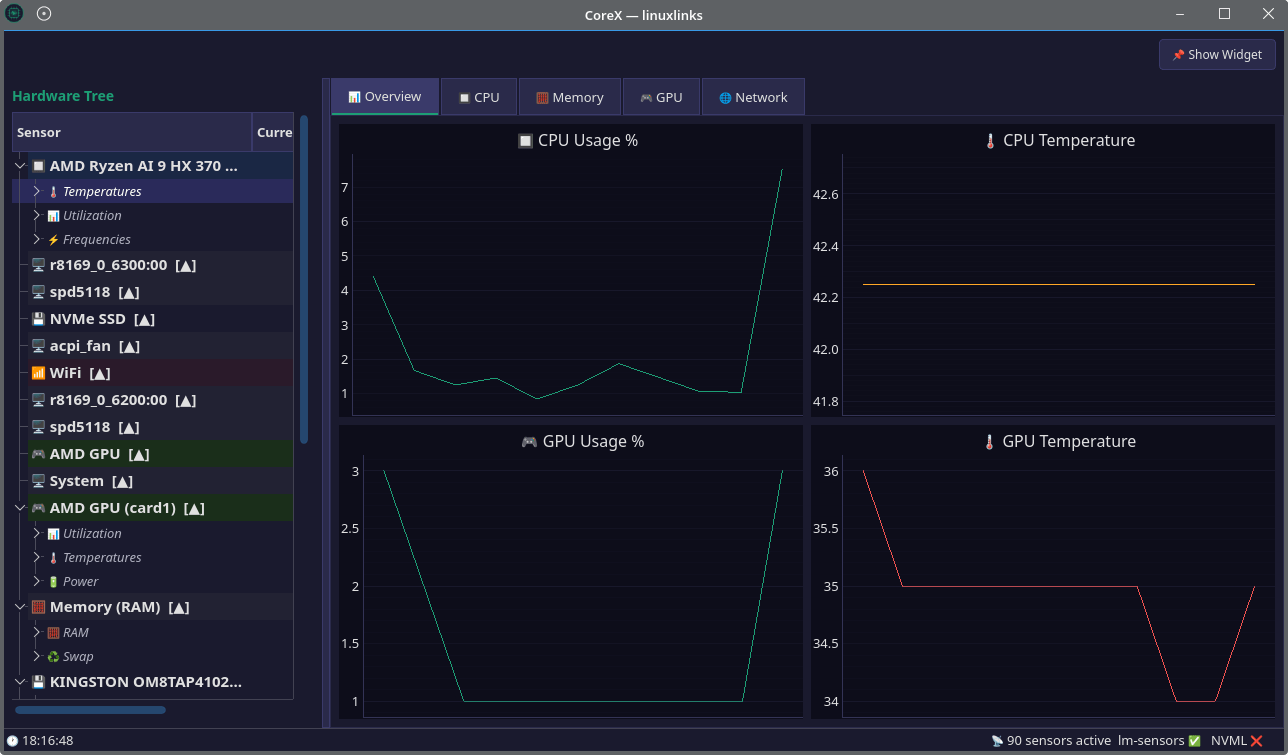
It’s designed to make sensor data easy to follow with a compact on-screen widget, a hardware tree for browsing components, and live monitoring views that are useful when gaming, working, or diagnosing a system.
This is free and open source software.
Key Features
- Provides an always-on-top draggable widget for live system metrics.
- Shows a hardware tree covering CPU, GPU, RAM, disk, and network devices.
- Uses real sensor names instead of generic labels such as temp1 or temp2.
- Includes live charts for CPU, GPU, memory, network, and storage activity.
- Supports both AMD and Nvidia GPUs.
- Offers an automatic sensor identification wizard.
- Uses a dark theme throughout the interface.
Website: github.com/Edewin/corex
Support:
Developer: Eduard Soltuzu
License: MIT License
CoreX is written in Python. Learn Python with our recommended free books and free tutorials.
Related Software
| System Resource Monitoring GUI Tools | |
|---|---|
| Mission Center | Monitor CPU, memory, disk, network and GPU usage |
| System Monitoring Center | GTK-based multi-featured system monitor |
| Plasma System Monitor | KDE-based tool |
| System Monitor | View and manage system resources |
| Resources | GNOME-based tool |
| jdSystemMonitor | Desktop-independent system monitor |
| xfce4-taskmanager | Monitor system resources |
| Monitorets | Small utility application for monitoring resources |
| LXTask | Lightweight task manager for LXDE |
| CoreX | Basic hardware monitor |
| Usage | GNOME lightweight system monitoring application |
| xosview2 | X11 system monitor |
Read our verdict in the software roundup.
 Explore our carefully curated directory of recommended free and open source software, covering every major software category. Explore our carefully curated directory of recommended free and open source software, covering every major software category.The directory forms part of our extensive collection of articles for Linux enthusiasts. It includes hundreds of detailed reviews, together with free and open source alternatives to proprietary software from companies such as Google, Microsoft, Apple, Adobe, IBM, Cisco, Oracle, and Autodesk. LinuxLinks also covers interesting projects worth exploring, Linux-compatible hardware, free programming books and tutorials, and much more. Know a useful free and open source Linux application that we haven’t covered? Tell us about it using our submission form. |
Please read our Comment Policy before commenting.