

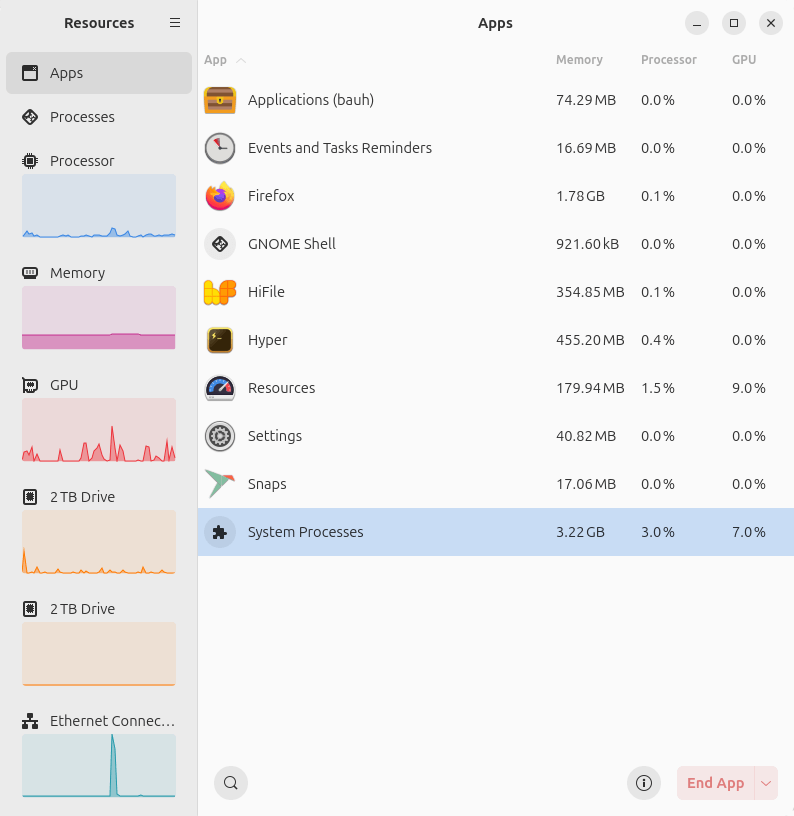
Resources allows you to check the utilization of your system resources and control your running processes and apps.
It’s designed to be user-friendly and feel right at home on a modern desktop by using GNOME’s libadwaita.
This is free and open source software.
Key Features
- Supports monitoring processor, memory and swap, GPU, storage devices, network interfaces, and batteries with attractive charts.
- For CPU there’s the option of showing usages of logical CPUs.
- Sensors – temperature.
- Processor information/
- GPU – total usage, video encoder usage, video decoder usage, video memory usage and more.
- Storage devices – shows drive activity, read speed, write speed, total read, total written, and properties of the drive.
- Network interfaces – shows usage, receiving, sending, total received, total sent, and properties.
- See the processing running on the system (process, process ID, user, memory, processor, and GPU usage).
- End a process.
- Set the priority of a process: Very high, high, normal, low, and very low.
- Processor affinity – select which processor cores the process is allowed to run on.
Website: apps.gnome.org/Resources
Support: GitHub Code Repository
Developer: The Nalux Team
License: GNU General Public License v3.0
Resources is written in Rust. Learn Rust with our recommended free books and free tutorials.
Related Software
| System Resource Monitoring GUI Tools | |
|---|---|
| Mission Center | Monitor CPU, memory, disk, network and GPU usage |
| System Monitoring Center | GTK-based multi-featured system monitor |
| Plasma System Monitor | KDE-based tool |
| System Monitor | View and manage system resources |
| Resources | GNOME-based tool |
| jdSystemMonitor | Desktop-independent system monitor |
| xfce4-taskmanager | Monitor system resources |
| Monitorets | Small utility application for monitoring resources |
| LXTask | Lightweight task manager for LXDE |
| CoreX | Basic hardware monitor |
| Usage | GNOME lightweight system monitoring application |
| xosview2 | X11 system monitor |
Read our verdict in the software roundup.
 Explore our comprehensive directory of recommended free and open source software. Our carefully curated collection spans every major software category. Explore our comprehensive directory of recommended free and open source software. Our carefully curated collection spans every major software category.This directory is part of our ongoing series of informative articles for Linux enthusiasts. It features hundreds of detailed reviews, along with open source alternatives to proprietary solutions from major corporations such as Google, Microsoft, Apple, Adobe, IBM, Cisco, Oracle, and Autodesk. You’ll also find interesting projects to try, hardware coverage, free programming books and tutorials, and much more. Discovered a useful open source Linux program that we haven’t covered yet? Let us know by completing this form. |
Please read our Comment Policy before commenting.