

In Operation
If you want to view 24-bit color high definition images direct in your terminal, you’ll need to use vv with a terminal emulator that supports Sixel. Sixel is a terminal bitmap graphics format that harks back to the 1980s; it’s the only standard of its type that sort of stuck around.
Many wonderful terminal emulators (e.g. Hyper) don’t support Sixel graphics. Fortunately, there are a few of our favourite terminal emulators that do support this format such as kitty.
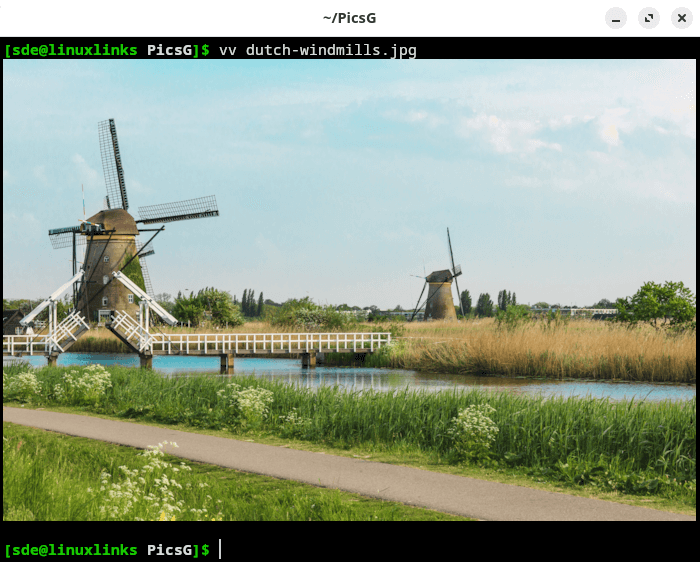
Here’s an example image displayed using vv and kitty with the sixel graphics mode. Looks impressive!
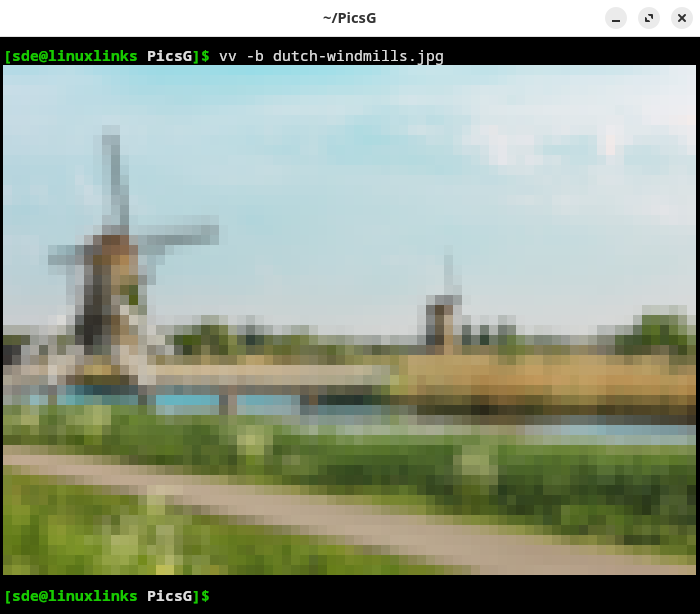
Compare the output if we use the text-only block mode -b
There are some other options available which are shown below:
Options:
  -b, --block                  Use text-only block mode
  -6, --sixel                  Use sixel graphics mode
  -s, --scale                  Try to scale up image to 2x
  -f, --fit                     Fit image to terminal size
  -G, --background [color]     Set background color to RRGGBB in hex
  -g, --checkerboard           Use checkerboard background
  -A, --noanim                 Disable animation
  -w, --write [file.png]        Write output to file
  --help                       Print this help
What other features does the software offer?
- Supports a wide range of image formats including vector image formats.
- Displays HDR images with OpenEXR, HEIF, AVIF, JPEG XL, and RGBE formats.
- Plays WebP animations.
- Color profiles embedded in images are taken into account.
- Images with an alpha channel are rendered with transparency over the terminal background color.
- PDF support (this needs the Poppler library installed).
Summary
We really like vv particularly as it works great over remote connections (as well as locally). Image data is displayed in full color, without any colour space reduction or dithering.
We’ll have a further attempt at getting it to build on our test Ubuntu machine. Maybe we need a new version of one of the dependencies such as libjlx?
vv faces strong competition from other terminal-based image viewers. Check out our roundup.
Website: github.com/hackerb9/vv
Support:
Developer: Bartosz Taudul
License: 3-clause BSD License
vv is written in C++. Learn C++ with our recommended free books and free tutorials.
Pages in this article:
Page 1 – Introduction and Installation
Page 2 – In Operation and Summary
Related Software
| Terminal-Based Image Viewers | |
|---|---|
| timg | Image and video viewer with good range of features. Written in C++ |
| Chafa | Character Art Facsimile |
| viu | Rust-based image viewer |
| vv | Image viewer for sixel terminals |
| TIV | Tiny C++ program that displays images in a terminal |
| Ranger | Terminal-based file manager supporting high quality previews of image files |
| mcat | Extended cat command |
| icat | Cat like utility can specify multiple image files and/or directories |
| PixelTerm-C | High-performance terminal image browser written in C |
| pho | Lightweight image viewer |
| catimg | Renders images in the terminal |
| PTUI | Real-time image preview capabilities |
| imv | X11/Wayland image viewer |
| iv | Image viewer using terminal graphics |
| ucollage | Extensible command line image viewer |
| TermVisage | Front-end to the term-image library |
| Foto | Simple image viewer |
| rsimg | Uses crossterm and zune as dependencies |
| pxv | Instant feature rich terminal image viewer |
| imgcat | Displays images and gifs in your terminal emulator. |
Read our verdict in the software roundup.
 Explore our carefully curated directory of recommended free and open source software, covering every major software category. Explore our carefully curated directory of recommended free and open source software, covering every major software category.The directory forms part of our extensive collection of articles for Linux enthusiasts. It includes hundreds of detailed reviews, together with free and open source alternatives to proprietary software from companies such as Google, Microsoft, Apple, Adobe, IBM, Cisco, Oracle, and Autodesk. LinuxLinks also covers interesting projects worth exploring, Linux-compatible hardware, free programming books and tutorials, and much more. Know a useful free and open source Linux application that we haven’t covered? Tell us about it using our submission form. |
Please read our Comment Policy before commenting.