

Vara is a drawing and digital painting application with pressure-sensitive brushes.
Vara aims to support non-artificial works, while still supporting a digital workflow. This is why many features like the shape tools, copy-paste, cloning and filters are avoided. If you need such features, there are applications like GIMP.
This is free and open source software.
Key Features
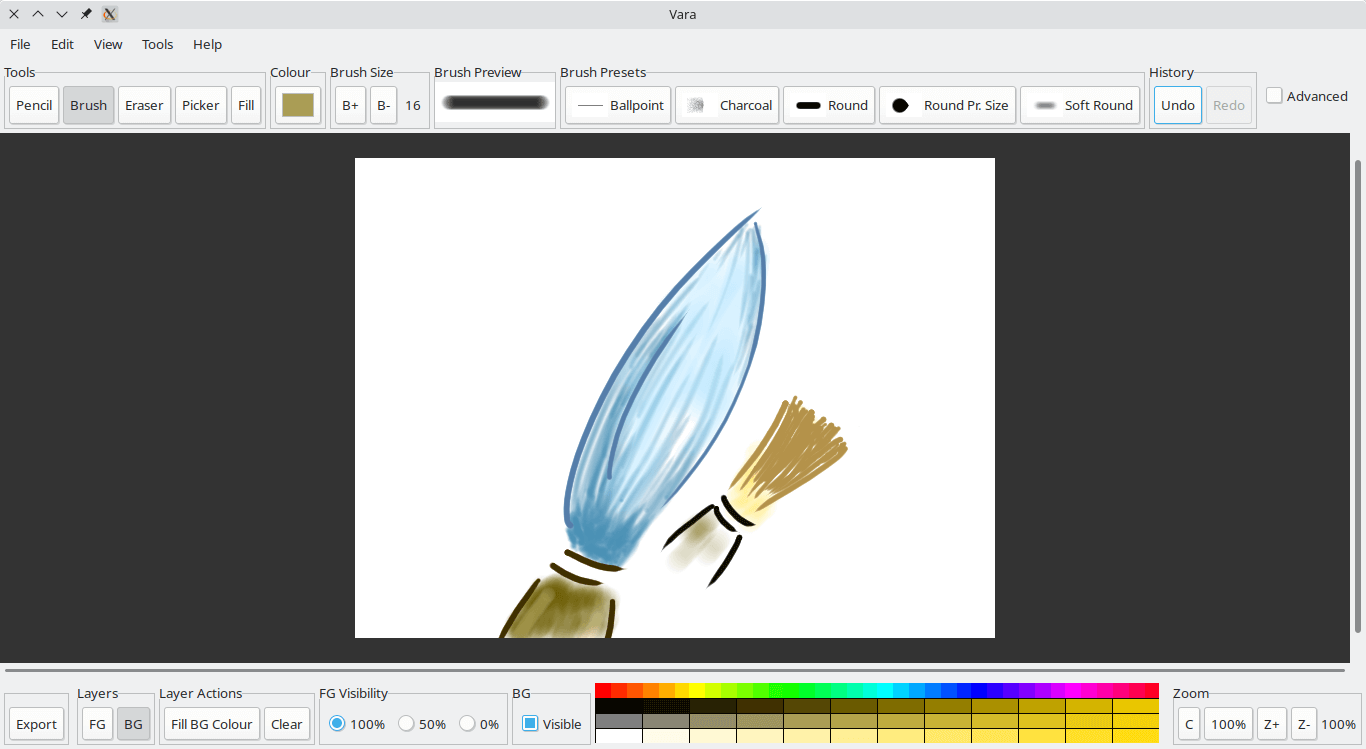
- User interface – brush presets, quick palette, and keyboard shortcuts.
- Undo/redo support, clear layer.
- Tools – pencil, brush, erase, eyedropper (colour picker), and a basic bucket fill.
- Dynamics – pressure-for-size, and stroke smoothing.
- Foreground and background layers.
- Layer visibility – 100%, 50% and 0% for foreground, on/off for background.
- Viewport – zoom with buttons, zoom by scrolling, navigation with scrollbars, quick buttons for 100% zoom and centering.
- Export image or layer to PNG.
- Scratchpad mode – turns the current document into a sandbox, letting you experiment with brushes and colours directly on the main canvas without making permanent changes. When the mode is exit, all changes are automatically undone.
- Cross-platform support – runs under Linux and Windows.
Website: nandakumar.co.in/software/vara
Support:
Developer: Nandakumar Edamana
License: GNU General Public License v3.0
Vara is written in C. Learn C with our recommended free books and free tutorials.
Related Software
| Painting Tools | |
|---|---|
| Krita | Edit and paint images; part of the KOffice office suite |
| MyPaint | Paint program with dynamic brushes for graphic tablets |
| GIMP | GNU Image Manipulation Program |
| Drawpile | Draw, paint, sketch and animate |
| AzPainter | Full color painting software |
| Tux Paint | Drawing and painting software designed for children |
| Milton | Infinite-canvas paint program |
| Vara | Minimalist digital painting tool |
| CorePaint | Paint app for C Suite |
| InfiniPaint | Collaborative, infinite space, infinite zoom, canvas note-taking/drawing app |
| BlockPaint | Terminal-based painting tool |
| Alchemy | Non-orthodox painting tool experimenting with alternative ways of drawing |
Read our verdict in the software roundup.
 Explore our carefully curated directory of recommended free and open source software, covering every major software category. Explore our carefully curated directory of recommended free and open source software, covering every major software category.The directory forms part of our extensive collection of articles for Linux enthusiasts. It includes hundreds of detailed reviews, together with free and open source alternatives to proprietary software from companies such as Google, Microsoft, Apple, Adobe, IBM, Cisco, Oracle, and Autodesk. LinuxLinks also covers interesting projects worth exploring, Linux-compatible hardware, free programming books and tutorials, and much more. Know a useful free and open source Linux application that we haven’t covered? Tell us about it using our submission form. |
Please read our Comment Policy before commenting.