

There is certainly no shortage of terminal emulators and SSH clients for Linux.
At the simpler end of the scale, a terminal window and the OpenSSH command-line tools may be all that is required. But if you regularly administer multiple machines, a graphical client which keeps hosts, credentials and file transfers organised can be considerably more convenient.
Termora falls firmly into the latter category. It is a cross-platform terminal emulator and SSH client written using Kotlin/JVM, with versions available for Linux, macOS and Windows.
SSH is only part of what the software offers. Termora combines terminal sessions with host management, SFTP file transfers, SSH port forwarding, X11 forwarding, SSH Agent integration, serial connections and a collection of additional administration tools.
Installation
I evaluated Termora using CachyOS, an Arch-based Linux distribution. A package is available in the Arch User Repository (AUR). As always, inspect the PKGBUILD before installation rather than blindly installing packages from the AUR.
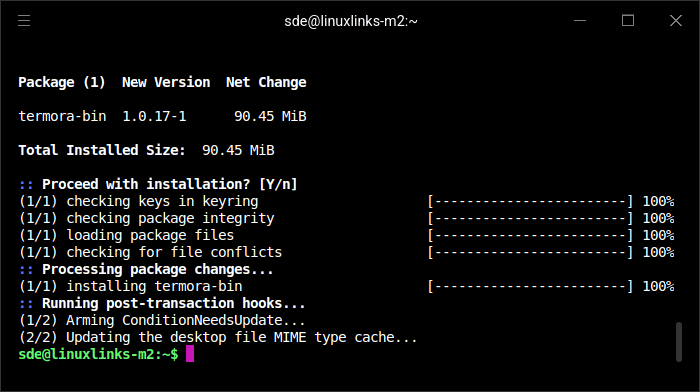
If you’re not using an Arch-based Linux distribution, installation remains straightforward. The project provides DEB packages, AppImages and compressed tarballs, with builds available for both x86-64 and AArch64 systems.
For an Ubuntu or Debian-based distribution, the DEB package is the most straightforward choice. Once downloaded it can be installed with:
$ sudo apt dpkg -i ./termora-*.deb
Alternatively, the AppImage requires no conventional system installation. Make the downloaded file executable and launch it:
$ chmod +x termora-*.AppImage
$ ./termora-*.AppImage
The tarball offers another option for anyone who prefers to keep the program outside their distribution’s package database.
In Operation
Termora takes the approach of integrating terminal access and remote-machine administration into a single graphical application.
Hosts are maintained in a tree-like hierarchy rather than as a flat collection. This is particularly useful if you administer more than a handful of systems, as machines can be grouped into folders and assigned tags. Hosts can also be imported from other tools.
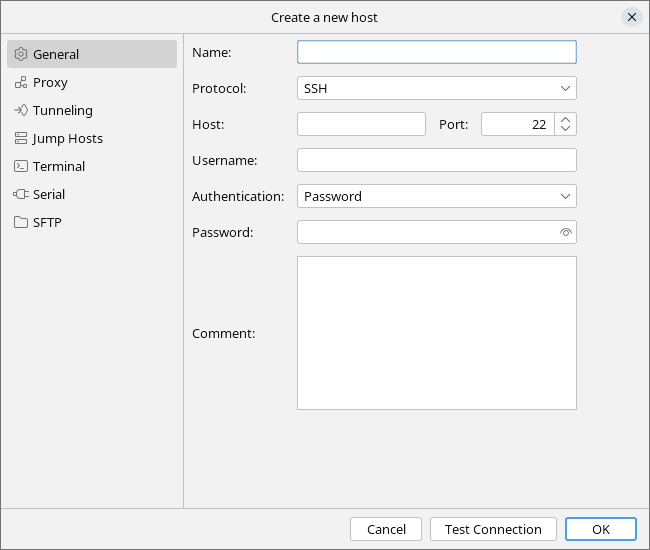
Opening an SSH connection gives you the familiar terminal environment, but Termora adds features which would otherwise require separate configuration or applications. There is a built-in key manager, SSH Agent integration and support for X11 forwarding. SSH port forwarding is supported as well, together with jump-host functionality for reaching machines which are not directly accessible.
One of Termora’s stronger areas is file management. Its graphical SFTP interface provides an alternative to transferring and manipulating files entirely from the command line. Files and directories can be renamed or deleted, permissions can be edited visually, and new files and folders can be created.
There is also an integrated remote file editing workflow. Open a file, make the required changes and save it, and Termora can automatically upload the altered version. This is a useful feature for quick configuration changes where launching a separate SFTP client and local editor would be unnecessarily cumbersome.
Transfers are not restricted to moving data between the local and a remote machine. Termora supports direct transfers between two servers, recursive directory transfers and up to six concurrent transfer tasks.
The software has a few less conventional touches. It can display system information about a remote host and monitor NVIDIA GPU utilisation, which may appeal to anyone administering GPU compute or AI systems. Quick commands provide convenient access to commands you execute frequently.
Termora also has a plugin architecture. Available plugins extend the application with features including host geolocation, configuration synchronisation, an SFTP editor, WebDAV, SMB and object-storage services including S3, Huawei OBS, Tencent COS and Alibaba OSS. Settings can be synchronised using Gist or WebDAV, making the facility particularly useful if Termora is used on more than one workstation.
The breadth of functionality means Termora occupies somewhat different territory from a conventional terminal emulator. If all you want is a fast window in which to run a local shell, much of the application will be superfluous. Its real attraction lies with people who routinely connect to multiple remote systems and would benefit from combining terminal sessions, host organisation and file management in the same interface.
Summary
I’m still using hyper as my default terminal emulator even though development as long since ended. So I’m in the market for an actively maintained replacement.
Termora is much more than a graphical wrapper around ssh. It brings together terminal emulation, SSH host management, key handling, port forwarding, SFTP transfers and remote file editing, while its plugin system expands its reach further.
The hierarchical host organisation and integrated transfer facilities are particularly useful when managing a collection of servers. Direct server-to-server transfers and automatic uploading after editing remote files are thoughtful additions which can remove several steps from common administration tasks.
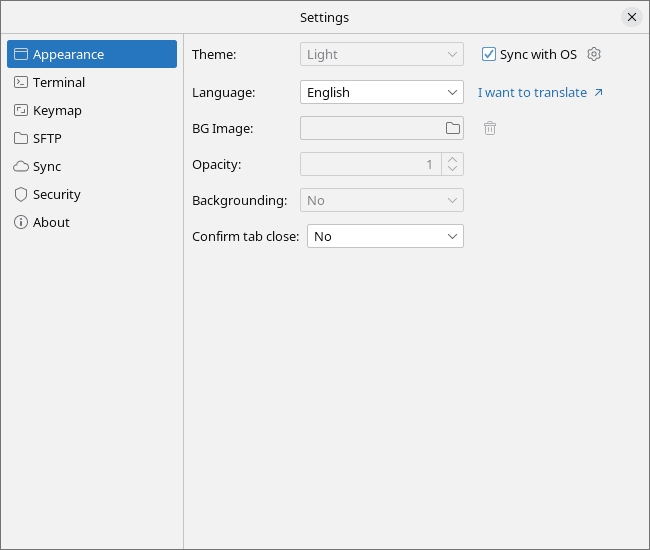
There is also a good range of customisation options, allowing the terminal’s appearance and behaviour to be tailored to individual preferences.
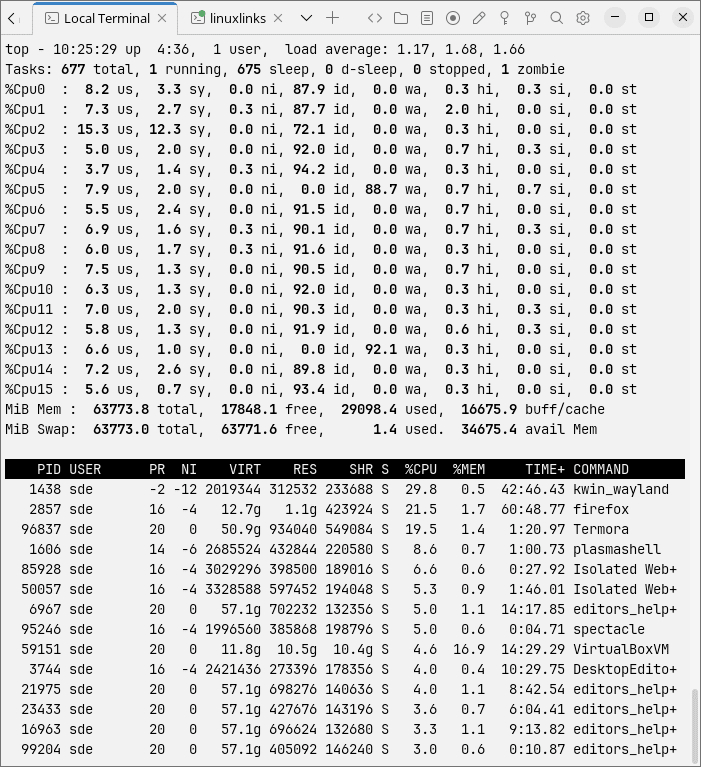
One area of concern is the program’s memory footprint. With just a couple of tabs open, ps_mem reports memory usage of around 760MB, which is high.
Users who favour a minimalist terminal and maintain their SSH configuration entirely by hand are unlikely to need what Termora offers. For users looking for a graphical environment from which to manage a larger collection of remote machines, however, Termora offers an unusually comprehensive set of tools in a single open source application.
Website: github.com/TermoraDev/termora
Support:
Developer: TermoraDev
License: GNU Affero General Public License version 3
Termora is written in Kotlin. Learn Kotlin with our recommended free books and free tutorials.
Related Software
| Terminal Emulators | |
|---|---|
| Tabby | (Terminus) Highly configurable terminal emulator, SSH and serial client |
| Alacritty | Hardware-accelerated terminal emulator |
| Wave Terminal | AI-native terminal built for seamless workflows |
| urxvt | RXVT-like terminal emulator with Unicode support |
| Kitty | Like Alacritty, Kitty offers hardware acceleration |
| Ghostty | Feature-rich and cross-platform terminal emulator |
| Termora | Cross-platform terminal emulator and SSH client written using Kotlin/JVM |
| Guake | Drop-down terminal for GNOME |
| Terminator | Multiple GNOME terminals in one window |
| WezTerm | GPU-accelerated cross-platform terminal emulator and multiplexer |
| rio | Hardware-accelerated GPU terminal emulator |
| electerm | Terminal emulator and much more |
| st | Simple terminal implementation for X which sucks less |
| contour | Aimed at power users with a modern feature mindset |
| Zutty | High-end terminal emulator for low-end systems |
| xterm | Provides DEC VT102 and Tektronix 4014 compatible terminals |
| Extraterm | Swiss army chainsaw of terminal emulators |
| Terax | Terminal-first AI-native development workspace |
| Tilda | Gtk based drop down terminal |
| Ptyxis | Terminal for a container-oriented desktop |
| MATE Terminal | Terminal emulator the MATE desktop environment |
| GNOME Terminal | Terminal emulator for the GNOME desktop environment |
| foot | Fast, lightweight and minimalistic Wayland terminal emulator |
| Xfce Terminal | Lightweight and easy to use terminal emulator application |
| Tilix | Advanced GTK3 tiling emulator |
| Terminology | Fast, lean and visually enhanced open source terminal emulator |
| Konsole | The KDE 5 terminal emulator |
| Black Box | GTK 4 terminal |
| Yakuake | Drop-down terminal emulator based on KDE Konsole technology |
| Station | Convergent terminal emulator |
| Sakura | Vte-based terminal emulator |
| QTerminal | Lightweight Qt-based terminal emulator |
| Zashterminal | Modern, intuitive, and innovative terminal built with GTK4 and Adwaita |
| LazyCat Terminal | Built with Vala and GTK4. |
| Kerminal | Modern terminal emulator and SSH manager |
| Hyper | Terminal emulator built with web technologies |
| Termy | Minimal terminal emulator |
| DomTerm | Terminal emulator, REPL console, and screen multiplexer |
| CRT | Visually expressive terminal emulator written in Rust |
| kermit | VTE-based, simple and froggy terminal emulator |
| ROXTerm | VTE terminal emulator with tabs |
| LXTerminal | Lightweight terminal emulator based on GTK+ for the LXDE desktop |
| Bobcat | Built using the U++ framework and TerminalCtrl widget |
| fortty | GPU-accelerated terminal emulator written in Fortran |
| Tess | Hackable, simple, rapid and beautiful terminal |
| mlterm | Multilingual terminal emulator on X11 |
| Termite | Keyboard-centric VTE-based terminal |
| Packet | Terminal multiplexer and broadcast system |
| fingerterm | Terminal emulator with a custom virtual keyboard |
Read our verdict in the software roundup.
| Graphical SSH Frontends | |
|---|---|
| XPipe | Shell connection hub and remote file manager |
| Termix | Self-hosted all-in-one server management platform |
| RustConn | Connection orchestrator with a GTK4/Wayland-native interface |
| Ásbrú Connection Manager | Full-featured connection manager written in Perl |
| sshPilot | Lightweight SSH connection manager |
| PuTTY | SSH and telnet client with sessions |
| EasySSH | Connection manager written in Vala |
| Kerminal | Modern terminal emulator and SSH manager |
| OpenSSH GUI | Frontend for managing your SSH Keys |
Read our verdict in the software roundup.
| Graphical FTP Clients | |
|---|---|
| FileZilla | An extremely popular cross-platform client |
| Muon | Graphical SFTP client and terminal emulator with helpful utilities |
| gFTP | Multithreaded client providing both a command-line interface and GUI |
| AeroFTP | Cross-platform desktop file transfer client that starts with FTP |
| Taxi | FTP client designed for elementary OS |
Read our verdict in the software roundup.
 Explore our carefully curated directory of recommended free and open source software, covering every major software category. Explore our carefully curated directory of recommended free and open source software, covering every major software category.The directory forms part of our extensive collection of articles for Linux enthusiasts. It includes hundreds of detailed reviews, together with free and open source alternatives to proprietary software from companies such as Google, Microsoft, Apple, Adobe, IBM, Cisco, Oracle, and Autodesk. LinuxLinks also covers interesting projects worth exploring, Linux-compatible hardware, free programming books and tutorials, and much more. Know a useful free and open source Linux application that we haven’t covered? Tell us about it using our submission form. |
Please read our Comment Policy before commenting.