

EasySSH is a SSH connection manager to make your life easier.
Create and edit connections, groups, customize the terminal, with multiple instances of the same connection.
This is free and open source software.
Key Features
- Manage connections and groups.
- Customize terminal.
- Dark Theme.
- Multiple instances of same connection.
- Restore opened hosts.
- Sync ~/.ssh/config.
- Protect data with password.
Website: github.com/muriloventuroso/easyssh
Support:
Developer: Murilo Venturoso
License: GNU General Public License v3.0
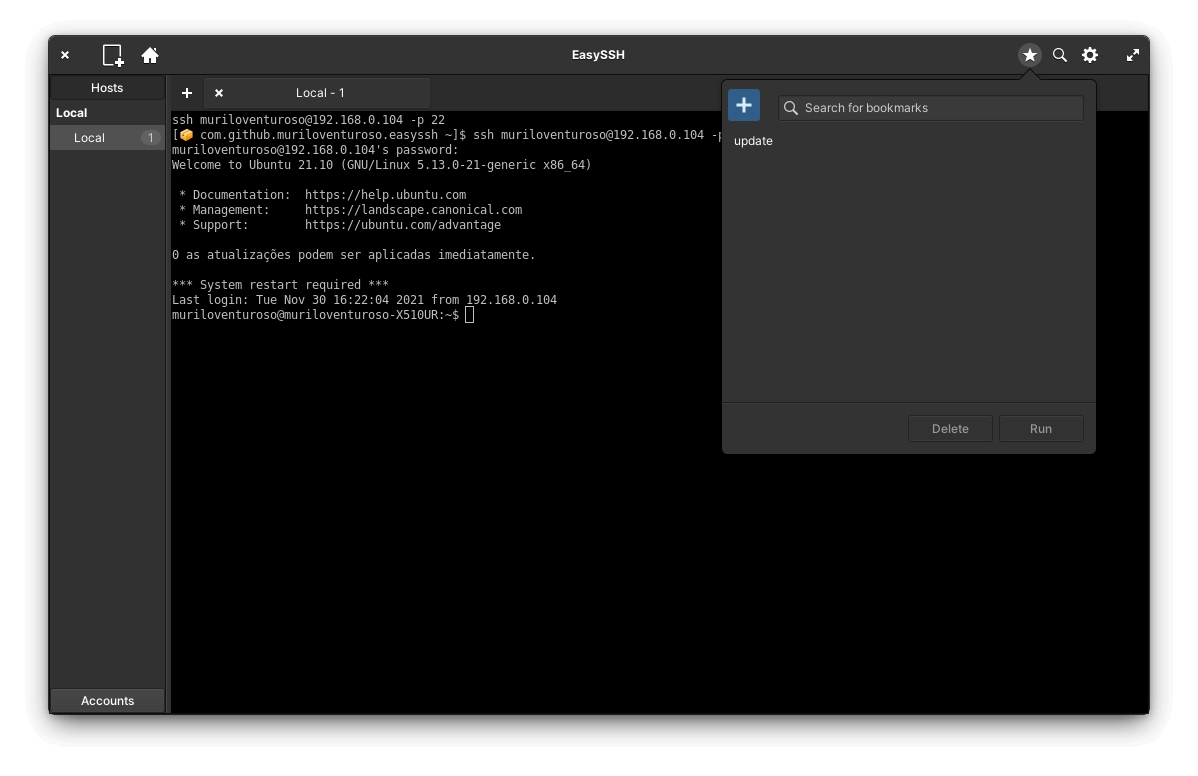
EasySSH is written in Vala. Learn Vala with our recommended free books and free tutorials.
Related Software
| Graphical SSH Frontends | |
|---|---|
| XPipe | Shell connection hub and remote file manager |
| Termix | Self-hosted all-in-one server management platform |
| RustConn | Connection orchestrator with a GTK4/Wayland-native interface |
| Ásbrú Connection Manager | Full-featured connection manager written in Perl |
| sshPilot | Lightweight SSH connection manager |
| PuTTY | SSH and telnet client with sessions |
| EasySSH | Connection manager written in Vala |
| Kerminal | Modern terminal emulator and SSH manager |
| OpenSSH GUI | Frontend for managing your SSH Keys |
Read our verdict in the software roundup.
 Explore our comprehensive directory of recommended free and open source software. Our carefully curated collection spans every major software category. Explore our comprehensive directory of recommended free and open source software. Our carefully curated collection spans every major software category.This directory is part of our ongoing series of informative articles for Linux enthusiasts. It features hundreds of detailed reviews, along with open source alternatives to proprietary solutions from major corporations such as Google, Microsoft, Apple, Adobe, IBM, Cisco, Oracle, and Autodesk. You’ll also find interesting projects to try, hardware coverage, free programming books and tutorials, and much more. Discovered a useful open source Linux program that we haven’t covered yet? Let us know by completing this form. |
Please read our Comment Policy before commenting.