

Mando is a human computer interface using a camera and a projector. The camera is calibrated against a projection area to determine the position of a physical pointer (i.e. pen, LED diode or laser pointer light) which is then used to virtually move and generate events of a X11 pointer.
The software makes use of a low cost off-the shelf webcam that is calibrated against a standard projector screen. The webcam is used to determine the position of physical pointer (e.g. a pen) which is then used to virtually move the X11 pointer. Point-and-click functionality has also been implemented.
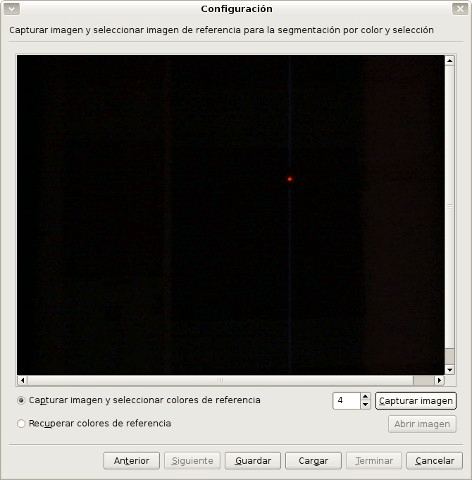
The wizard allows you to take a reference picture showing the pointer. You then have to select the region in the image for generating a reference histogram. If you are using a projector, make sure that the desktop has a bright background. Otherwise the pointer will be illuminated differently and it will not be recognized any more.
Key Features
- Uses colour segmentation.
- Pointer tracking by luminosity for all V4L devices which are PWC fully compatible:
- Gain and shutter can be set manually.
- Internationalization support.
Website: mando.sourceforge.net
Support: Documentation
Developer: Juan Roldán Ruiz, Jan Wedekind, Ushakiran Soutapalli, Julien Faucher
License: GNU AGPL v3
Mando is written in C++. Learn C++ with our recommended free books and free tutorials.
Related Software
| Classroom Tools | |
|---|---|
| Moodle | Produce modular internet-based courses |
| Veyon | Computer monitoring and classroom management |
| TCExam | FLOSS Computer-Based Assessment system |
| Epoptes | Computer lab management and monitoring tool |
| Claroline | Collaborative e-Learning and eWorking platform |
| Mando | Interactive whiteboard using a camera and a projector |
| iTest | Computerised examination |
| ATutor | Designed with accessibility and adaptability in mind |
Read our verdict in the software roundup.
| Interactive Whiteboards | |
|---|---|
| Excalidraw | Virtual whiteboard for sketching hand-drawn like diagrams |
| OpenBoard | Interactive whiteboard for schools and universities |
| Xournal++ | Handwriting notetaking software with PDF annotation support |
| AFFiNE | All-in-one workspace |
| pad.ws | Whiteboard as an IDE |
| Drawnix | All-in-one whiteboard tool |
| WBO | Online collaborative whiteboard that is easy to use |
| Lorien | Infinite canvas drawing/note-taking app focused on simplicity |
| Xournal | Notetaking, sketching, keeping a journal using a stylus |
| python-whiteboard | Build and operate a low-cost electronic whiteboard |
| Drawy | Work-in-progress infinite whiteboard tool |
| Mando | Human computer interface using a camera and a projector |
Read our verdict in the software roundup.
 Explore our comprehensive directory of recommended free and open source software. Our carefully curated collection spans every major software category. Explore our comprehensive directory of recommended free and open source software. Our carefully curated collection spans every major software category.This directory is part of our ongoing series of informative articles for Linux enthusiasts. It features hundreds of detailed reviews, along with open source alternatives to proprietary solutions from major corporations such as Google, Microsoft, Apple, Adobe, IBM, Cisco, Oracle, and Autodesk. You’ll also find interesting projects to try, hardware coverage, free programming books and tutorials, and much more. Discovered a useful open source Linux program that we haven’t covered yet? Let us know by completing this form. |
Please read our Comment Policy before commenting.