
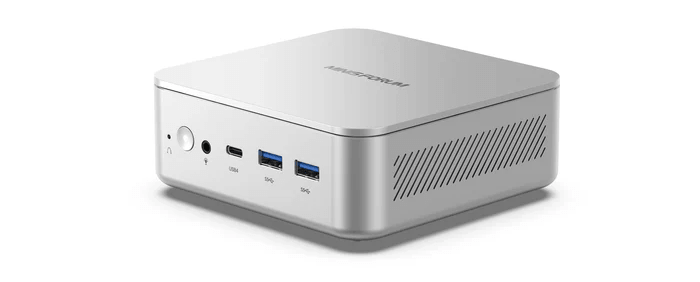
Intel’s Panther Lake processors bring another iteration of heterogeneous CPU design to Linux. The Intel Core Ultra 7 356H in the MINISFORUM M2 has 16 physical CPU cores, but those cores are certainly not all equal.
The processor combines:
- 4 Performance cores (P-cores), with a maximum turbo frequency of 4.7 GHz.
- 8 Efficient cores (E-cores), with a maximum frequency of 3.5 GHz.
- 4 Low Power Efficient cores (LP E-cores), with a maximum frequency of 3.3 GHz.
- 16 threads in total.
Having three different classes of CPU core presents Linux with an interesting scheduling problem. A scheduler which treated every core identically could leave performance on the table, increase power consumption or move processes between CPUs unnecessarily.
In this article I’m looking beyond conventional benchmark results. Instead of simply measuring how quickly the MINISFORUM M2 completes a task, I’m examining where Linux actually runs that task.
I’m going to examine:
- Which CPU cores Linux selects.
- How much execution time workloads spend on each class of core.
- CPU frequencies while the workloads are running.
- How frequently processes migrate between CPUs.
- How scheduling changes as the number of runnable processes increases.
- What happens when normal and low-priority workloads compete for CPU time.
- Whether unused cores are allowed to spend time in deep idle states.
All testing is performed under CachyOS.
Linux and Hybrid CPU Scheduling
There is an important point to establish before looking at any results.
Correct scheduling does not necessarily mean that every demanding process must always run on a P-core.
Linux’s intel_pstate driver has support for heterogeneous Intel processors. On suitable hybrid processors without SMT, Linux can use capacity-aware scheduling, where individual CPUs are assigned capacities reflecting their relative performance.
The scheduler can therefore consider whether a process requires the additional capacity of a P-core rather than simply regarding one type of core as universally preferable.
This means I shouldn’t automatically regard a process running on an E-core as evidence of poor scheduling. An E-core may have sufficient capacity for the workload, and avoiding a migration can itself be beneficial.
What matters is whether the selected CPU delivers sufficient performance, whether the process is migrated when additional capacity becomes necessary and whether Linux avoids unnecessary migrations.
Test System
The test machine is the MINISFORUM M2 equipped with an Intel Core Ultra 7 356H processor and 64GB of memory.
Before carrying out any measurements I create a directory to hold all of the resulting files.
$ mkdir -p ~/m2-scheduler-tests
$ cd ~/m2-scheduler-tests
I install the required software with:
$ sudo pacman -Syu perf turbostat stress-ng ffmpeg openssl
I first record the software environment.
{
    echo "DATE"
    date -Is

    echo
    echo "UNAME"
    uname -a

    echo
    echo "LSCPU"
    lscpu

    echo
    echo "KERNEL COMMAND LINE"
    cat /proc/cmdline

    echo
    echo "PERF"
    perf --version

    echo
    echo "TURBOSTAT"
    turbostat --version

    echo
    echo "STRESS-NG"
    stress-ng --version

    echo
    echo "FFMPEG"
    ffmpeg -version | head -n 1
} | tee system-info.txt
I also record the CPU frequency-management configuration.
{
    echo "intel_pstate status:"
    cat /sys/devices/system/cpu/intel_pstate/status 2>/dev/null

    echo
    echo "scaling driver:"
    cat /sys/devices/system/cpu/cpu0/cpufreq/scaling_driver 2>/dev/null

    echo
    echo "governor:"
    cat /sys/devices/system/cpu/cpu0/cpufreq/scaling_governor 2>/dev/null

    echo
    echo "energy performance preference:"
    cat /sys/devices/system/cpu/cpu0/cpufreq/energy_performance_preference 2>/dev/null

    echo
    echo "SMT:"
    cat /sys/devices/system/cpu/smt/active 2>/dev/null
} | tee cpu-policy.txt
I check for relevant kernel messages with:
sudo dmesg | grep -Ei \
'hybrid|capacity|intel_pstate|hfi' \
| tee scheduler-kernel.txt
This establishes which frequency driver is being used and whether Linux reports hybrid CPU capacity or Hardware Feedback Interface support.
Identifying the P, E and LP E Cores
I don’t want to assume that particular Linux CPU numbers correspond to particular core types.
I first examine the topology reported by lscpu.
lscpu -e=CPU,CORE,SOCKET,NODE,ONLINE,MAXMHZ,MINMHZ \
    | tee cpu-layout.txt
I then collect additional information directly from sysfs.
{
printf "%-5s %-7s %-8s %-8s %-12s %-10s\n" \
       "CPU" "CORE" "CLUSTER" "DIE" "MAX_KHZ" "CAPACITY"

for c in /sys/devices/system/cpu/cpu[0-9]*; do
    n=${c##*cpu}

    core=$(cat "$c/topology/core_id" 2>/dev/null || echo "-")
    cluster=$(cat "$c/topology/cluster_id" 2>/dev/null || echo "-")
    die=$(cat "$c/topology/die_id" 2>/dev/null || echo "-")
    max=$(cat "$c/cpufreq/cpuinfo_max_freq" 2>/dev/null || echo "-")
    capacity=$(cat "$c/cpu_capacity" 2>/dev/null || echo "-")

    printf "%-5s %-7s %-8s %-8s %-12s %-10s\n" \
           "$n" "$core" "$cluster" "$die" "$max" "$capacity"
done
} | tee cpu-topology.txt| Core type | Linux CPU numbers | Linux-reported maximum frequency | Scheduler capacity |
|---|---|---|---|
| P-core | 0-3 | 4.7 GHz | 1004-1024 |
| E-core | 4-11 | 3.7 GHz | 714 |
| LP E-core | 12-15 | 3.3 GHz | 637 |
The kernel is correctly distinguishing all three classes of CPU core rather than treating the Core Ultra 7 356H as a collection of 16 equivalent CPUs. The four P-cores receive the highest scheduler capacity, at 1004-1024, while the eight E-cores are rated at 714 and the four low-power E-cores at 637.
This is important because Linux’s scheduler can use these capacity values when deciding where to place workloads. Relative to the highest-rated P-core, the E-cores have around 70% of the scheduler capacity and the LP E-cores around 62%.
The Linux-reported maximum frequencies reinforce the same three-tier arrangement: 4.7 GHz for the P-cores, 3.7 GHz for the E-cores and 3.3 GHz for the LP E-cores. Intel officially specifies an E-core maximum turbo frequency of 3.5 GHz, so the 3.7 GHz figure is the value exposed by the M2’s firmware and CPU-frequency interface. Kernel messages also report Hybrid CPU capacity scaling enabled, confirming that hybrid-aware CPU capacity handling is active.
At this stage, the static topology looks correct. The more important question is whether the scheduler actually uses this information sensibly under real workloads, which the following tests examine.
Once I’ve established the CPU numbers, I select one representative CPU from each group.
PCPU=2
ECPU=4
LPCPU=12
Per-Core Performance
Before allowing the Linux scheduler to choose a CPU, I want a rough measure of the single-thread performance available from each core type.
I use exactly the same OpenSSL SHA-256 benchmark and pin it to one CPU.
P-core
taskset -c "2" \
    openssl speed -seconds 30 sha256 \
    2>&1 | tee openssl-pcore.txt
E-core
taskset -c "4" \
    openssl speed -seconds 30 sha256 \
    2>&1 | tee openssl-ecore.txt
LP E-core
taskset -c "12" \
    openssl speed -seconds 30 sha256 \
    2>&1 | tee openssl-lpecore.txt
I run each benchmark three times.
| Core type | SHA-256 throughput (16 KiB blocks) | Relative performance |
|---|---|---|
| P-core | 3.854 GB/s | 100% |
| E-core | 3.096 GB/s | 80.3% |
| LP E-core | 2.907 GB/s | 75.4% |
With 16 KiB blocks, the E-core delivers just over 80% of the P-core’s SHA-256 throughput, while the LP E-core achieves about 75%. The E-core is only 6.5% faster than the LP E-core, whereas the P-core is 24.5% faster than the E-core and 32.6% faster than the LP E-core.
These figures give me some context for the scheduler tests.
If an unrestricted workload spends time on an E-core, for example, I’ll know approximately how much performance is available from that CPU compared with a P-core.
Next page: Page 2 – Monitoring CPU Frequency and Activity
Pages in this article:
Page 1 – Introduction
Page 2 – Monitoring CPU Frequency and Activity
Page 3 – Sustained Single-Thread Scheduling
Page 4 – Bursty Single-Thread Scheduling
Page 5 – Scaling from 1 to 16 CPU Workers
Page 6 – Real-World Multithreaded Scheduling with FFmpeg
Page 7 – Foreground Work Against 12 Low-Priority Workers
Page 8 – Foreground Work with All 16 CPUs Busy
Page 9 – Conclusions
Complete list of articles in this series:
| MINISFORUM M2 Core Ultra 7 356H Mini PC | |
|---|---|
| Introduction | Introduction to the series and interrogation of the machine |
| NPU | Setting up and testing the NPU |
| Benchmarks | I run a series of benchmarks focusing on the CPU, GPU, Memory, and Disk performance |
| Power | Testing and comparing the power consumption |
| BIOS | In the world of computing, BIOS, which stands for Basic Input/Output System, plays a crucial role |
| Cores | A look at Intel’s hybrid architecture |
| Intel processors | P-Cores, E-Cores and LP E-Cores Compared Across 4 Intel Processors |
| NPU | NPU and Llama |
| Scheduling | Does Linux Schedule Panther Lake Correctly? |
| Next articles in the series will continue to focus on the machine's NPU | |
Please read our Comment Policy before commenting.