
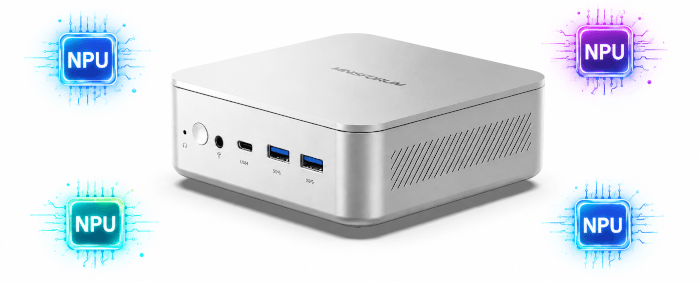
NPU
An NPU, or Neural Processing Unit, is a dedicated accelerator designed to run AI and machine-learning workloads more efficiently than a general-purpose CPU. It’s particularly useful for fixed-shape inference tasks such as image recognition, object detection, speech processing, background effects, and other local AI features where low latency and low power consumption matter. Rather than replacing the CPU or GPU, the NPU gives the system another specialised engine that can handle suitable AI workloads while leaving the processor and graphics hardware free for other tasks.
The MINISFORUM M2 combines a 50 TOPS NPU with up to 90 TOPS of combined NPU and GPU AI performance. The M2’s 50 TOPS NPU is a strong specification for a mini PC.
There are a few packages to install in CachyOS before I’m ready to test software designed to use the NPU.
Let’s test the driver stack.
$ lsmod | grep -i vpu
$ modinfo intel_vpu | head
$ sudo dmesg | grep -iE "vpu|npu|accel|firmware"
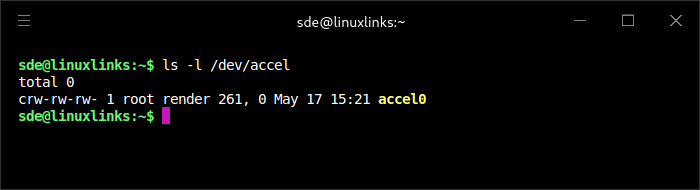
The output from these commands tells us that CachyOS detected the Intel NPU at the kernel level and exposed it as /dev/accel/accel0. The intel_vpu driver loaded the vpu_50xx_v1.bin firmware and initialized the device successfully.
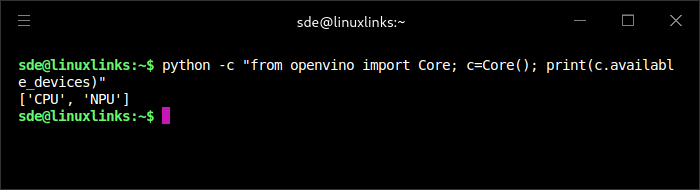
After installing OpenVINO, the Intel NPU plugin, the Intel NPU compiler, and the Intel NPU user-space driver, OpenVINO reports both CPU and NPU as available devices. This shows that the M2’s NPU is usable from OpenVINO under Linux.
At the time of testing, openvino-intel-npu-plugin is available through the Arch AUR rather than the standard CachyOS repositories. On this system, the package took a long time to build.
Let’s run a quick test.

OpenVINO detects the NPU as Intel(R) AI Boost, with both CPU and NPU listed as available devices.
Simple benchmark
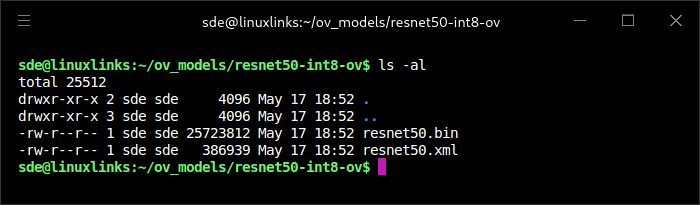
I’ll download a small OpenVINO model, namely ResNet-50 INT8.
$ mkdir -p ~/ov_models/resnet50-int8-ov
$ cd ~/ov_models/resnet50-int8-ov
$ wget https://huggingface.co/OpenVINO/resnet50-int8-ov/resolve/main/resnet50.xml
$ wget https://huggingface.co/OpenVINO/resnet50-int8-ov/resolve/main/resnet50.bin
I’ll run a quick NPU benchmark.
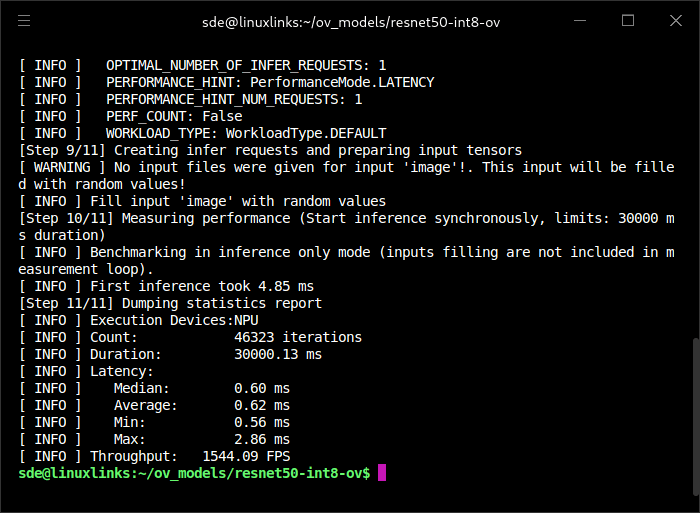
$ ov-py-benchmark_app -m ~/ov_models/resnet50-int8-ov/resnet50.xml -d NPU -hint latency -t 30
Let’s compare the throughput when using the CPU.
$ ov-py-benchmark_app -m ~/ov_models/resnet50-int8-ov/resnet50.xml -d CPU -hint latency -t 30
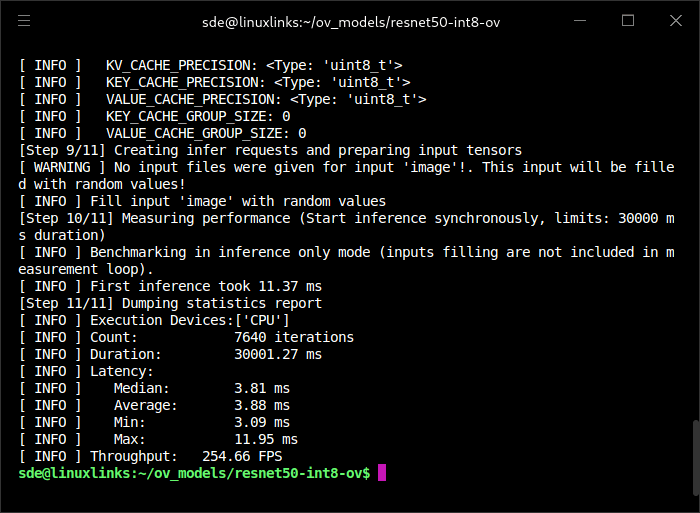
The NPU produced a large uplift in this OpenVINO ResNet-50 INT8 benchmark. With the same latency-focused performance hint, the NPU completed 46,323 iterations in 30 seconds, compared with 7,640 on the CPU. Throughput rose from 254.66 FPS on the CPU to 1,544.09 FPS on the NPU, a little over six times faster. Average latency also fell from 3.88 ms to just 0.62 ms. This is exactly the sort of fixed-shape, INT8 inference workload where the NPU shows its value.
In this OpenVINO ResNet-50 INT8 test, the NPU was around six times faster than the CPU while total system power draw was less than half as high. Measured at the wall, including monitors, the NPU achieved around 51.5 FPS/W, compared with 4.0 FPS/W for the CPU. That gives the NPU a 12.7× efficiency advantage. As the power figures include the monitors, this is a conservative efficiency comparison.
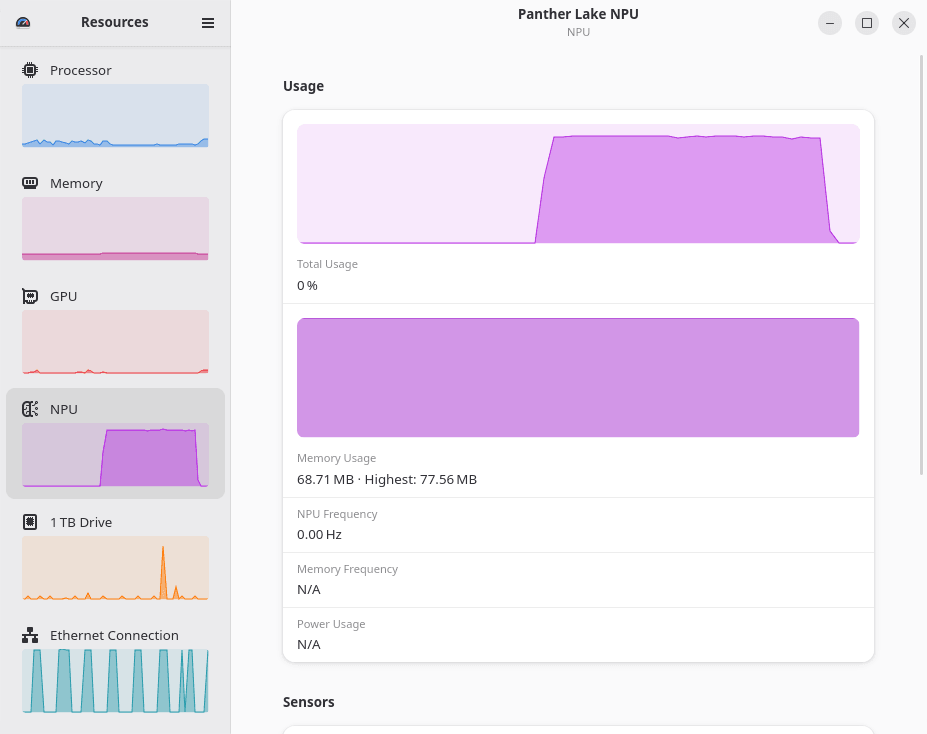
The Resources utility is useful for monitoring NPU usage.
I’ll be experimenting with software designed to use the NPU and will document my findings in later articles.. In the next article in the series, I’ll be benchmarking the M2’s CPU, GPU, memory, and disk.
Complete list of articles in this series:
| MINISFORUM M2 Core Ultra 7 356H Mini PC | |
|---|---|
| Introduction | Introduction to the series and interrogation of the machine |
| NPU | Setting up and testing the NPU |
| Benchmarks | I run a series of benchmarks focusing on the CPU, GPU, Memory, and Disk performance |
| Power | Testing and comparing the power consumption |
| BIOS | In the world of computing, BIOS, which stands for Basic Input/Output System, plays a crucial role |
| Cores | A look at Intel’s hybrid architecture |
| Intel processors | P-Cores, E-Cores and LP E-Cores Compared Across 4 Intel Processors |
| NPU | NPU and Llama |
| Scheduling | Does Linux Schedule Panther Lake Correctly? |
| Next articles in the series will continue to focus on the machine's NPU | |
Please read our Comment Policy before commenting.