

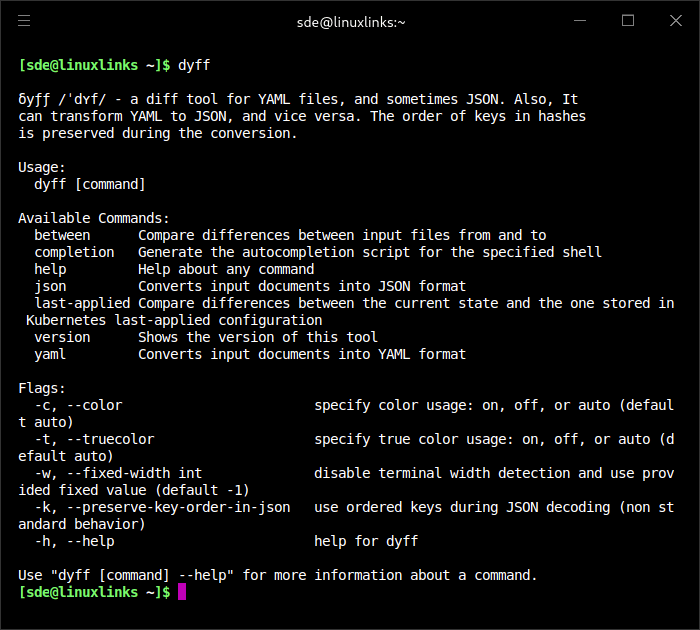
dyff is a diff tool for YAML files, and sometimes JSON. YAML is a human-readable data serialization language which is often used for configuration files and in applications where data is being stored or transmitted.
dyff is inspired by the way the old BOSH v1 deployment output reported changes from one version to another by only showing the parts of a YAML file that change.
Each difference is referenced by its location in the YAML document by using either the Spruce dot-style syntax (some.path.in.the.file) or go-patch path syntax (/some/name=path/in/the/id=file). The output report aims to be as compact as possible to give a clear and simple overview of the change.
Similar to the standard diff tool, it follows the principle of describing the change by going from the from input file to the target to input file.
Input files can be local files (filesystem path), remote files (URI), or the standard input stream (using -).
All orders of keys in hashes are preserved during processing and output to the terminal, most notably in the sub-commands to convert YAML to JSON and vice versa.
This is free and open source software. It runs under Linux, macOS, and Windows.
Website: github.com/homeport/dyff
Support:
Developer: The Homeport Team
License: MIT License
dyff is written in Go. Learn Go with our recommended free books and free tutorials.
Related Software
| Terminal-Based Diff Tools | |
|---|---|
| difftastic | Structural diff tool that compares files based on their syntax |
| hunk | Terminal diff viewer with syntax highlighting and side-by-side views |
| diff-so-fancy | Attractive diffs with diff-highlight and more |
| delta | Viewer for git and diff output |
| icdiff | An improved colored diff |
| diffoscope | In-depth comparison of files, archives, and directories |
| colordiff | Wrapper for diff with pretty syntax highlighting |
| diffsitter | Semantic diff tool |
| objdiff | Local diffing tool for decompilation project |
| ydiff | Tool to view colored, incremental diff in a version controlled workspace |
| diffr | Word-by-word diff highlighting utility |
| dyff | diff tool for YAML files |
| Wdiff | Wordwise implementation of diff |
| dwdiff | diff program that operates at the word level |
| diffyml | Compares YAML documents by their structure |
| oyo | Step-through diff viewer |
| diff2html-cli | Generate HTML diffs |
| biodiff | Terminal-based binary diff viewer |
| dirdiff | Compute the differences between two directories |
| csvdiff | Fast diff tool for comparing CSV files |
| VBinDiff | Visual binary diff |
| riff | Wrapper around diff |
| csv-diff | Diffing CSV and JSON files |
| xmldiff | Compare XML documents |
| Patdiff | File diff using the Patience Diff algorithm |
| dead-ringer | Binary diff utility |
| sesdiff | Generates a shortest edit script |
| semdiff | Semantic diff tool written in Rust |
Read our verdict in the software roundup.
 Explore our carefully curated directory of recommended free and open source software, covering every major software category. Explore our carefully curated directory of recommended free and open source software, covering every major software category.The directory forms part of our extensive collection of articles for Linux enthusiasts. It includes hundreds of detailed reviews, together with free and open source alternatives to proprietary software from companies such as Google, Microsoft, Apple, Adobe, IBM, Cisco, Oracle, and Autodesk. LinuxLinks also covers interesting projects worth exploring, Linux-compatible hardware, free programming books and tutorials, and much more. Know a useful free and open source Linux application that we haven’t covered? Tell us about it using our submission form. |
Please read our Comment Policy before commenting.