

Internet radio, often referred to as web radio, streaming radio, or online radio, is a digital audio service that streams over the Internet.
So, what makes internet radio so appealing? For starters, there are no sign-up or subscription fees, making it accessible to everyone. You can tune into a vast array of stations from around the globe. Whether you’re a fan of classical music, pop, folk, or even news and talk shows, there’s something for everyone, no matter where you are, as long as you have an internet connection. Internet radio covers every format you’d find on traditional broadcast stations, providing endless listening options.
AetherTune is a terminal internet radio player written in Rust. It combines Radio Browser station discovery with an audio visualiser, song log, and stream information. Version 0.12.0 also adds support for Subsonic-compatible music servers. This is free and open source software.
Installation
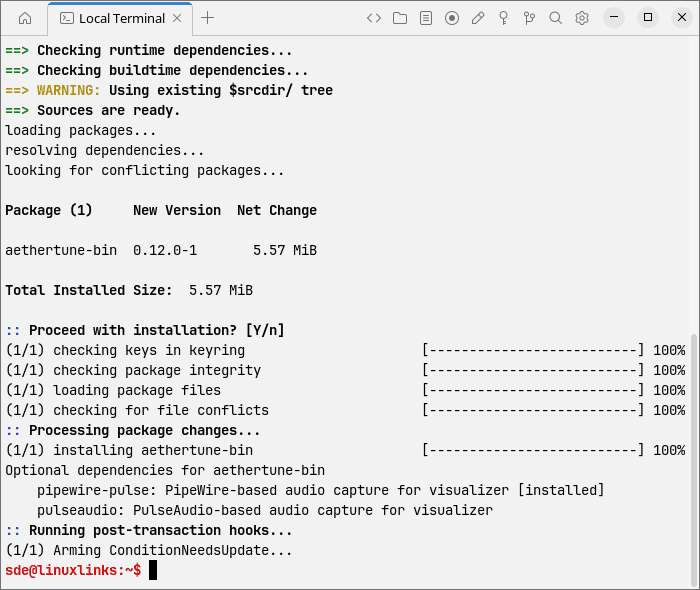
I evaluated AetherTune using CachyOS, an Arch-based distribution with optimisations for modern CPUs. I used yay to install the binary AUR package.
$ yay -S aethertune-bin
The package installs mpv and libpulse as dependencies (already present on my test system). Audio visualisation also requires PulseAudio or PipeWire’s PulseAudio compatibility service.
AetherTune makes quite an entrance, mimicking an old CRT monitor powering on with a brief white flash, flickering characters, static, and a bright line sweeping down the screen. A large cyan AetherTune logo follows, accompanied by a spinner and startup messages before the main menu appears.
Selecting Start Radio brings up another animated sequence with status messages, tick marks, and a progress bar before opening the player. It adds a little theatre to tuning into a station, although these messages follow a timed animation rather than reporting actual loading progress.
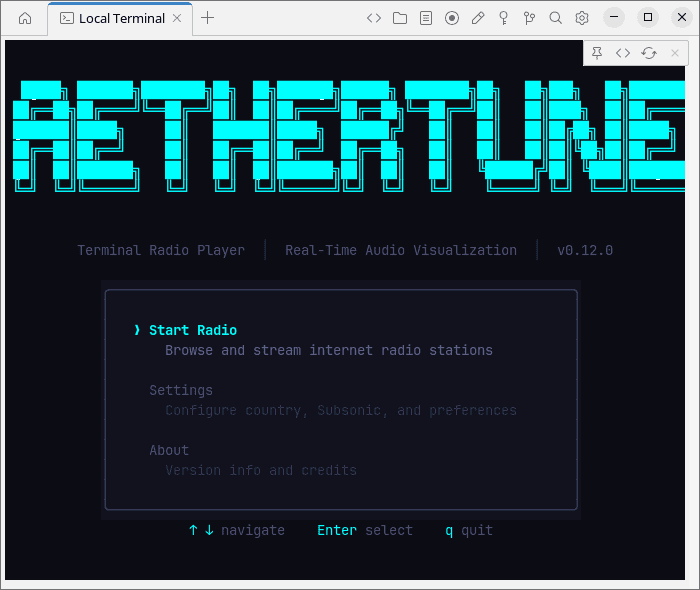
Personally, I find this opening sequence irritating. The simulated startup messages and progress bar add an unnecessary delay when all I want to do is choose a station and listen.
Fortunately, you can skip the entire sequence and go straight to the player:
$ aethertune --skip-menu
Alternatively, disable the opening animation while retaining the launch menu:
$ aethertune --boot-speed=off
In Operation
Here’s an image of AetherTune in action. I’ve added some stations to the favourites list.
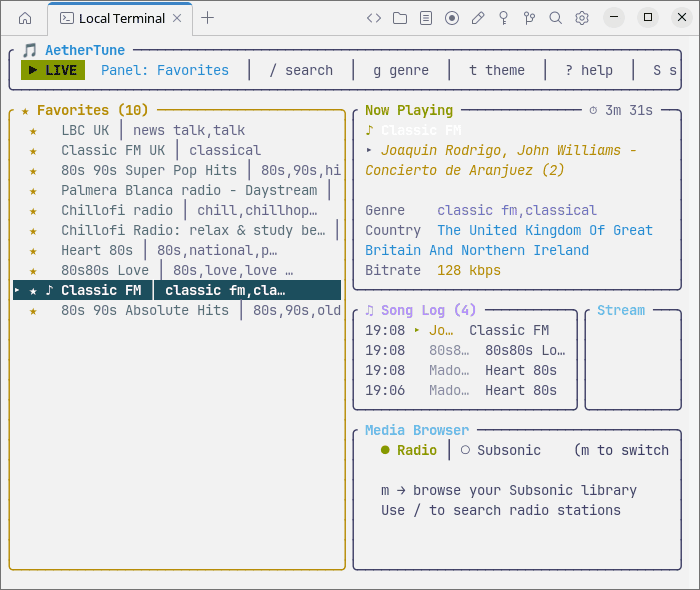
I like several aspects of the interface, particularly the ability to cycle between panels and the choice of keybindings. However, the stream information is cut off in my smaller window.
Presentation is an area where I have reservations. The program offers eight themes, but none made all the text clearly readable in Termora. I also tried other terminals, including Tabby, and each had at least one illegible label with my current settings.
This gets in the way when scanning station names and navigating lists. An attractive interface needs to be readable, and I shouldn’t have to adjust my terminal’s settings just to use one application.
Features include:
- Search stations by name and browse genre categories, with pagination to load additional results.
- Blend stations from a preferred country with global results using a configurable two-letter country code.
- Save favourite stations locally and revisit previously played stations through the listening history.
- Connect to Subsonic-compatible music servers and browse or search artists, albums, and playlists.
- Switch between internet radio and a Subsonic music library from within the interface.
- Choose Stations, Favorites, or History as the panel displayed when the player opens.
- Display incoming song titles from ICY metadata in a rolling log with timestamps, where stations provide this information.
- Show stream information including bitrate and buffering status, alongside playback controls and volume adjustment.
- Visualise captured audio using frequency bars with adjustable smoothing, gravity effects, and automatic sensitivity.
- Disable the visualiser to stop audio capture and reduce the interface refresh rate for lower CPU usage.
- Remap keyboard shortcuts with primary and alternate bindings, saved between sessions.
- Inspect frame timings through a built-in performance profiler and adjust the refresh interval.
- Store preferences, favourites, history, and Subsonic server settings in local configuration files, with a configurable storage directory.
Summary
AetherTune uses Radio Browser to find stations and mpv for playback, bringing a wide choice of internet radio stations together in a keyboard-driven interface. It covers the essentials well, with station search, genre browsing, favourites, and listening history. Country preferences and configurable keyboard shortcuts add flexibility, while song information is welcome where stations provide it. Version 0.12.0 broadens its scope with support for Subsonic-compatible music servers.
Presentation is less convincing. The elaborate opening sequence feels unnecessary, and while it can be skipped, poor readability is harder to overlook. Finding a station and listening should be effortless. I’d happily trade the CRT effects and startup theatrics for a clearer, more practical colour scheme.
Website: github.com/nevermore23274/AetherTune
Support:
Developer: sineyed
License: MIT License
AetherTune is written in Rust. Learn Rust with our recommended free books and free tutorials.
Related Software
| Terminal-Based Internet Radio Apps | |
|---|---|
| PyRadio | Cross-platform curses based with support for Radio Browser |
| radio-active | Command-line tool to listen to more than 30,000 radio stations |
| SonicRadio | Stylish TUI radio player |
| RadioGoGo | Surf global radio waves |
| tera | Play radio stations, CRUD your favorite lists, and explore stations |
| radion | TUI client written in Bash |
| cTune | ncurses tool with good search functionality |
| rig.fm | Fast, focused, keyboard-friendly, and free of clutter |
| Radio Recorder | Internet radio player and recorder |
| PMRP-NG | Ground-up rewrite of PMRP |
| goradion | TUI internet radio player that uses mpv |
| Radiotrope | AI agent-enabled internet radio player |
| Radioboat | Terminal web radio client, built with simplicity in mind |
| PMRP | Poor Man's Radio Player |
| radio-cli | Simple radio CLI written in Rust |
| TuneIn CLI | Basic internet radio with TuneIn Radio and Radio Browser as providers |
| tmuzika | Music player and internet radio player |
| Curseradio | Very simple application for navigating and playing radio streams |
Read our verdict in the software roundup.
 Explore our carefully curated directory of recommended free and open source software, covering every major software category. Explore our carefully curated directory of recommended free and open source software, covering every major software category.The directory forms part of our extensive collection of articles for Linux enthusiasts. It includes hundreds of detailed reviews, together with free and open source alternatives to proprietary software from companies such as Google, Microsoft, Apple, Adobe, IBM, Cisco, Oracle, and Autodesk. LinuxLinks also covers interesting projects worth exploring, Linux-compatible hardware, free programming books and tutorials, and much more. Know a useful free and open source Linux application that we haven’t covered? Tell us about it using our submission form. |
Please read our Comment Policy before commenting.