

Internet radio, often referred to as web radio, streaming radio, or online radio, is a digital audio service that streams over the Internet.
So, what makes internet radio so appealing? For starters, there are no sign-up or subscription fees, making it accessible to everyone. You can tune into a vast array of stations from around the globe. Whether you’re a fan of classical music, pop, folk, or even news and talk shows, there’s something for everyone, no matter where you are, as long as you have an internet connection. Internet radio covers every format you’d find on traditional broadcast stations, providing endless listening options.
rig.fm is an appealing little project that knows exactly what it wants to be: an internet radio player for the terminal.
Installation
I evaluated rig.fm using CachyOS, an Arch-based Linux distribution that’s starting to become popular.
I built the program from source and copied the executable to /usr/local/bin.
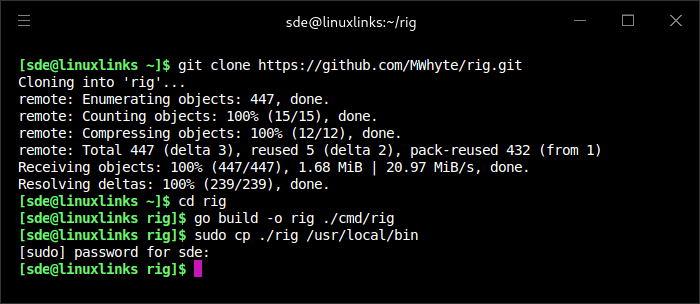
All plain sailing. The other thing to remember is that the program needs mpv installed.
In Operation
The pitch is simple and attractive. rig.fm lets users browse, search, and play thousands of radio stations from the command line, using the Radio Browser directory as its station source and presenting everything through a Bubble Tea-based text user interface. It also keeps the experience clean with a “no accounts, no ads” approach, which suits the spirit of terminal software very well.
Here’s an example of the software in action.
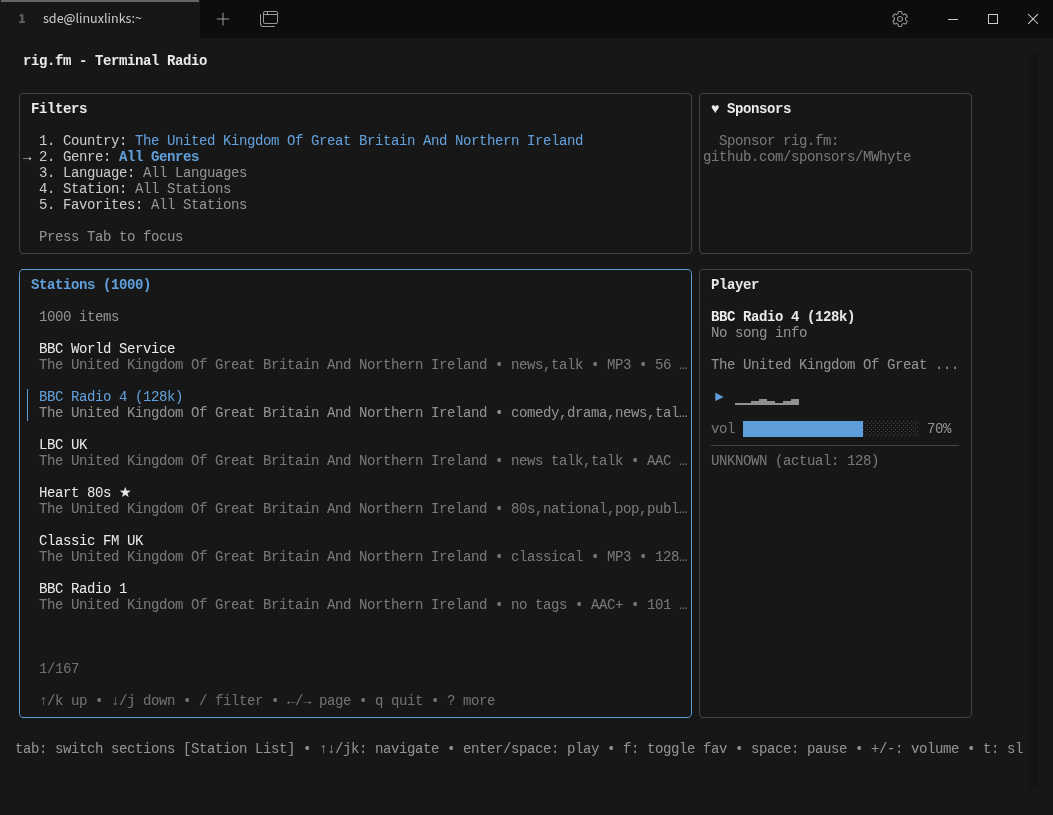
The top pane lets you filter by country, genre, language, station, and whether or not to show your favourite stations. In the image below, I’ve switched to a different theme (Monokai) and applied a filter to show only favourite stations. The filtering system is quite flexible as you can apply more than one filter.
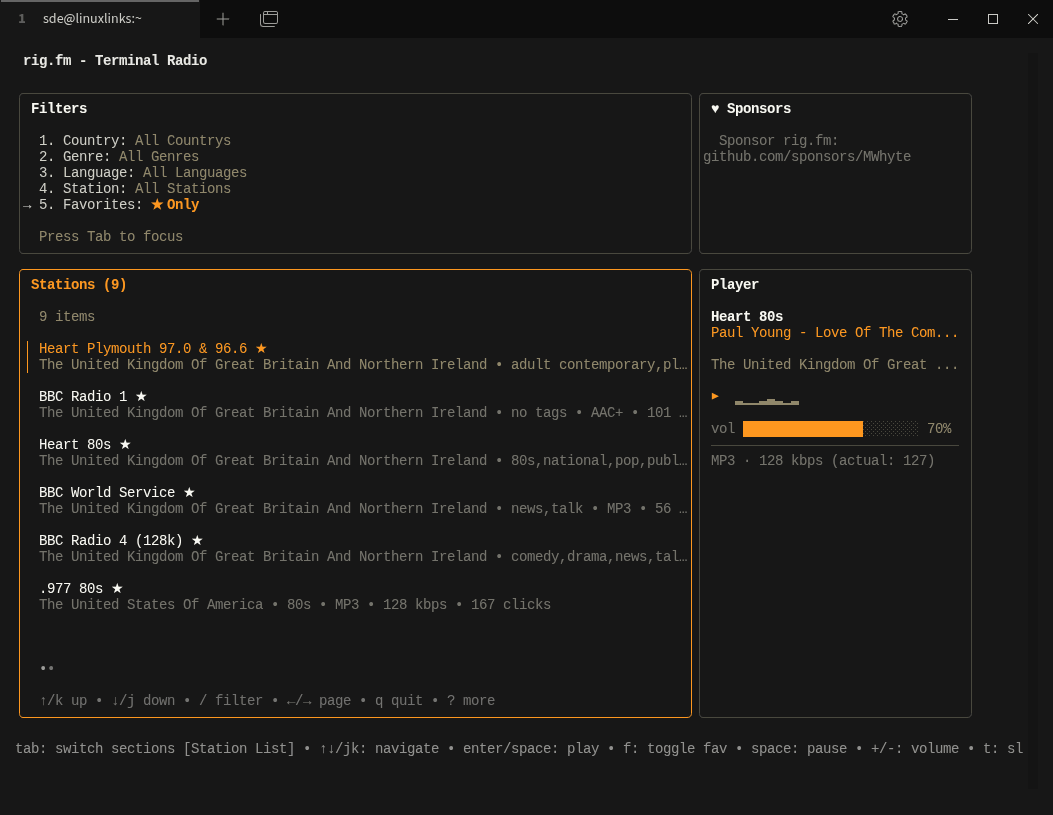
The bottom right panel displays the now playing metadata for the selected station.
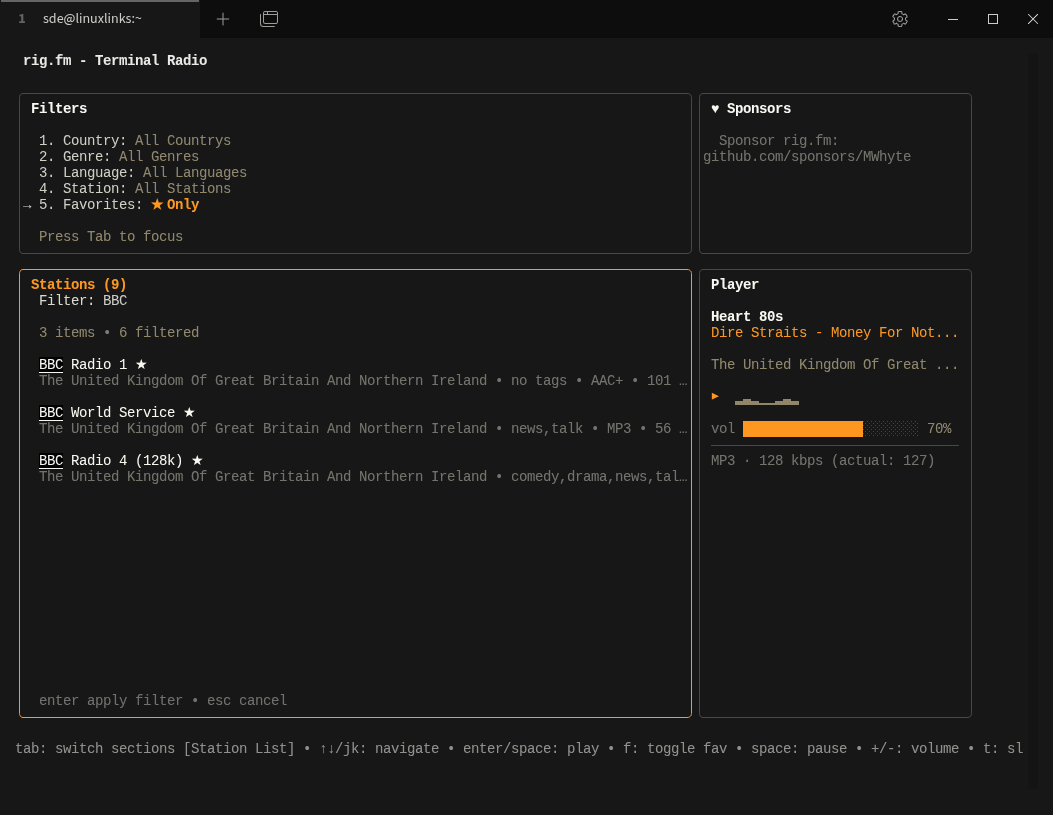
You also apply a further filter by pressing /. In the example below, I’m showing my favourite stations further filtered by stations with BBC in their name.
Other Features
- Offers multiple terminal themes – choose between Classic, Monokai, Crimson, Gruvbox, Hacker, and Neon.
- Saves favourite stations for quick access across sessions.
- Provides fast keyboard shortcuts for navigation, playback, and volume control.
Summary
Overall, rig looks like a promising terminal application. Its best quality is that it respects the command line: fast, focused, keyboard-friendly, and free of clutter. It may still be early in its life, but the concept is strong, the presentation is polished, and the feature set already feels useful. For terminal users who like internet radio, rig looks like a project worth watching closely.
There’s need for improvement in presentation. For example, showing the country under each station limits the number of stations shown.
Technical choices look sensible too. The program is built around the Charm ecosystem, including Bubble Tea, Bubbles, and Lip Gloss. And using Radio Browser is a sensible choice. Radio Browser makes it easy to discover internet radio stations, saving you from having to hunt down working stream URLs yourself.
At times, the program reports that the terminal window is too narrow, yet it will still launch if the command is run again without resizing the window. I’ve run into a few other quirks, but it’s worth remembering that this program is still very new.
Website: github.com/MWhyte/rig
Support:
Developer: Michael Whyte
License: GNU Affero General Public License v3.0
rig.fm is written in Go. Learn Go with our recommended free books and free tutorials.
Related Software
| Terminal-Based Internet Radio Apps | |
|---|---|
| PyRadio | Cross-platform curses based with support for Radio Browser |
| radio-active | Command-line tool to listen to more than 30,000 radio stations |
| SonicRadio | Stylish TUI radio player |
| RadioGoGo | Surf global radio waves |
| tera | Play radio stations, CRUD your favorite lists, and explore stations |
| radion | TUI client written in Bash |
| cTune | ncurses tool with good search functionality |
| rig.fm | Fast, focused, keyboard-friendly, and free of clutter |
| Radio Recorder | Internet radio player and recorder |
| PMRP-NG | Ground-up rewrite of PMRP |
| goradion | TUI internet radio player that uses mpv |
| Radiotrope | AI agent-enabled internet radio player |
| Radioboat | Terminal web radio client, built with simplicity in mind |
| PMRP | Poor Man's Radio Player |
| radio-cli | Simple radio CLI written in Rust |
| TuneIn CLI | Basic internet radio with TuneIn Radio and Radio Browser as providers |
| tmuzika | Music player and internet radio player |
| Curseradio | Very simple application for navigating and playing radio streams |
Read our verdict in the software roundup.
 Explore our carefully curated directory of recommended free and open source software, covering every major software category. Explore our carefully curated directory of recommended free and open source software, covering every major software category.The directory forms part of our extensive collection of articles for Linux enthusiasts. It includes hundreds of detailed reviews, together with free and open source alternatives to proprietary software from companies such as Google, Microsoft, Apple, Adobe, IBM, Cisco, Oracle, and Autodesk. LinuxLinks also covers interesting projects worth exploring, Linux-compatible hardware, free programming books and tutorials, and much more. Know a useful free and open source Linux application that we haven’t covered? Tell us about it using our submission form. |
Please read our Comment Policy before commenting.