

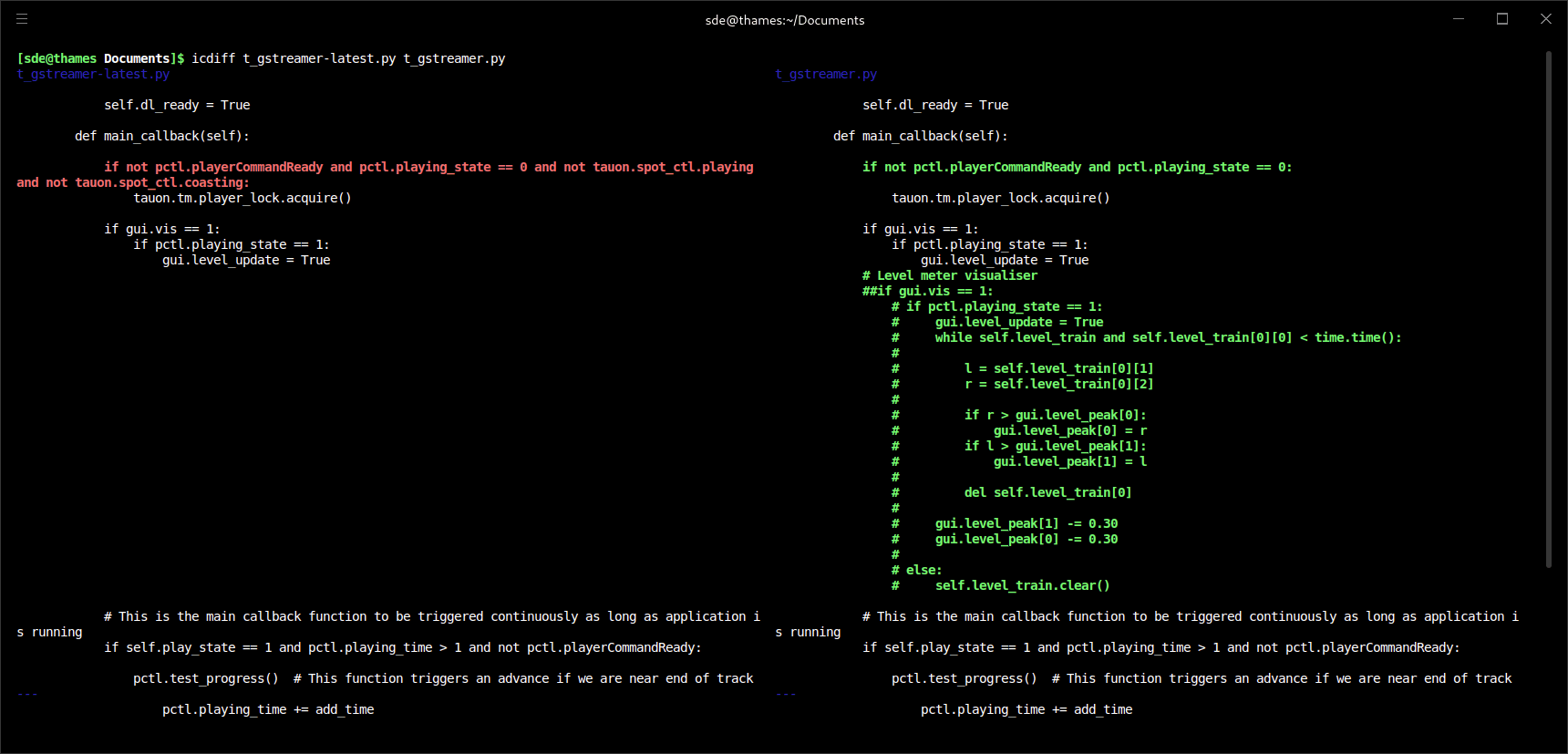
icdiff presents differences between two files in a colourised two-column layout. Its aim is to make small changes within otherwise similar lines immediately visible without trying to replace traditional diff for every use case.
The tool is useful when a normal unified diff makes it difficult to see exactly what changed. Long lines can be wrapped or truncated, surrounding context can be adjusted, and the colour scheme can be adapted to suit the terminal.
This is free and open source software.
Key Features
- Displays compared files side by side with word-level colour highlighting.
- Automatically detects terminal width on supported systems or accepts an explicit column width.
- Supports configurable input and output encodings.
- Can exclude lines matching a regular expression from the comparison.
- Can limit comparison to the first specified number of lines.
- Offers optional line numbers and custom labels for each side of the comparison.
- Can recursively compare directories.
- Can report files that are identical as well as files containing changes.
- Provides controls for displaying whitespace differences and configuring tab width.
- Can truncate long lines instead of wrapping them.
- Lets users choose the amount of surrounding context or display whole files.
- Provides configurable colours for additions, removals, changed text, metadata and separators.
- Integrates with Git as an external difftool and includes a git-icdiff helper.
- Can also be used with Subversion as an external diff command.
Website: github.com/jeffkaufman/icdiff
Support:
Developer: Jeff Kaufman and many contributors
License: Python Software Foundation License Version 2
icdiff is written in Python. Learn Python with our recommended free books and free tutorials.
Related Software
| Terminal-Based Diff Tools | |
|---|---|
| difftastic | Structural diff tool that compares files based on their syntax |
| hunk | Terminal diff viewer with syntax highlighting and side-by-side views |
| diff-so-fancy | Attractive diffs with diff-highlight and more |
| delta | Viewer for git and diff output |
| icdiff | An improved colored diff |
| diffoscope | In-depth comparison of files, archives, and directories |
| colordiff | Wrapper for diff with pretty syntax highlighting |
| diffsitter | Semantic diff tool |
| objdiff | Local diffing tool for decompilation project |
| ydiff | Tool to view colored, incremental diff in a version controlled workspace |
| diffr | Word-by-word diff highlighting utility |
| dyff | diff tool for YAML files |
| Wdiff | Wordwise implementation of diff |
| dwdiff | diff program that operates at the word level |
| diffyml | Compares YAML documents by their structure |
| oyo | Step-through diff viewer |
| diff2html-cli | Generate HTML diffs |
| biodiff | Terminal-based binary diff viewer |
| dirdiff | Compute the differences between two directories |
| csvdiff | Fast diff tool for comparing CSV files |
| VBinDiff | Visual binary diff |
| riff | Wrapper around diff |
| csv-diff | Diffing CSV and JSON files |
| xmldiff | Compare XML documents |
| Patdiff | File diff using the Patience Diff algorithm |
| dead-ringer | Binary diff utility |
| sesdiff | Generates a shortest edit script |
| semdiff | Semantic diff tool written in Rust |
Read our verdict in the software roundup.
 LinuxLinks helps you discover the best free and open source software for Linux. Explore our extensive collection of recommended applications, including alternatives to popular proprietary software. LinuxLinks helps you discover the best free and open source software for Linux. Explore our extensive collection of recommended applications, including alternatives to popular proprietary software.We also publish software reviews, Linux tutorials, hardware reviews, free programming books and articles covering the wider open source community. Browse our Linux resources to discover more. Know a useful free and open source Linux application we haven't covered? Suggest a program for inclusion. Has your software been featured on LinuxLinks? Display one of our Featured on LinuxLinks badges on your website or GitHub README. |
Please read our Comment Policy before commenting.