

Daikhan is a graphical media player for playing video and music files on the Linux desktop. It provides a compact interface with keyboard shortcuts, queue management and playback controls, combining video and audio playback in a single application.
An important part of Daikhan’s design is its handling of playback sessions. The application can remember its previous state, allowing users to return to their media without reconstructing the playback queue. It also retains information associated with individual files, including their previous playback positions and selected media tracks.
This makes Daikhan useful when watching longer videos over multiple sessions or working with files containing several audio and subtitle tracks. A video can be reopened with its previous playback preferences, reducing the need to select the same settings repeatedly.
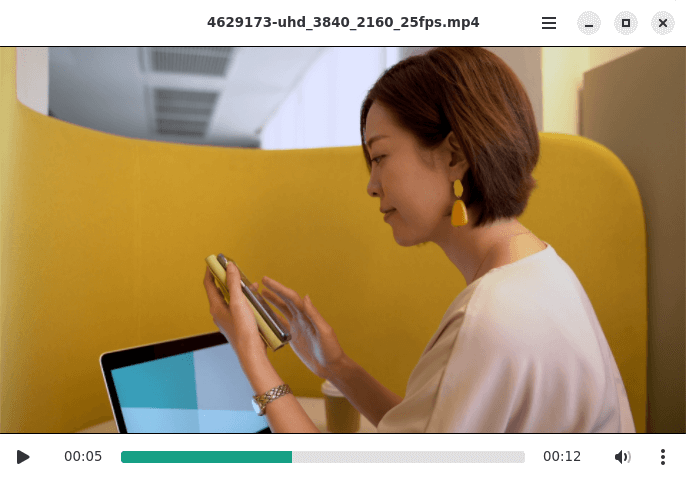
The application supports drag-and-drop operation, allowing files to be added directly to the player. Its interface provides playback and volume controls, seeking, repeat modes and track selection. Daikhan also integrates with desktop media controls through MPRIS, enabling compatible applications and desktop components to interact with playback.
This is free and open source software.
Key Features
- Plays video and music files through a graphical interface.
- Provides play, pause, seeking, volume and next/previous controls.
- Maintains a queue of media files for sequential playback.
- Repeats the current file or the complete playback queue.
- Remembers playback positions for individual files.
- Restores previously selected audio, video and subtitle tracks.
- Stores playback state between application sessions.
- Restores the previous playback queue.
- Allows files to be opened by dragging them into the video area.
- Supports moving the application window by dragging the video area.
- Provides keyboard shortcuts for playback operations.
- Integrates with compatible desktop media controllers through MPRIS.
Website: gitlab.com/daikhan/daikhan
Support:
Developer: Mazhar Hussain
License: GNU Affero General Public License v3.0
Daikhan is written in Vala. Learn Vala with our recommended free books and free tutorials.
Related Software
| Media Players | |
|---|---|
| VLC | Cross-platform multimedia player and framework |
| mpv | Media player for the command line. libmpv is used by many front-ends |
| QMPlay2 | Qt based video and audio player |
| MPlayer | Movie player which runs on many systems |
| SMPlayer | Qt based MPlayer front-end |
| GridPlayer | Play multiple videos simultaneously |
| Parole | Modern simple media player based on the GStreamer framework |
| MPC-QT | Clone of Media Player Classic |
| clapper | GNOME media player built using GJS with GTK4 toolkit |
| Totem | Movie player for the GNOME desktop based on GStreamer |
| Dragon Player | Multimedia player with a focus on simplicity rather than features |
| xine | Video player for playing CDs, DVDs, BluRays and VCDs. |
| Showtime | GNOME media player |
| Glide | Simple and minimalistic media player |
| Phantom Player | Simple video player |
| Daikhan | Media player for the modern desktop |
| QtAV | Cross-platform multimedia framework based on Qt and FFmpeg |
| SparkPlayer | Terminal-based media player for local music and video collections |
| Rage | Simple video and audio player |
| Kaffeine | Simple, easy to use, full featured media player |
Read our verdict in the software roundup.
 LinuxLinks helps you discover the best free and open source software for Linux. Explore our extensive collection of recommended applications, including alternatives to popular proprietary software. We also publish software reviews, Linux tutorials, hardware reviews, free programming books and articles covering the wider open source community. Browse our Linux resources to discover more. Know a useful free and open source Linux application we haven't covered? Suggest a program for inclusion. Has your software been featured on LinuxLinks? Display one of our Featured on LinuxLinks badges on your website or GitHub README. |
Please read our Comment Policy before commenting.