

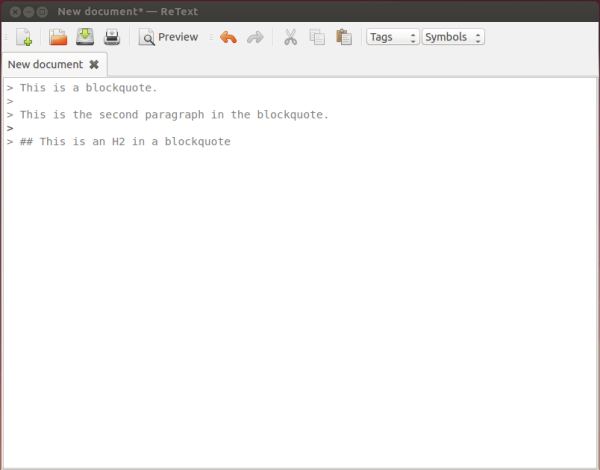
ReText is a simple open source text editor that supports Markdown and reStructuredText markup languages. ReText gives users the power to control all output formatting. Markdown and reST are WYSIWYM markup languages, so if you save a document as plain text, anyone will be able to see how it has been formatted. ReText also has support for tabs.
ReText uses the PyQt libraries.
ReText supports text formatting and can save to different file formats (PDF, HTML).
Key Features
- Full Markdown and reStructuredText support.
- Markdown extensions support.
- Supported export formats: HTML, PDF, ODT (OpenDocument Text), Webpages generation.
- Tabs and Live preview.
- Spellchecking.
- CSS styles support.
- Syntax highlighting – displays text, especially source code, in different colors and fonts according to the category of terms.
- Tags and symbols boxes for quick insert.
- Page breaks support.
- Upload documents to Google Docs.
- View HTML code.
- Files auto-save option.
- Create math formulas with ReText using MathJax.
- “Export Extensions” which allow you to add your own export functions to ReText.
Website: github.com/retext-project/retext
Support:
Developer: Dmitry Shachnev
License: GNU General Public License v2.0
ReText is written in Python. Learn Python with our recommended free books and free tutorials.
Related Software
| Markdown Editors | |
|---|---|
| Mark Text | Simple and elegant Markdown editor |
| Zettlr | Billed as the Markdown editor for the 21st century |
| CodiMD | Realtime collaborative markdown notes |
| ghostwriter | Distraction-free Markdown editor |
| Yank Note | Extensible note app with plugins, diagrams, and code execution |
| NoteGen | Cross-platform note manager with local storage and clean organisation |
| MindForger | Thinking notebook and Markdown editor |
| MarkFlowy | Modern and intelligent Markdown editor |
| ReText | Supports Markdown and reStructuredText markup languages |
| Apostrophe | Distraction free Markdown editor |
| HedgeDoc | Real-time collaborative note-taking for teams and documentation |
| StackEdit | Full-featured Markdown editor based on PageDown |
| PanWriter | Distraction-free Markdown writing environment |
| Looksyk | Simple personal knowledge platform |
| Remarkable | Python-based editor with live preview, MathJax support and more |
| Folio | Markdown note-taking app for GNOME |
| Scratchmark | Organized Markdown editor |
| Rucola | Terminal-based markdown note manager |
| Marker | Simple yet robust Markdown editor |
| ThiefMD | Markdown and Fountain editor and file manager inspired by Ulysses |
| Marknote | Create rich text notes |
| SoloMD | Local-first writing tool focused on privacy and offline editing |
| Norka | Continuous text editing |
| MerMark Editor | Live editor with Mermaid diagram previews and export tools |
| Notes-Up | Write beautiful notes fast and easy using Markdown |
| Marko | WYSIWYG writing app with instant preview and clean formatting |
| Cedilla | Distraction-free editor for structured notes and long-form drafts |
| Abricotine | Markdown editor built for desktop |
Read our verdict in the software roundup.
 Explore our carefully curated directory of recommended free and open source software, covering every major software category. Explore our carefully curated directory of recommended free and open source software, covering every major software category.The directory forms part of our extensive collection of articles for Linux enthusiasts. It includes hundreds of detailed reviews, together with free and open source alternatives to proprietary software from companies such as Google, Microsoft, Apple, Adobe, IBM, Cisco, Oracle, and Autodesk. LinuxLinks also covers interesting projects worth exploring, Linux-compatible hardware, free programming books and tutorials, and much more. Know a useful free and open source Linux application that we haven’t covered? Tell us about it using our submission form. |
Please read our Comment Policy before commenting.