
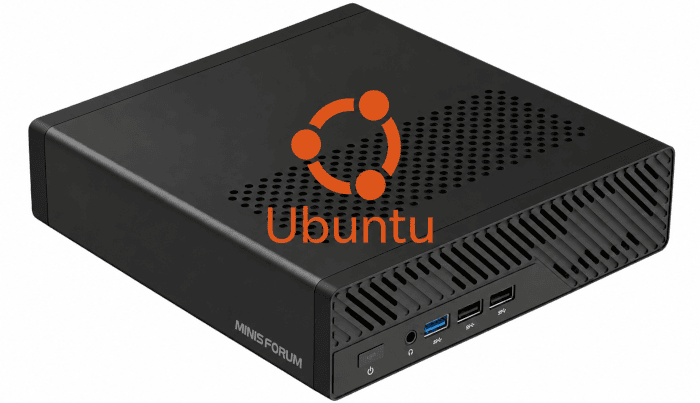
The Minisforum MS-R1 has one of the more unusual processors I’ve encountered in a small PC. Its CIX CP8180 is a 12-core ARM processor, but those 12 cores are far from equal. There are eight Cortex-A720 cores split across several performance levels together with four much slower Cortex-A520 cores.
More unusually, Minisforum recommends disabling the four small cores for normal use. The company says their substantially lower performance and internal interconnect bandwidth can hurt some multi-core workloads. That raises an obvious question: should we actually need to disable them under Linux?
Modern Linux supports heterogeneous processors and knows that individual CPU cores can have very different performance capabilities. Its scheduler is supposed to take those differences into account. If Linux understands the MS-R1’s CPU topology properly, keeping all 12 cores enabled should give us the best of both worlds: demanding work should gravitate towards the eight Cortex-A720 cores, while the four Cortex-A520 cores remain available when extra parallelism is genuinely useful. That’s what I’m going to test.
Five levels of CPU performance
The first surprise is that the CP8180 isn’t simply divided into fast, medium and small cores. Ubuntu reports five distinct maximum-frequency groups.
| CPU | Maximum frequency | Type |
|---|---|---|
| 0-1 | 2.6 GHz | Cortex-A720 |
| 10-11 | 2.5 GHz | Cortex-A720 |
| 6-7 | 2.3 GHz | Cortex-A720 |
| 8-9 | 2.2 GHz | Cortex-A720 |
| 2-5 | 1.8 GHz | Cortex-A520 |
The CPU numbering is decidedly non-obvious. CPUs 2-5 are the four slow cores, whereas CPUs 10 and 11 are actually among the fastest. Maximum clock speed only tells part of the story, though, because Linux has another source of information about the relative capability of each processor.
Linux exposes ACPI Collaborative Processor Performance Control information for every CPU. Of particular interest is highest_perf, an abstract measure of the maximum performance capability of each processor. On the MS-R1 I get:
CPU 0-1      8192
CPU 10-11    7876
CPU 6-7      7246
CPU 8-9      6931
CPU 2-5      2232
These figures are important because the Linux ARM64 topology code uses the ACPI CPPC highest_perf values when calculating the capacity presented to the scheduler, normalising the fastest CPU to 1024. On this machine that produces:
| CPU | CPPC highest_perf | Scheduler capacity |
|---|---|---|
| 0-1 | 8192 | 1024 |
| 10-11 | 7876 | 984 |
| 6-7 | 7246 | 905 |
| 8-9 | 6931 | 866 |
| 2-5 | 2232 | 279 |
That last figure is particularly striking. From the scheduler’s perspective, the maximum capacity of an A520 core is only around 27% of the fastest Cortex-A720 core. Linux therefore isn’t guessing about the CP8180’s unusual layout. It sees five distinct performance levels and regards the four Cortex-A520 cores as dramatically less capable than the other eight.
The CPUFreq subsystem independently exposes the same five groups. CPUs 0-1, 10-11, 6-7 and 8-9 each have their own frequency policy, while CPUs 2-5 share another. Their maximum frequencies are 2.6 GHz, 2.5 GHz, 2.3 GHz, 2.2 GHz and 1.8 GHz respectively.
For these tests I switched all five policies to the performance governor. This reduces frequency scaling as a variable and lets me concentrate more directly on where Linux places CPU-heavy work. The kernel clearly has the information it needs to distinguish the fast cores from the slow ones. The next question is whether it makes good use of that information.
Next page: Page 2: Per-Core Performance
Pages in this article:
Page 1: Introduction and CPU Layout
Page 2: Per-Core Performance
Page 3: One CPU-Heavy Task
Page 4: The Eight-Task Test
Page 5: Explicit CPU Affinity
Page 6: Background Load and Conclusions
Complete list of articles in this series:
| Minisforum MS-R1 ARM Mini Workstation | |
|---|---|
| Introduction | Introduction to the series and interrogation of the Mini Workstation |
| Benchmarks | Benchmarking the Minisforum MS-R1 ARM Mini Workstation |
| Power | Testing and comparing the power consumption |
| BIOS | Exploring the BIOS |
| Ubuntu | Testing the Ubuntu 26.04 LTS image |
| Scheduling | Minisforum Says Disable Four of the MS-R1’s 12 CPU Cores |
Please read our Comment Policy before commenting.