
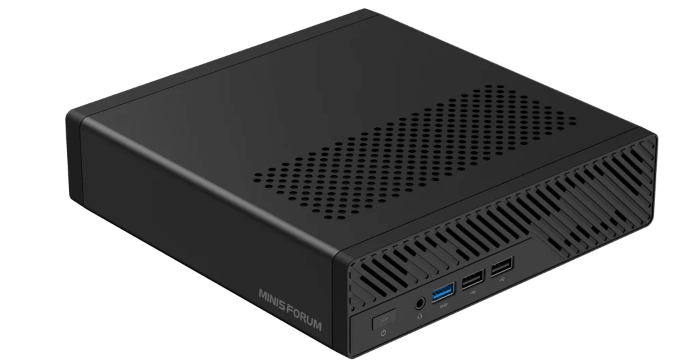
This is a new series looking at the Minisforum MS-R1 ARM Mini Workstation running Linux. In this series, I’ll examine every aspect of this mini workstation in detail from a Linux perspective. I’ll compare the machine with other machines to put my findings into context.
The CPU setup is a 12-core hybrid design. The CIX P1 has 4 Cortex-A720 big cores and 4 Cortex-A720 medium cores, and 4 small Cortex-A520 cores. The small cores clock up to 1.8 GHz. There’s also 12 MB shared L3 cache. The machine offers up to 45 TOPS of integrated AI performance.
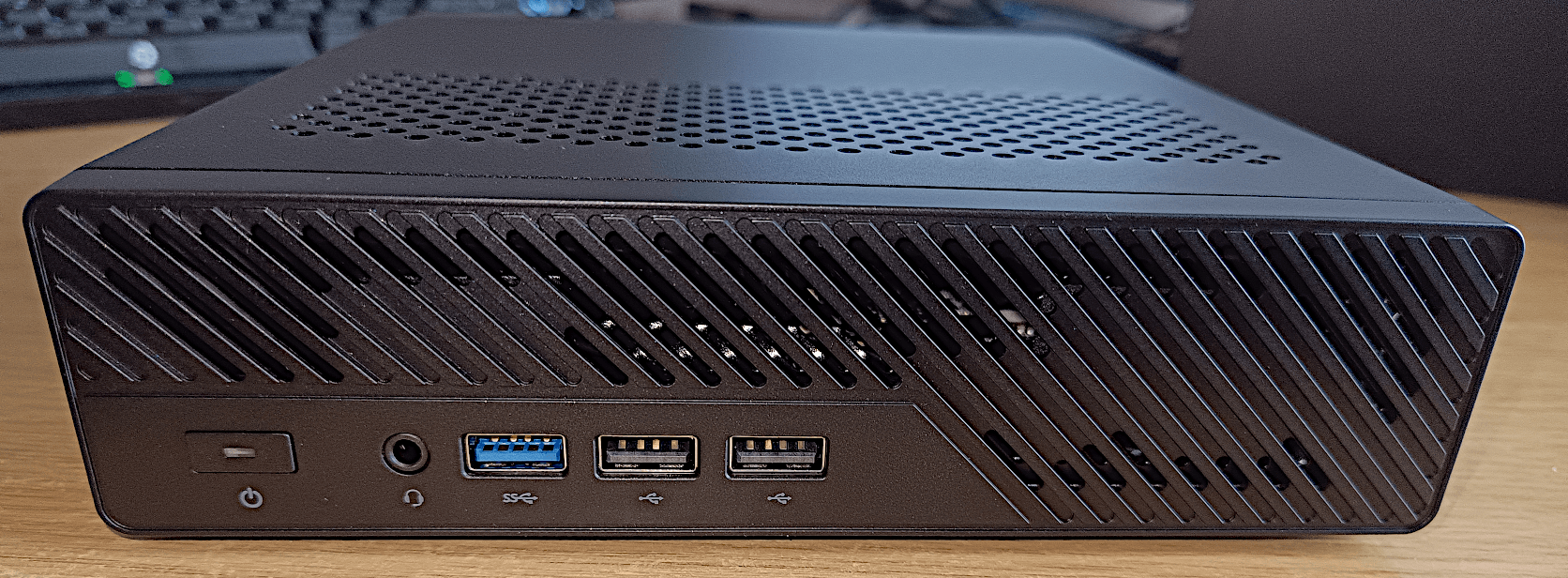
For this article in the series, I’m looking at the power consumption of the MS-R1. I’m not going to compare its power consumption with inexpensive SBCs. As demonstrated by my benchmarks article, the MS-R1 vastly outperforms them. It’s therefore more appropriate to compare its power consumption to machines with similar performance. I will examine its power consumption against a variety of Intel based machines including three mini PCs and two desktop computers, as well as the Orange Pi 6 PLus which shares the same CPU as the MS-R1.
Let’s start with the power consumption when each machine is idling.
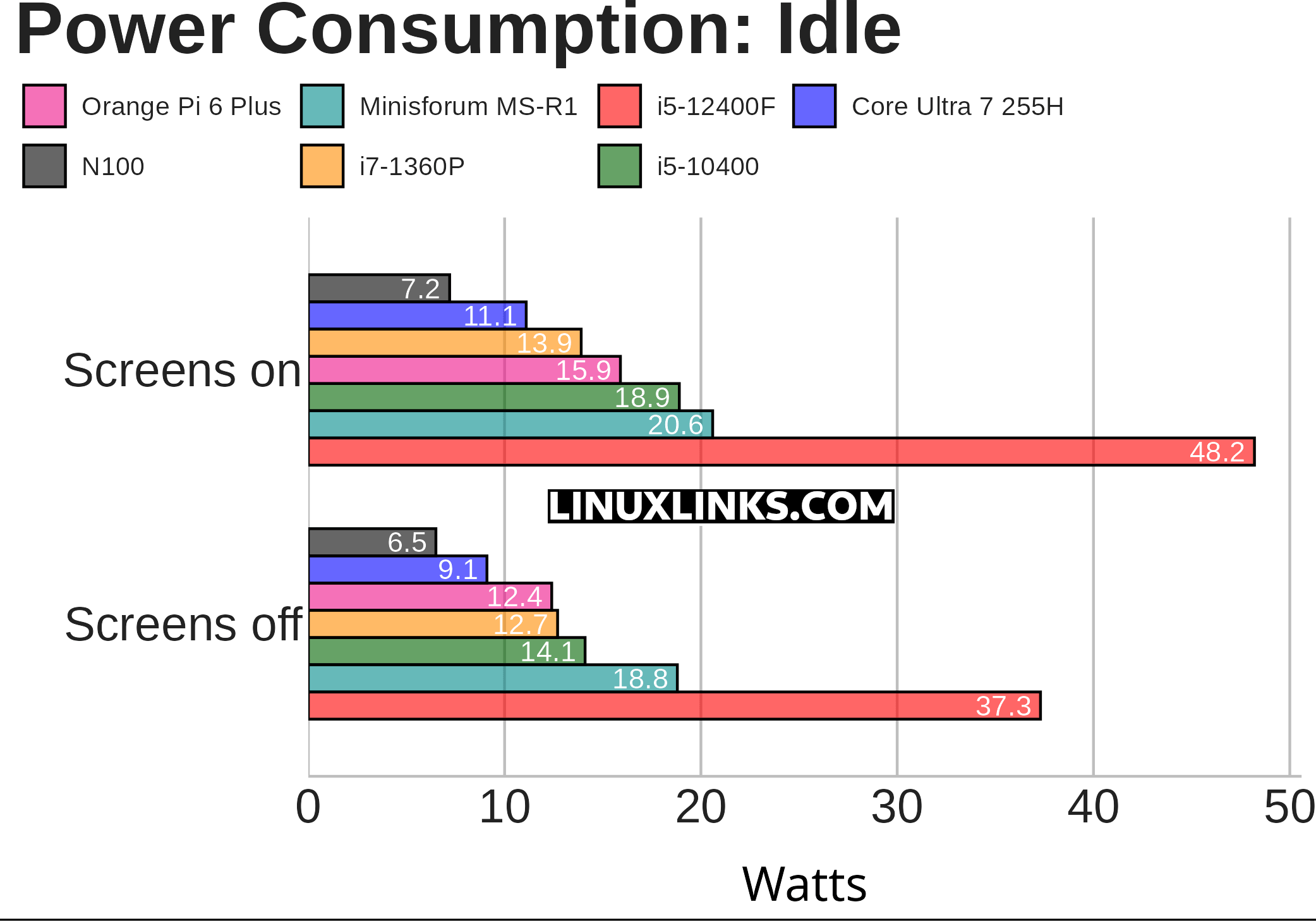
The MS-R1’s results are reasonable. The figures can probably be lowered as I’m testing with the pre-installed Debian 12. Minisforum have produced a power-optimized system which does significantly reduce power consumption under idle. I’m assuming the factory-installed system is causing the higher than expected figures.
The chart needs some explanation to put the results into context.
- The chart measures the power consumption of each system (not just the CPU).
- The i5-12400F machine hosts a dedicated graphics card, whereas the other machines use onboard graphics. Power consumption even at idle is much higher with a dedicated graphics card, in this case an NVIDIA Asus RTX 3060 Ti. That graphics card, itself, consumes 13W with the machine at idle with two screens off, 21W idle with two screens on, as reported by nvidia-smi.
- Both the i5-12400F and i5-10400 machines offer good BIOS power management options. This power management is enabled for this particular test. The other machines don’t have power management functionality.
- For the i5-10400 machine, the BIOS offers options to enable Asus Performance Enhancement as well as a Performance Mode. With both these options enabled, the PC idles at 22.2W and 24.9W with both screens off and on respectively. Having the power functionality disabled therefore makes a significant difference.
- The Power Saver CPU governor is used.
- The machines are running Ubuntu 25.10 with the exception of the Orange Pi 6 Plus and the Minisforum MS-R1 which are running Debian 12.
Next page: Page 2 – Power Consumption With Light usage
Pages in this article:
Page 1 – Power Consumption With System Idle
Page 2 – Power Consumption With Light Usage
Page 3 – Power Consumption With CPU Stressed
Page 4 – Electricity Costs
Complete list of articles in this series:
| Minisforum MS-R1 ARM Mini Workstation | |
|---|---|
| Introduction | Introduction to the series and interrogation of the Mini Workstation |
| Benchmarks | Benchmarking the Minisforum MS-R1 ARM Mini Workstation |
| Power | Testing and comparing the power consumption |
| BIOS | Exploring the BIOS |
| Ubuntu | Testing the Ubuntu 26.04 LTS image |
| Scheduling | Minisforum Says Disable Four of the MS-R1’s 12 CPU Cores |
Please read our Comment Policy before commenting.