

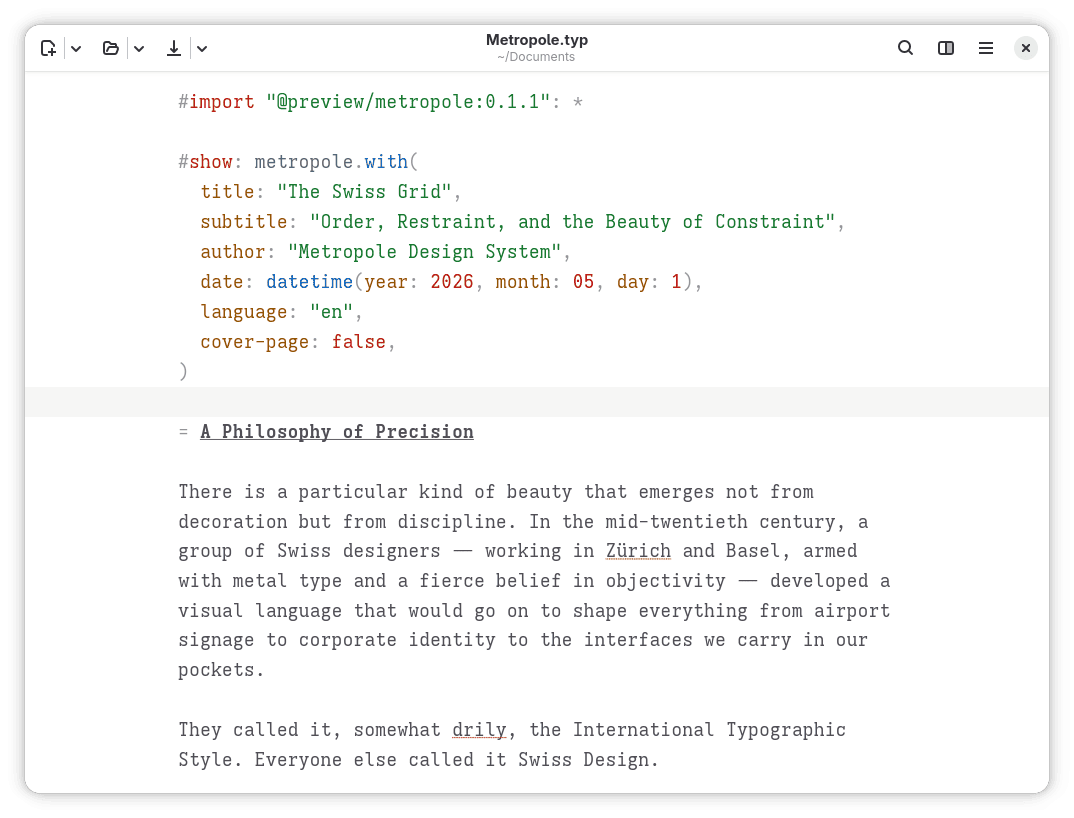
Typesetter is a native Linux GUI for creating documents with the Typst typesetting system. Its adaptive GTK interface provides a focused editing environment suitable for reports, articles, academic work and other structured documents. Files remain on the local computer, while integrated previews and navigation tools make it easy to inspect the formatted result as you write.
This is free and open source software.
Key Features
- Focus on writing: Streamlined interface. Great for composing papers, reports, slides, books, and other structured documents.
- Powered by Typst: Uses a modern markup-based typesetting language that combines the simplicity of Markdown with the power of LaTeX.
- Fully local: Your files stay on your machine. There is no cloud lock-in.
- Package management: Install, remove, and automatically fetch Typst packages from within the app.
- Templates: Create new documents from built-in or user-defined templates.
- Automatic preview: See the rendered document update as you write.
- Click-to-jump: Click part of the preview to jump to the corresponding position in the source file.
- Magnifier tool: Click and hold on the preview to inspect fine details.
- Accessibility checking: Simulate different forms of colour blindness to check how your document appears to all readers.
- Centered scrolling: Keeps your writing visually anchored as you type.
- Syntax highlighting: Makes documents easier to edit and read.
- Grammar suggestions: Automatically checks your writing for grammatical errors. This feature currently supports English only.
- Document statistics: Easily calculate page, word, and character counts.
- Fast and native: Built with Rust and GTK.
Website: codeberg.org/haydn/typesetter
Support:
Developer: Haydn Trowell
License: GNU General Public License v3.0
Typesetter is written in Rust. Learn Rust with our recommended free books and free tutorials.
Related Software
| Document Processors | |
|---|---|
| LyX | Power and flexibility of TeX/LaTeX with an intuitive interface |
| TeXstudio | Fully featured open source LaTeX editor |
| TeXmacs | WYSIWYG mathematical text editor using TeX fonts |
| TeXmaker | Integrates many different tools |
| typst | Fast markup-based system for high-quality typesetting |
| TeXworks | Simple front-end modeled on TeXShop |
| Kile | KDE Integrated LaTeX Environment |
| SILE | Simon’s Improved Layout Engine |
| Enter TeX | Integrated LaTeX Environment for the GNOME desktop |
| AUCTeX | Edit LaTeX, ConTeXt, docTeX, Texinfo, and TeX files |
| Gummi | Simple LaTeX editor |
| Typewriter | Create documents with typst |
| Typesetter | Focused GTK writing environment with automatic previews |
| Katvan | Strong RTL support with live preview and editing tools |
| Open LaTeX Studio | LaTeX editor supporting remote collaboration between users |
Read our verdict in the software roundup.
 Explore our carefully curated directory of recommended free and open source software, covering every major software category. Explore our carefully curated directory of recommended free and open source software, covering every major software category.The directory forms part of our extensive collection of articles for Linux enthusiasts. It includes hundreds of detailed reviews, together with free and open source alternatives to proprietary software from companies such as Google, Microsoft, Apple, Adobe, IBM, Cisco, Oracle, and Autodesk. LinuxLinks also covers interesting projects worth exploring, Linux-compatible hardware, free programming books and tutorials, and much more. Know a useful free and open source Linux application that we haven’t covered? Tell us about it using our submission form. |
Please read our Comment Policy before commenting.