
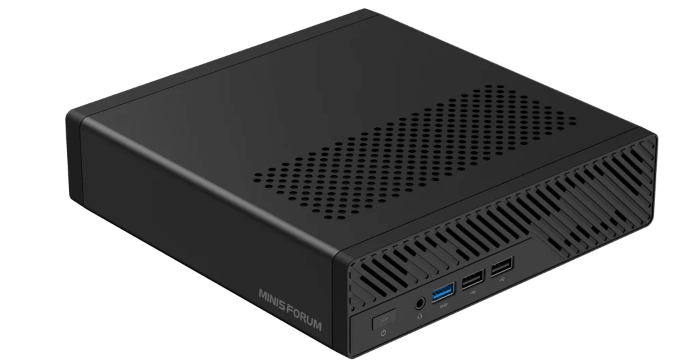
This is a series looking at the Minisforum MS-R1 ARM Mini Workstation running Linux. In this series, I’ll examine every aspect of this mini workstation in detail from a Linux perspective.
The CPU setup is a 12-core hybrid design. The CIX P1 has 4 Cortex-A720 big cores and 4 Cortex-A720 medium cores, and 4 small Cortex-A520 cores. The small cores clock up to 1.8 GHz. There’s also 12 MB shared L3 cache. The machine offers up to 45 TOPS of integrated AI performance.
BIOS, or Basic Input/Output System, remains one of the most important pieces of low-level software in any computer. This firmware handles the essential groundwork before the operating system takes over, initializing hardware and providing the runtime services needed for the system to boot properly. Stored on the motherboard, the BIOS is the first thing that springs into action when you power on a machine.
For this quick look at the Minisforum MS-R1 BIOS, I’m using a basic video capture device rather than a camera. That approach delivers far cleaner screenshots and makes the interface much easier to see. To keep things moving, I’m not covering every single menu item and option, but this tour should give a good sense of what’s on offer.
To access the BIOS, press the Del key. This brings up the following output.
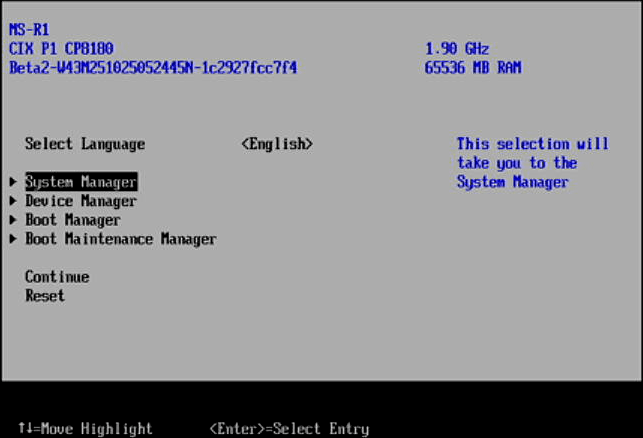
I’ll walk you through some of the menus available in the CIX System Manager, Advanced, Boot Manager, and Boot Maintenance Manager sections.
CIX System Manager
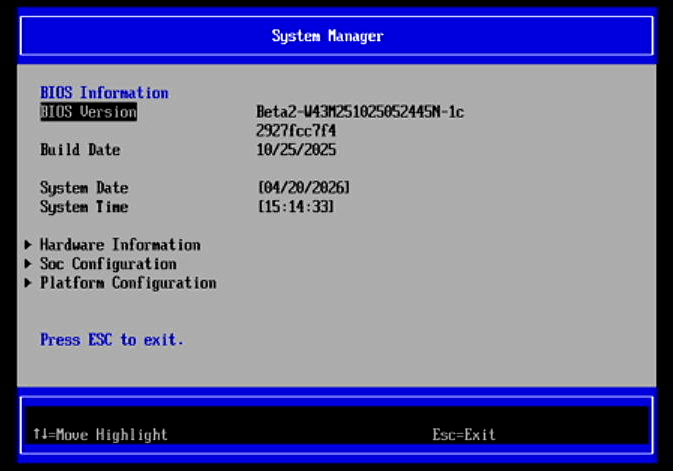
Let’s start with the Hardware Information section.
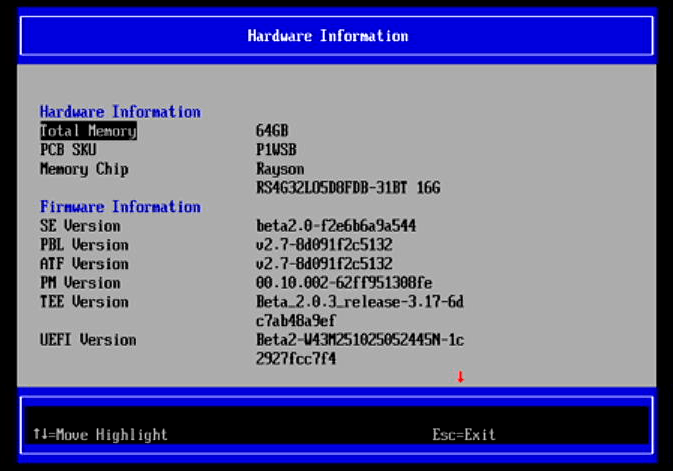
As you can see the MS-R1 has 64GB of RAM (there is also a model with 32GB of RAM). This is soldered on the motherboard. The datasheet’s part-number decode breaks it down like this: 4G32 = 4 Gig x 32 configuration, LO5 = LPDDR5/5X family, D8 = 8 dies in package, DB = 315-ball FBGA 12.4 × 15 mm package, 31 = 6400 Mb/s, and BT = -25°C to +85°C.
There is an additional line in this section showing the STMM Version. The whole section is simply for information.
The SoC Configuration is a section where there are settings to tweak.
Here we can configure the CPU, memory, PCIE, USB, and I2C.
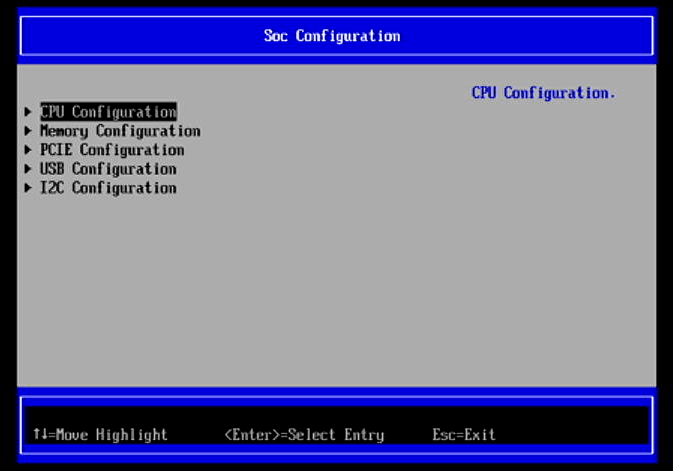
In the CPU we can set the LPI Max State, CPPC Interface Type, and Enable/Disable each of the machine’s 12 cores. By default they are all enabled.
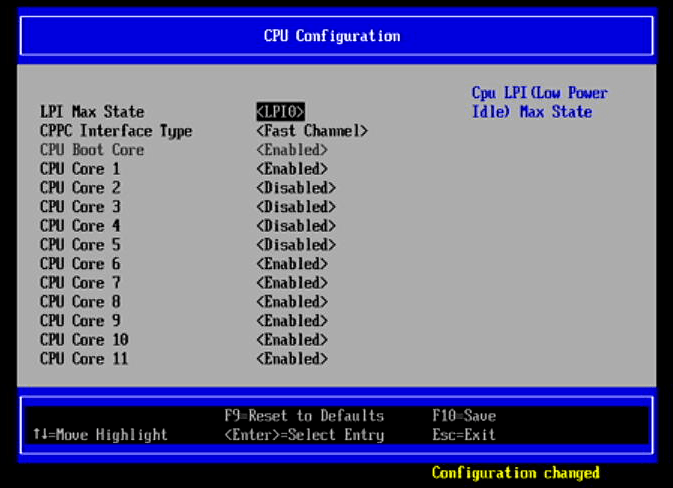
A few words about the CPU Configuration. The MS-R1 has 12 cores of which 4 are small cores. The small cores have much lower performance and internal interconnect bandwidth than the big/medium cores. Running multi-core workloads on the small cores can significantly reduce overall performance. Unless you need the extra cores for virtualization or similar workloads, Minisforum recommends disabling the small cores for normal use.
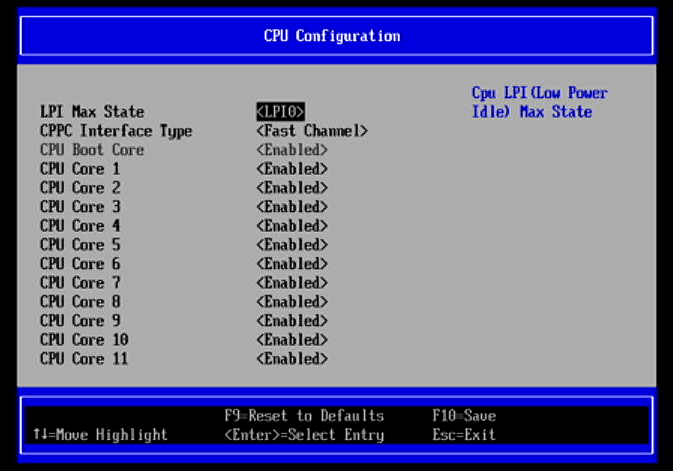
CPU Boot Core is in fact CPU Core 0. The small cores are CPU Core 2, 3, 4 and 5. In the image below, I’ve disabled the small cores.
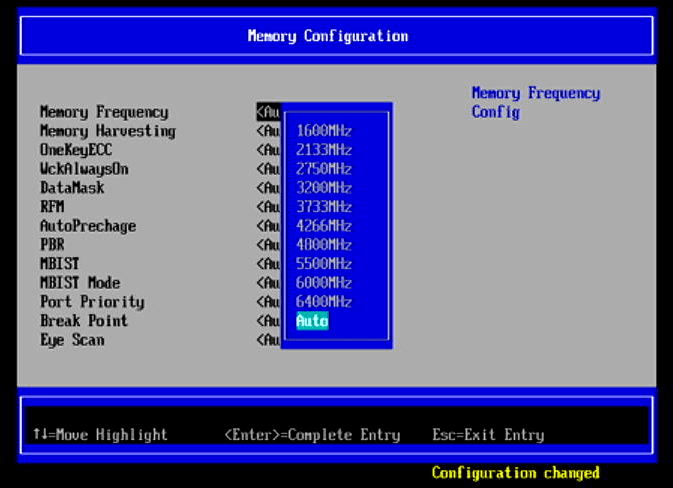
By default the RAM is clocked at 5500Mhz. Here’s the range of memory frequencies as reported in the BIOS.
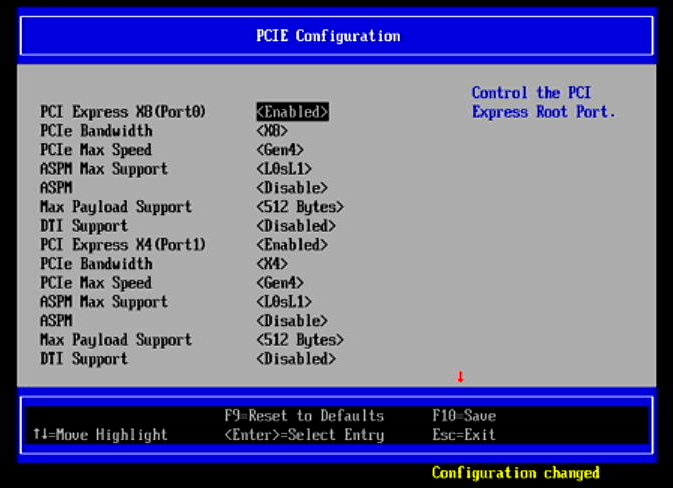
Here’s the PCIE Configuration.
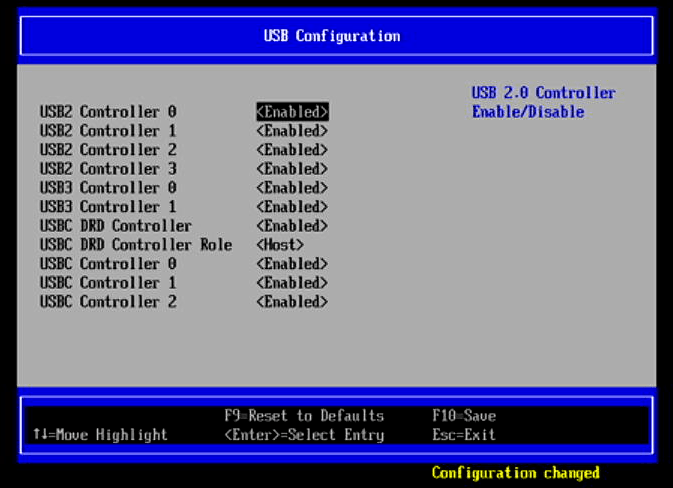
And the USB Configuration.
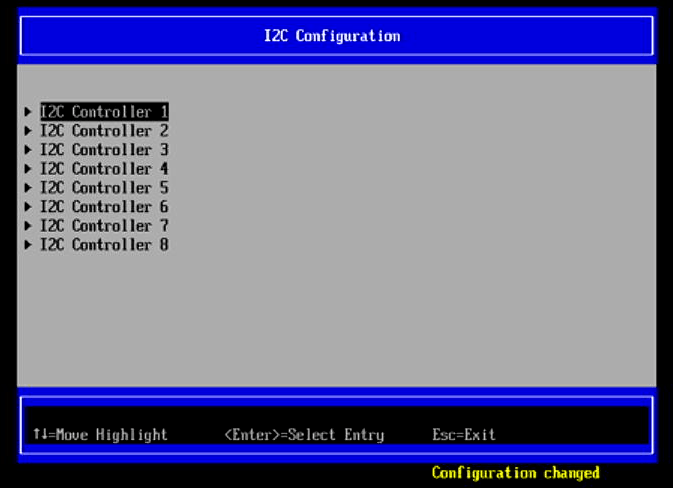
The final entry in the section is for I2C configuration:
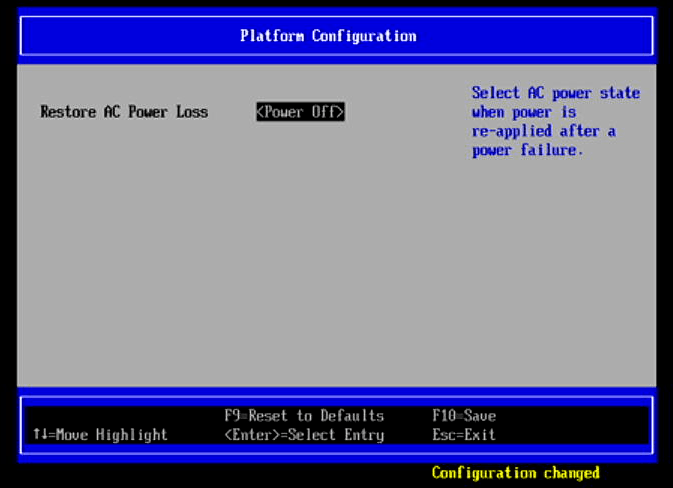
There’s very little in the Platform Configuration.
Next page: Page 2 – Device Manager
Pages in this article:
Page 1 – CIX System Manager
Page 2 – Device Manager
Page 3 – Boot Manager
Page 4 – Boot Maintenance Manager
Complete list of articles in this series:
| Minisforum MS-R1 ARM Mini Workstation | |
|---|---|
| Introduction | Introduction to the series and interrogation of the Mini Workstation |
| Benchmarks | Benchmarking the Minisforum MS-R1 ARM Mini Workstation |
| Power | Testing and comparing the power consumption |
| BIOS | Exploring the BIOS |
| Ubuntu | Testing the Ubuntu 26.04 LTS image |
| Scheduling | Minisforum Says Disable Four of the MS-R1’s 12 CPU Cores |
Please read our Comment Policy before commenting.