
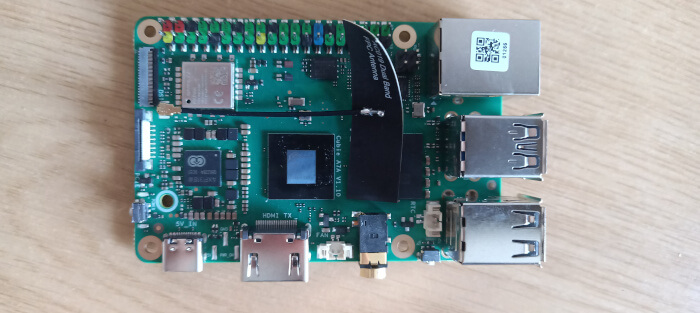
This is a new series looking at the Radxa Cubie A7A single board computer (SBC). It’s billed as an ultra-compact yet feature-rich SBC designed to deliver powerful performance in space-constrained environments.
The SBC is powered by the Allwinner A733 SoC, featuring a hybrid octa-core CPU (dual-core Arm Cortex-A76 and hexa-core Arm Cortex-A55 up to 2.0GHz), integrated 3 TOPS NPU, and Imagination BXM-4-64 MC1 GPU, providing AI and multimedia processing capabilities.
I’m evaluating the 6GB RAM model.
Getting Started
Like any SBC, you need more than just the bare board. I used a microSD card (class 10) to boot the machine. Alternatively, the computer can boot from a UFS module (or an eMMC module) which offers faster read/write speeds than a microSD card. I’m using a standard 5.1V 5A USB-C power supply, but you can also use Radxa’s own PD 30W Power Adapter.
For video output, an HDMI cable is required, and of course a monitor with an HDMI port. Throw in a USB keyboard and mouse and you’ve got what it needs. If you want wired ethernet (always recommended) you’ll also need a network cable, but the SBC has built-in WiFi.
I wrote the Radxa OS to a microSD card using balenaEtcher (but you can use similar software). Download the image (radxa-cubie-a7a_bullseye_kde_b1.output_512.img.xz) from Radxa’s website and extract the image from the compressed archive with a file manager or from the command-line. I detailed the microSD flashing process in my Radxa ROCK 4D article. As the process is identical except you need to use the image file for the A7A, I won’t reproduce the process here.
Once the image has been written to the microSD card, insert the card into the board and connect the cables up. In the image below, I’ve connected an ethernet cable, USB cable (for keyboard and mouse), HDMI cable and the USB-C power cable.
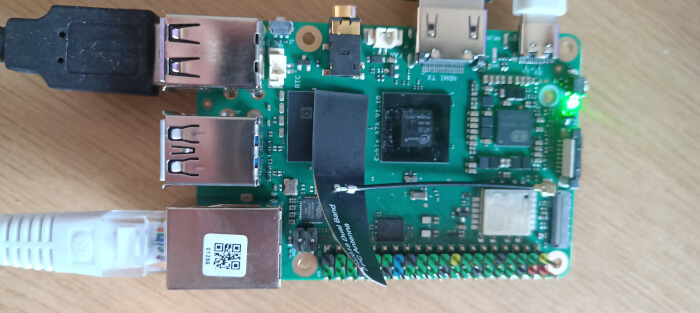
The machine has booted up when the green light is permanently on and the blue light blinks.
Pages in this article:
Page 1 – Introduction
Page 2 – Radxa OS
Page 3 – Interrogation of the system
Complete list of articles in this series:
| Radxa Cubie A7A | |
|---|---|
| Introduction | Introduction to the series and interrogation of the Cubie A7A |
| Benchmarks | Benchmarking the Cubie A7A |
| Power | I compare the Cubie A7A's power consumption to other machines |
| Radxa OS | A Debian-based Linux distribution with KDE Plasma |
Please read our Comment Policy before commenting.
When intro’d i paid around 50 for the 6gb ram vatiant. Now many months later, with rasp pi 8gb models over $150, i can still get a a7a with 6gb ram around 65 usd (85 for 8gbram).
It has the best cache structure i have used in a allwinner SoC.
The GPU is very basic, not bad but nothing to note about either. On the otherhand headless operations and as anode in a cluster i really like this board. Altho weaker then my rk3588s opi5 nodes, this is 1/3 the price(with 6gb ram) and 3 of these vs. 1 opi5 8gb adds alot more use to my cluster.
I have not used the allwinner a.i. toolkit yet.
This is a great SBC for scaling up a cluster. Cheap and powerful. I would prefer rk3588s boards but with 8gb varients at 200plus now, i can get much more power with 3 of these (3×3+/-mb cache; 3x 6g lpddr5 (24gb), 3x 8cores (24 small a76&a55) for the same price as 1 rk3588(s) cpu with 8gb ramlpddr4x/5.
The rk3588 is a powerhouse for a small sbc, but when dividing tasks up in a cluster, you get alot more bang for the buck with these a7a cubie boards
Price static is probably indicative of dismal sales.