
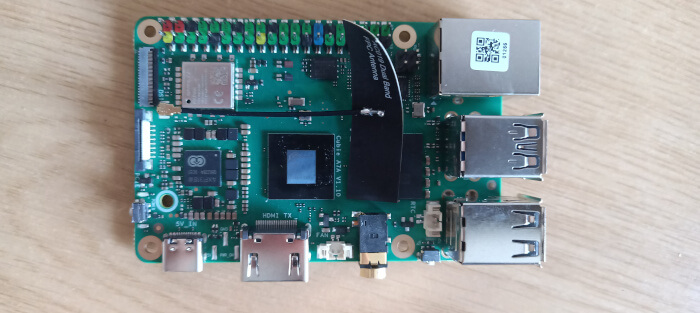
Interrogation of the system
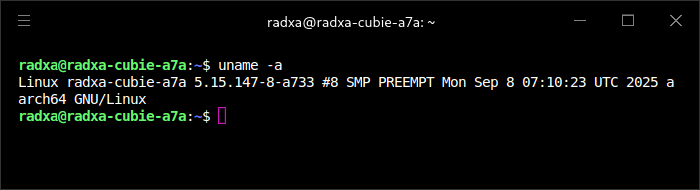
As the system is running Debian 11, the Cubie is using an old kernel.
I’ll use my standard Linux interrogation tool, inxi. It’s not present on the system, so I’ll use apt to install it.
$ sudo apt install inxi
It’s fine to use apt to install programs and libraries. Just remember to use rsetup for system updates.
Processor
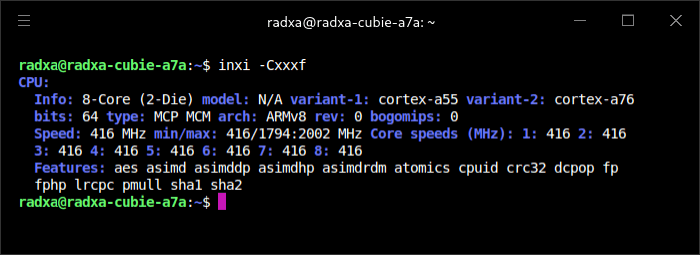
The board is powered by a Allwinner A733 octa-core Cortex-A76/A55 SoC with a 3 TOPS AI accelerator. The machine was idle when the image was taken with all the cores running at their minimum 416MHz clock frequency. The Cortex-A76 clocks up to 2.0GHz, while the Cortex-A55 can ramp up to 1.8GHz.
Not shown in the image, there’s also an Alibaba RISC-V XuanTie E902 co-processor with a maximum clock speed of 200Mhz. This is designed to let you run real-time tasks with low power management while the Cortex cores sleep. It’s the first RISC-V processor to support hardware security extension technology, and is mainly applied in IoT and MCU fields where power and cost consumption is critical.
Graphics
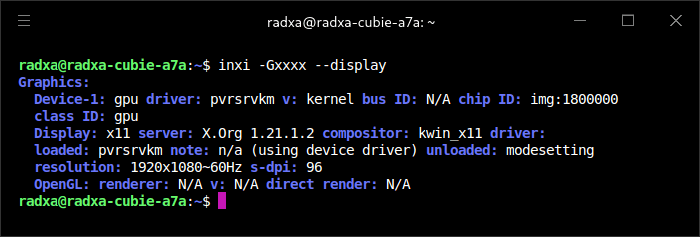
The GPU is the Imagination Technologies BXM-4-64 MC1 GPU. It can power a 4K display at 60 fps. It supports Vulkan 1.3, OpenGL ES 3.2, and OpenCL 3.0.
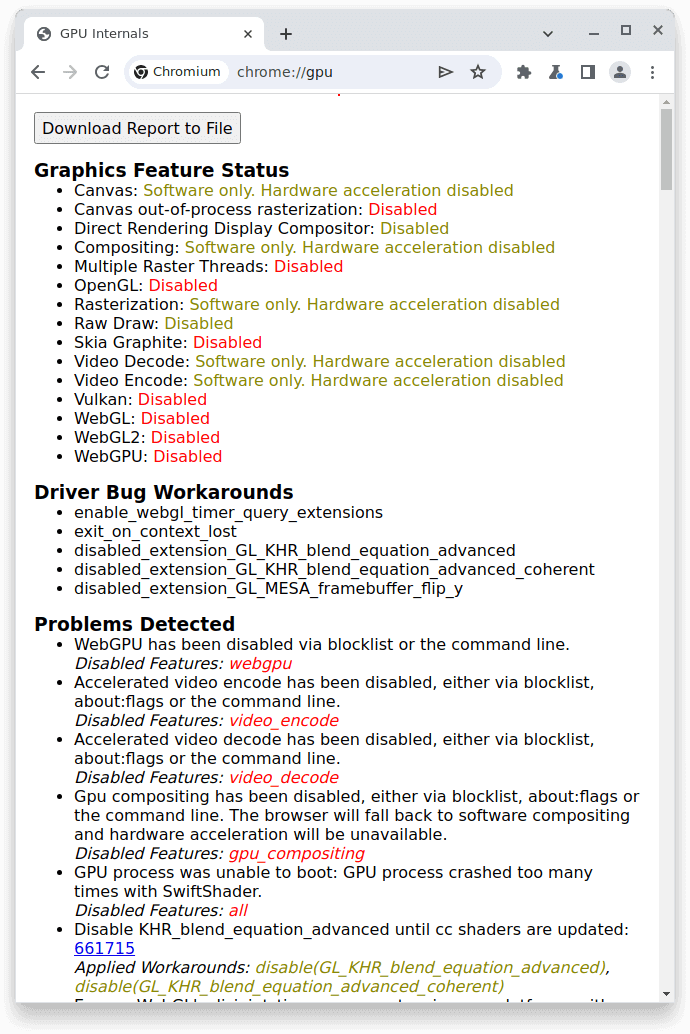
There isn’t any GPU acceleration available in Chromium.
Disk
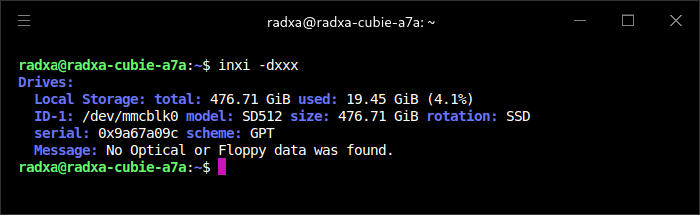
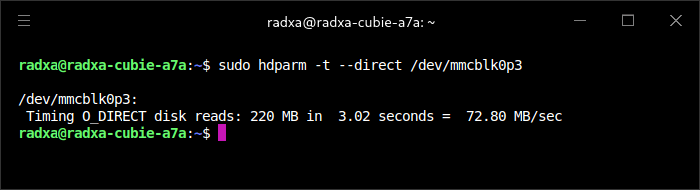
I’m using a 512GB microSD card to boot the machine.
Memory
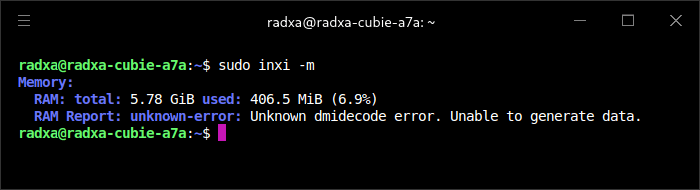
My machine has 6GB of LPDDR5 RAM. There are other models available with 2, 4, 8, and 12GB of RAM. If you’re going to use KDE, I recommend you don’t get less than the 6GB RAM model.
Network
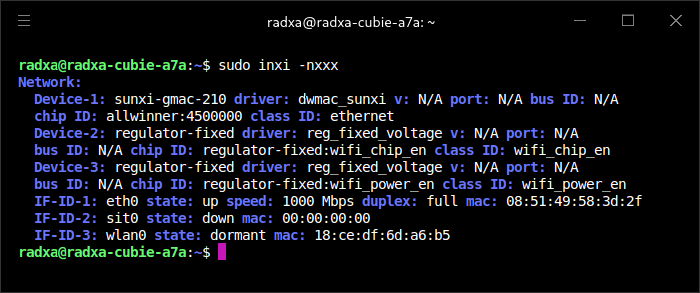
The machine has one gigabit ethernet port, WiFi 6 (802.11ax) and Bluetooth 5.4.
Temperature
Here’s the output from inxi -s and sensors
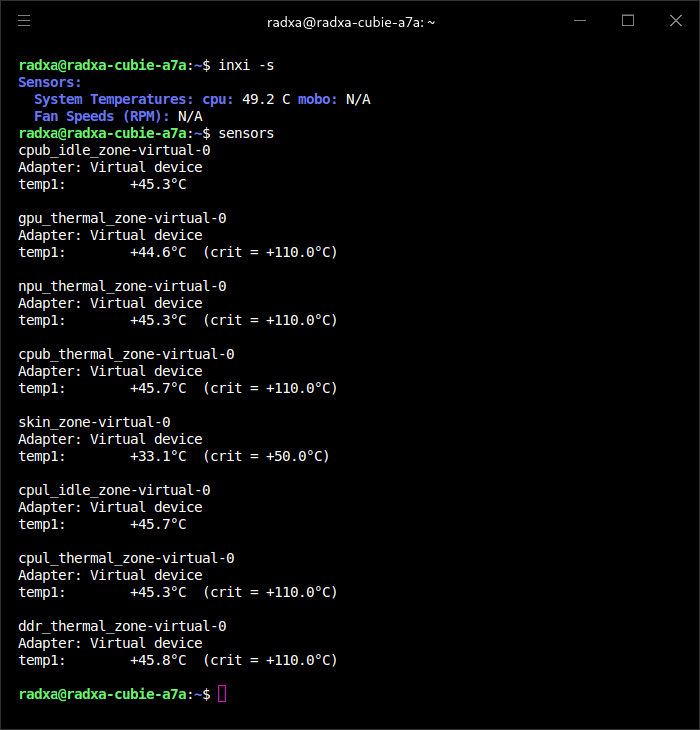
At the time of running these commands, room temperature was 18.5C, and the SBC didn’t have a fan or heatsink applied. Given the readings, you’ll probably want to install at least a heatsink if you’re going to stress the computer.
The machine has 3 USB 2.0 ports and 1 USB 3.0 port. There’s a 40-Pin GPIo, and a MIPI CSI (1×4-lane or 2×2-lane) camera interface, eMMC & UFS connector, power button, and PCIe Gen3 1-lane.
In the next article in the series, I’ll be running a series of benchmarks on the machine.
Pages in this article:
Page 1 – Introduction
Page 2 – Radxa OS
Page 3 – Interrogation of the system
Complete list of articles in this series:
| Radxa Cubie A7A | |
|---|---|
| Introduction | Introduction to the series and interrogation of the Cubie A7A |
| Benchmarks | Benchmarking the Cubie A7A |
| Power | I compare the Cubie A7A's power consumption to other machines |
| Radxa OS | A Debian-based Linux distribution with KDE Plasma |
Please read our Comment Policy before commenting.
When intro’d i paid around 50 for the 6gb ram vatiant. Now many months later, with rasp pi 8gb models over $150, i can still get a a7a with 6gb ram around 65 usd (85 for 8gbram).
It has the best cache structure i have used in a allwinner SoC.
The GPU is very basic, not bad but nothing to note about either. On the otherhand headless operations and as anode in a cluster i really like this board. Altho weaker then my rk3588s opi5 nodes, this is 1/3 the price(with 6gb ram) and 3 of these vs. 1 opi5 8gb adds alot more use to my cluster.
I have not used the allwinner a.i. toolkit yet.
This is a great SBC for scaling up a cluster. Cheap and powerful. I would prefer rk3588s boards but with 8gb varients at 200plus now, i can get much more power with 3 of these (3×3+/-mb cache; 3x 6g lpddr5 (24gb), 3x 8cores (24 small a76&a55) for the same price as 1 rk3588(s) cpu with 8gb ramlpddr4x/5.
The rk3588 is a powerhouse for a small sbc, but when dividing tasks up in a cluster, you get alot more bang for the buck with these a7a cubie boards
Price static is probably indicative of dismal sales.