

In Operation
Here’s a very simple example of the notes we can create with the software.
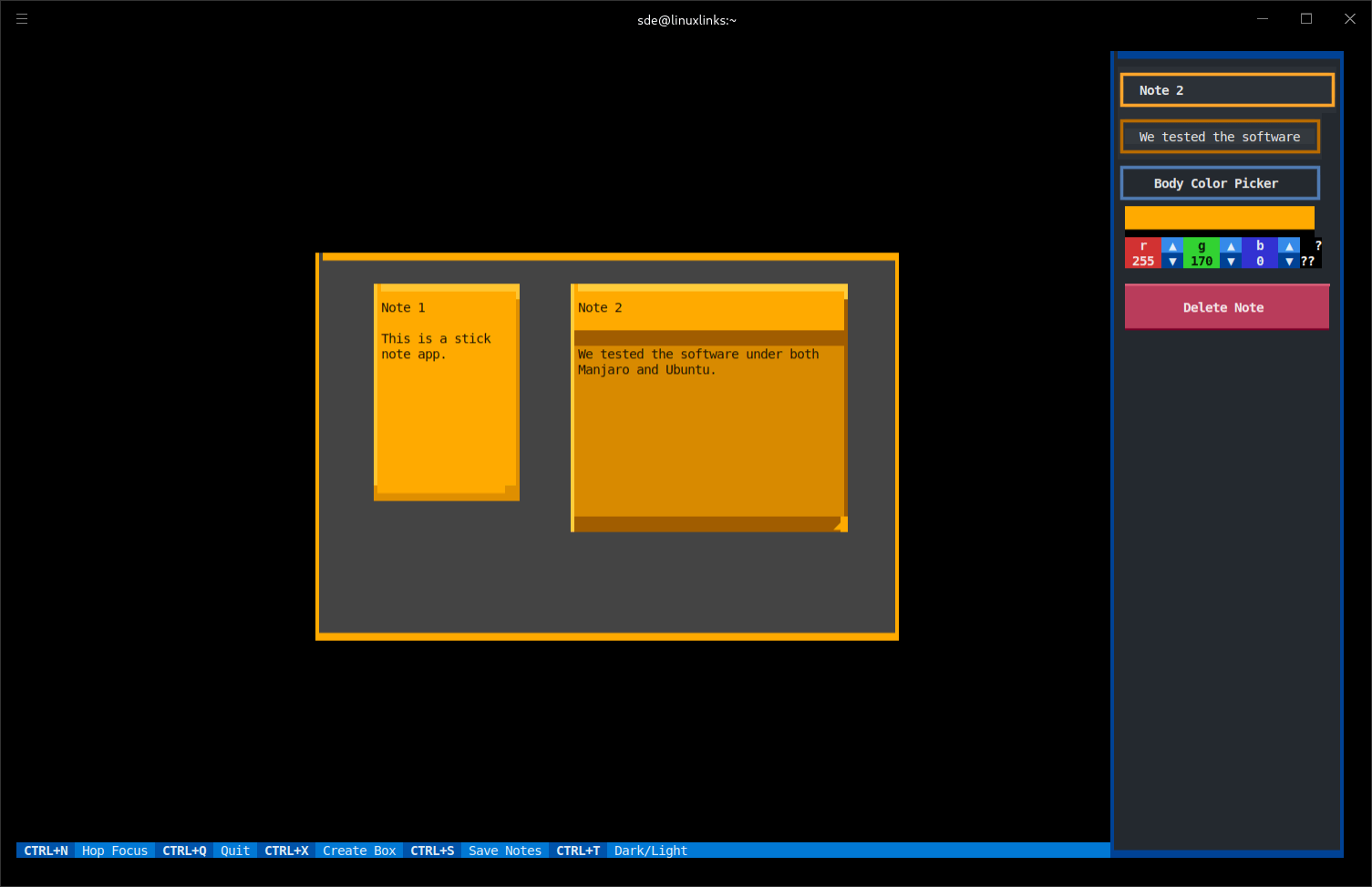
In the image above we’ve clicked in Note 2 which brings up a sidebar which lets us change the body color, border colour, as well as an option to delete the note.
We’ve added an additional note and started changing the colours and border colours.
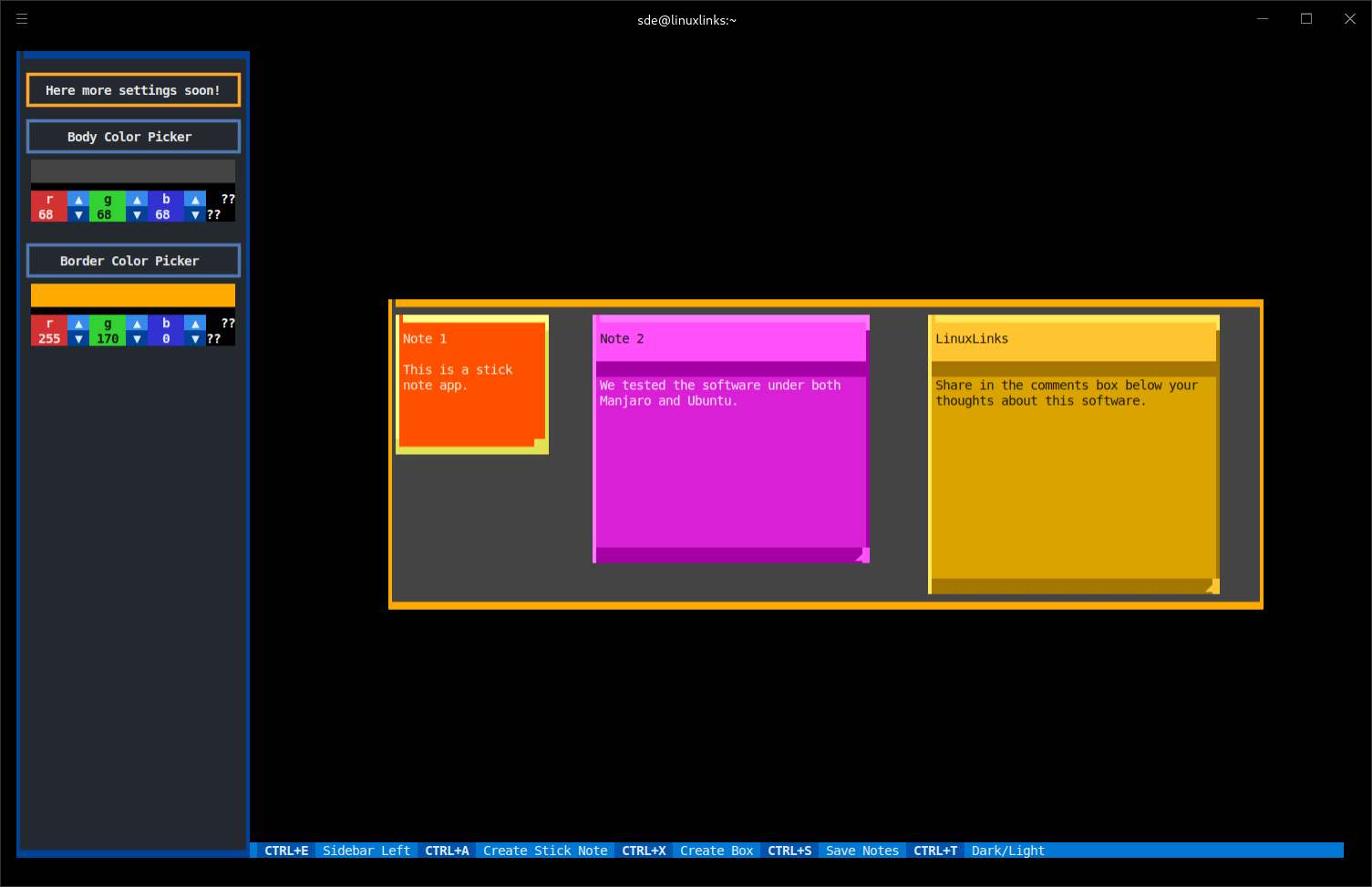
The bottom of the window hosts some of the key bindings. These can be changed if they’re not to your liking.
Creating and editing notes is made very easy. And moving between notes is made easy courtesy of Hoptex, software which offers hop like movement.
There’s lots of configuration available. For example, we can change the colour of the notes, including the scrollbar.
There’s useful support for layers. We can move notes around using the mouse (as well as the keyboard) which is neat for a terminal-based app. And we can also resize notes with the mouse/keyboard, as well as the background.
What else does the software offer?
- Highlighting when the mouse is over a note.
- Change the borders of a note.
- Vim/custom key bindings.
- Dark/light background.
- Create boxes.
Summary
NoteSH is an interesting sticky notes app. The utility is easy to use courtesy of Textual.
If you spend a lot of the time in a terminal, NoteSH may well fit your workflow perfectly.
For other sticky note tools, check out our updated roundup.
Website: github.com/Cvaniak/NoteSH
Support:
Developer: Cvaniak
License: MIT License
NoteSH is written in Python. Learn Python with our recommended free books and free tutorials.
Pages in this article:
Page 1 – Introduction and Installation
Page 2 – In Operation and Summary
Related Software
| Note Taking Software | |
|---|---|
| Sticky | Very simple utility offering a good range of features |
| PrimeNote | Modern and highly customizable sticky note application |
| NoteSH | Terminal-based sticky notes app |
| KNotes | A simple Qt-based application |
| Xpad | Sticky note application for jotting down things to remember |
| GloboNote | Simple and easy to use open source note taking application |
| Sticky Notes | Simple note taking program designed for GNOME |
| Notejot | Billed as a stupidly simple sticky notes applet. |
| MyNotes | Customizable sticky notes program |
| redthread | Sticky-note pegboard for your terminal |
| Jorts | Colourful sticky notes program |
| Indicator Stickynotes | Write reminders on notes |
| LinSticky | Modern sticky notes application |
| Clues | Sticky notes app with connections |
Read our verdict in the software roundup.
 Explore our carefully curated directory of recommended free and open source software, covering every major software category. Explore our carefully curated directory of recommended free and open source software, covering every major software category.The directory forms part of our extensive collection of articles for Linux enthusiasts. It includes hundreds of detailed reviews, together with free and open source alternatives to proprietary software from companies such as Google, Microsoft, Apple, Adobe, IBM, Cisco, Oracle, and Autodesk. LinuxLinks also covers interesting projects worth exploring, Linux-compatible hardware, free programming books and tutorials, and much more. Know a useful free and open source Linux application that we haven’t covered? Tell us about it using our submission form. |
Please read our Comment Policy before commenting.