

mamediff is a specialised terminal interface for working with staged and unstaged changes in a Git repository. It is inspired by the way Magit makes individual changes manageable, but concentrates on the common task of preparing a clean set of modifications for a commit.
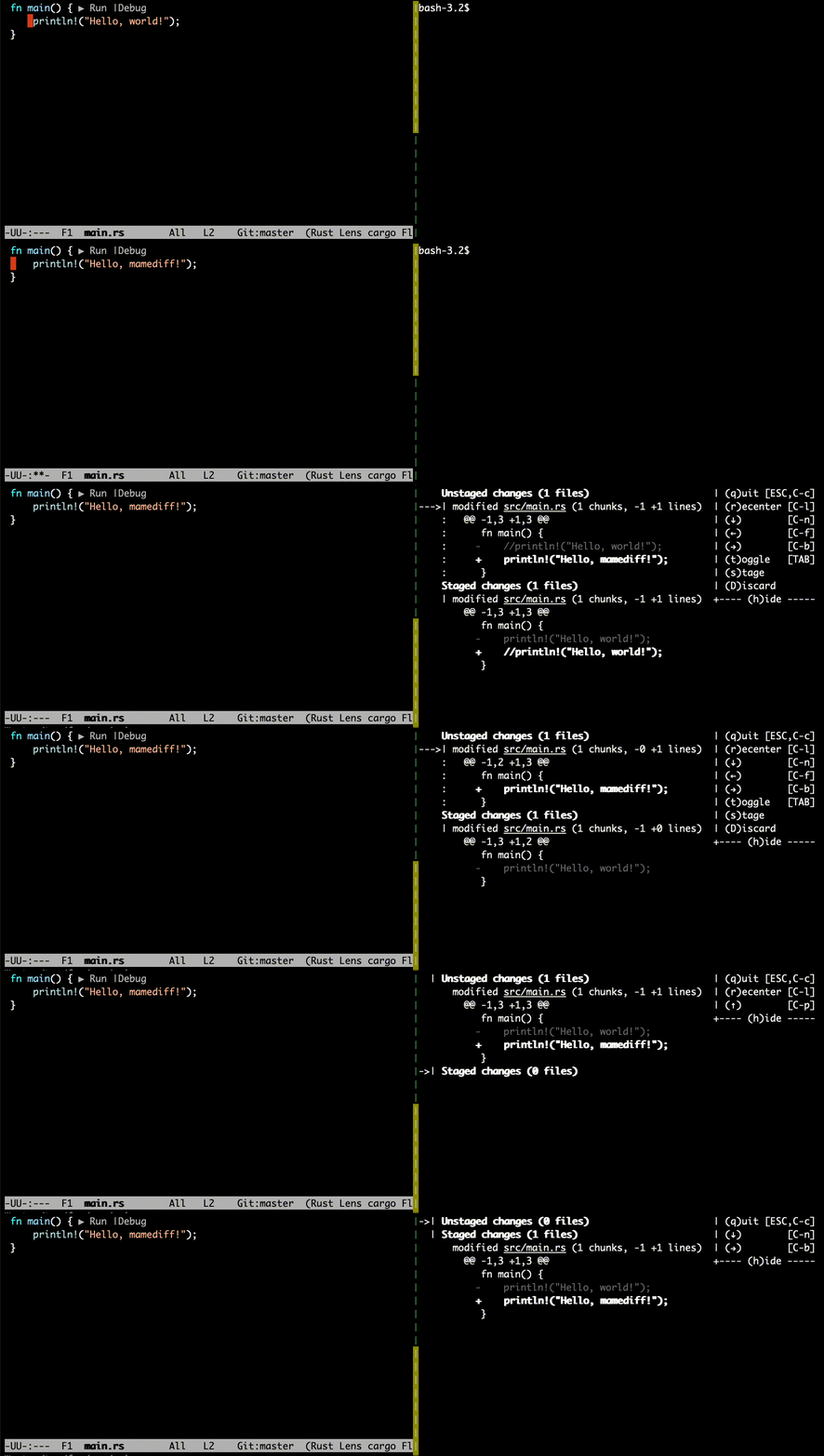
Its interface separates changes waiting in the working tree from changes already placed in the index. That distinction helps developers review exactly what will enter the next commit, particularly when several unrelated edits have been made to the same file.
Staging is one of the main ways to build coherent Git commits from a working tree containing several edits. mamediff puts the boundary between the index and working tree at the centre of the interface, making it easier to inspect what is ready for recording and what remains outside the next commit.
This is free and open source software.
Key Features
- Provides a text interface for inspecting differences in the working tree and staging area.
- Keeps staged and unstaged changes visible as distinct groups.
- Allows selected changes to be moved from the working tree into the Git index.
- Supports moving staged changes back into the unstaged state.
- Can discard selected local modifications after review.
- Focuses on a diff-oriented workflow rather than replacing the full Git command set.
- Offers keyboard-driven navigation suitable for users working primarily in a terminal.
Website: github.com/sile/mamediff
Support:
Developer: Takeru Ohta
License: MIT License
mamediff is written in Rust. Learn Rust with our recommended free books and free tutorials.
Related Software
| Git Tools for Diff Review and Repository History | |
|---|---|
| difftastic | Structural diff tool that compares files based on their syntax |
| git-filter-repo | Quickly rewrite git repository history |
| onefetch | Displays information about a local Git repository |
| git-stats | Local git statistics including GitHub-like contributions calendars |
| diff-so-fancy | Attractive diffs with diff-highlight and more |
| BFG Repo-Cleaner | Clean unwanted data from Git repository history |
| git-delta | Viewer for git and diff output |
| gitlogue | Cinematic Git commit replay tool |
| git-quick-stats | Access various statistics in a git repository |
| git-who | Command-line Git analysis tool |
| git-standup | Recall what you did on the last working day |
| git-of-theseus | Analyze how a Git repo grows over time |
| git-sizer | Compute various size metrics for a git repository |
| diffnav | Git diff pager based on delta but with a file tree, à la GitHub |
| critique | Terminal UI for reviewing git diffs |
| git-big-picture | Visualization tool for Git repositories |
| hercules | Gain advanced insights from Git repository history |
| keifu | TUI that visualizes Git commit graphs |
| git-fame | Git repository collaborators sorted by contributions |
| needle | Highlights GitHub PRs |
| mergiraf | Git merge driver |
| git-history | Analyze Git history using SQLite |
| ec | Terminal Git mergetool |
| diffr | Word-by-word diff highlighting utility |
| git-scope | Fast TUI dashboard to view the git status of all your repositories |
| mamediff | Manages unstaged and staged Git diffs |
| deadbranch | Keep Git repositories tidy |
| GitTop | Lightweight desktop client for GitHub notifications |
| git-heatmap | Generates a customizable heatmap |
Read our verdict in the software roundup.
 LinuxLinks helps you discover the best free and open source software for Linux. Explore our extensive collection of recommended applications, including alternatives to popular proprietary software. We also publish software reviews, Linux tutorials, hardware reviews, free programming books and articles covering the wider open source community. Browse our Linux resources to discover more. Know a useful free and open source Linux application we haven't covered? Suggest a program for inclusion. Has your software been featured on LinuxLinks? Display one of our Featured on LinuxLinks badges on your website or GitHub README. |
Please read our Comment Policy before commenting.