
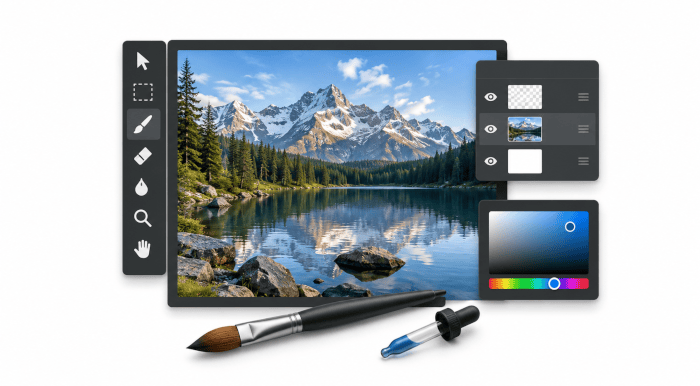
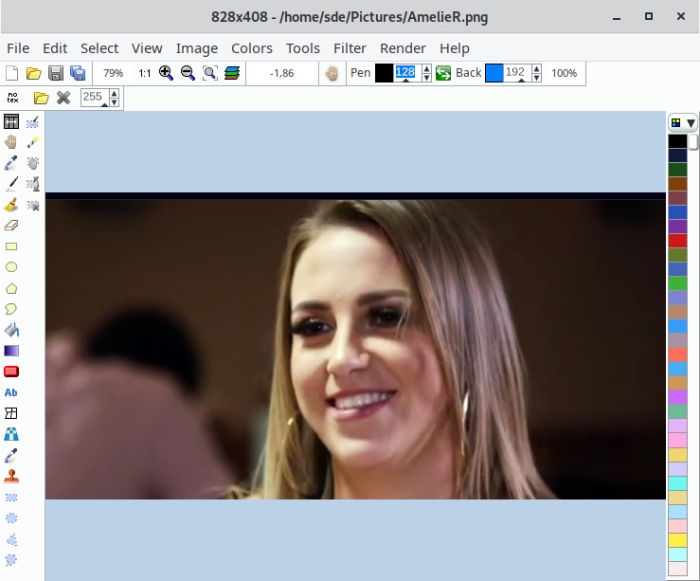
LazPaint is an open source image editor written in the Lazarus (Free Pascal) programming language.
The software uses the BGRABitmap library.
LazPaint is released under an open source license.
Key Features
- Files: read and write a variety of file formats, including layered bitmaps and 3D files.
- Tools: many tools are available to draw on the layers.
- Edit/Select: select parts of an image with antialiasing and modify the selection as a mask.
- View: color window, layer stack window and toolbox window.
- Image manipulation.
- Color manipulation:
- Colorize : set the color of an image while preserving intensities.
- Shift colors : cycle colors and change colorness (saturation).
- Intensity : make colors lighter or darker without making them white.
- Lightness : make colors lighter or darker by making them whiter.
- Normalize : use the whole range of each color channel and alpha channel.
- Negative : invert colors (with gamma correction).
- Linear negative : invert colors (without gamma correction).
- Grayscale : converts colors to grayscale with gamma correction.
- Filters:
- Radial blur : non directional blur.
- Motion blur : directional blur.
- Custom blur : blur according to a mask.
- Sharpen : makes contours more acute, complementary to Smooth.
- Smooth : softens whole image, complementary to Sharpen.
- Median : computes the median of colors around each pixel, which softens corners.
- Contour : draws contours on a white background (like a pencil drawing).
- Emboss : draws contours with shadow.
- Sphere : spherical projection.
- Cylinder : cylinder projection.
- Clouds : add clouds of the current pen color.
- Command line: call LazPaint from a console.
- Cross-platform support – runs under Linux, Mac OS X, and Windows.
Website: bgrabitmap.github.io/lazpaint
Support: Blog, Wiki, Forum, GitHub Code Repository
Developer: Circular, with help from FabienWang, Lainz, and others
License: GNU General Public License v3.0
LazPaint is written in Pascal. Learn Pascal with our recommended free books and free tutorials.
Related Software
| Raster Image Editors | |
|---|---|
| GIMP | GNU Image Manipulation Program |
| JS Paint | Classic MS Paint recreation with modern browser-based features |
| Pinta | Mimics the usability of Paint.Net |
| Photoflare | Cross-platform image editor |
| LazPaint | Image editor with layers and transparency |
| dibuja | Simple to use paint program like Paintbrush for Mac or classic MS Paint |
| Drawing | Basic raster image editor similar to Microsoft Paint |
| Textual Paint | MS Paint in your terminal |
| Pixelitor | Feature-rich editing with layers, filters and effects |
| paint.software | Accessible Paint.NET-style raster editing application |
| Brushshe | Simple and user-friendly raster graphics editor |
| KolourPaint | Easy-to-use paint program by KDE |
| CinePaint | Tools for painting, manipulation and image processing |
Read our verdict in the software roundup.
 Explore our comprehensive directory of recommended free and open source software. Our carefully curated collection spans every major software category. Explore our comprehensive directory of recommended free and open source software. Our carefully curated collection spans every major software category.This directory is part of our ongoing series of informative articles for Linux enthusiasts. It features hundreds of detailed reviews, along with open source alternatives to proprietary solutions from major corporations such as Google, Microsoft, Apple, Adobe, IBM, Cisco, Oracle, and Autodesk. You’ll also find interesting projects to try, hardware coverage, free programming books and tutorials, and much more. Discovered a useful open source Linux program that we haven’t covered yet? Let us know by completing this form. |
Please read our Comment Policy before commenting.