

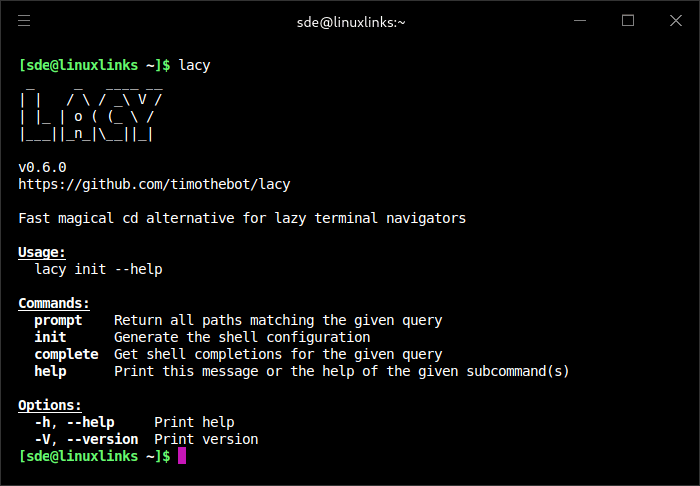
Lacy is a directory-changing tool that keeps the familiar behaviour of cd while making path entry much more forgiving.
Instead of requiring every directory component to be typed exactly, Lacy applies a custom fuzzy-matching algorithm to path segments. Misspelled or abbreviated directory names can still resolve to the intended destination, and spaces can be used in place of path separators. The result is a navigation workflow that remains recognisable to cd users without demanding exact paths.
This is free and open source software.
Key Features
- Accepts ordinary cd-compatible paths as well as abbreviated and misspelled path components.
- Custom fuzzy matching is designed specifically for matching filesystem paths.
- Allows spaces to be used between path components instead of typing slash separators.
- Supports compact parent navigation so repeated dots can move up several directory levels.
- Directory skipping lets you omit unknown intermediate path components and still search for the target.
- When several directories match, Lacy presents an interactive selector rather than choosing silently.
- The built-in selector can be replaced with another tool such as fzf.
- Provides shell initialisation for Zsh, Bash, Fish, Nushell and PowerShell.
- The command name can be changed so users can keep the default alias or substitute their own preferred command.
- Can ignore the current working directory when resolving candidate destinations.
- Runs as a terminal-oriented navigation tool without requiring a graphical file manager.
Website: github.com/timothebot/lacy
Support:
Developer: timothebot
License: MIT License
Lacy is written in Rust. Learn Rust with our recommended free books and free tutorials.
Related Software
| Shell tools | |
|---|---|
| fzf | Command-line fuzzy finder for your shell |
| zoxide | Smarter cd command, inspired by z and autojump |
| broot | Reviewed under our Excellent Utilities series |
| McFly | Also reviewed under our Excellent Utilities series |
| z | Maintains a jump-list of the directories you actually use |
| autojump | Offers a fast way to navigate your filesystem |
| z.lua | Helps you navigate faster by learning your habits |
| HSTR | Bash and zsh shell history suggest box |
| Zsh-z | Fast directory jumping based on frecency |
| enhancd | Next-generation cd command |
| fzy | Simple, fast fuzzy finder for the terminal |
| Navita | Rapid directory traversal |
| Jump | Quick and fuzzy directory jumper |
| walk | Simple and minimalistic terminal navigator |
| lacy | cd alternative that makes navigating much more efficient |
| DF-SHOW | Directory File Show |
| fz | Adds fuzzy search to tab completion of z |
| pazi | Fast autojump helper |
| jumper | Files/directories jumper |
| cdhist | Linux shell cd history directory stack |
| icd | Shell utility that makes changing directories quicker and more convenient |
| SD | Dynamic directory navigation from the command line |
| Dongle | Move around deep directory trees |
| cdwe | cd with env vars |
| fastdiract | Quick shell navigation and command execution |
| zm | cd for lazy people |
| slingshot | Lightweight tool to browse files in the terminal |
| qcd | Quickly change directory |
| nav | Quickly navigate through directories |
| menucd | Directory browser and changer |
| kn | Navigate folders quickly |
| jmp | The superior cd |
| gump | Smarter cd command |
Read our verdict in the software roundup.
 Explore our carefully curated directory of recommended free and open source software, covering every major software category. Explore our carefully curated directory of recommended free and open source software, covering every major software category.The directory forms part of our extensive collection of articles for Linux enthusiasts. It includes hundreds of detailed reviews, together with free and open source alternatives to proprietary software from companies such as Google, Microsoft, Apple, Adobe, IBM, Cisco, Oracle, and Autodesk. LinuxLinks also covers interesting projects worth exploring, Linux-compatible hardware, free programming books and tutorials, and much more. Know a useful free and open source Linux application that we haven’t covered? Tell us about it using our submission form. |
Please read our Comment Policy before commenting.