
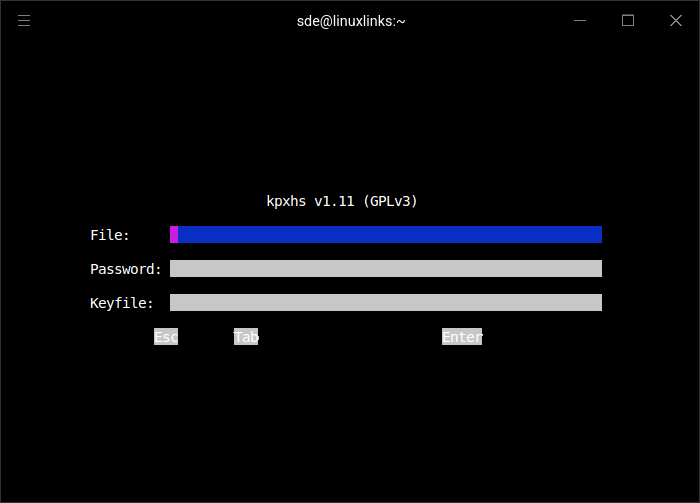
kpxhs is an interactive terminal viewer for KeePass password databases. It works with keepassxc-cli to access existing vaults, providing a keyboard-oriented interface for browsing and retrieving credentials.
Unlike a full password manager, kpxhs concentrates on reading stored information. Entries cannot be created or edited from its interface. This distinction is important for users considering it as a replacement for a conventional KeePass client.
The application is particularly useful when credentials need to be consulted repeatedly during a terminal session. It retains authentication information and entry details in memory while the session remains open, avoiding repeated unlocking operations. Users should therefore close the program when they have finished accessing sensitive information.
This is free and open source software.
Key Features
- Opens existing KeePass databases through keepassxc-cli.
- Provides an interactive terminal interface with keyboard navigation.
- Browses groups and entries within the database hierarchy.
- Displays details associated with individual password entries.
- Copies stored usernames to the system clipboard.
- Copies passwords without requiring them to be displayed as ordinary terminal output.
- Clears clipboard contents automatically after a configurable timeout.
- Can clear copied credentials from the clipboard when the application exits.
- Supports configurable database and key-file paths.
- Caches authentication information for the duration of an open session.
- Caches retrieved entry details to reduce repeated database operations.
- Displays contextual messages in the terminal footer.
- Provides a read-only interface, leaving entry modification to another KeePass-compatible application.
- Cross-platform support – runs on Linux and macOS.
Website: github.com/akazukin5151/kpxhs
Support:
Developer: Tsui Yik Ching
License: GNU General Public License v3.0
kpxhs is written in Haskell. Learn Haskell with our recommended free books and free tutorials.
Related Software
| Terminal-Based Password Managers | |
|---|---|
| gopass | Simple but powerful password manager for your terminal |
| pass | Simple password manager using gpg and ordinary unix directories |
| prs | Secure, fast and convenient password manager for the terminal |
| Teller | Multi provider secret management tool |
| Bitwarden CLI | Password management for individuals, teams, and business organizations |
| ripasso | Simple command-line password manager using pass |
| Rooster | Simple password manager for geeks |
| passage | age-backed password manager |
| seniorpw | Password manager using age |
| pa | Simple password manager. Encryption support is provided via age |
| SpicyPass | Lightweight password manager |
| rbw | Unofficial Bitwarden CLI |
| MUTN | Self-hosted, SSH-synchronized password and note manager |
| pago | Go-based command-line password manager |
| kyp | Stores credentials in an encrypted SQLite database |
| Steelsafe | TUI password manager written in Rust |
| keydex | Password manager for KeePass databases |
| kpxhs | Keepass database interactive TUI viewer |
| kpcli | Command line interface to KeePass database files |
| cruxpass | Minimal command-line password manager written in C |
| vd | Terminal password manager with built-in OTP authentication |
| Puny Manager | Minimal, local, CLI password manager |
| privage | Password manager and general file encryption tool that uses age |
| passfzf | Simple fzf wrapper for pass |
| oxipass-tui | Terminal-based manager for securely storing encrypted passwords |
| cpass | Console UI for pass |
Read our verdict in the software roundup.
 Explore our carefully curated directory of recommended free and open source software, covering every major software category. Explore our carefully curated directory of recommended free and open source software, covering every major software category.The directory forms part of our extensive collection of articles for Linux enthusiasts. It includes hundreds of detailed reviews, together with free and open source alternatives to proprietary software from companies such as Google, Microsoft, Apple, Adobe, IBM, Cisco, Oracle, and Autodesk. LinuxLinks also covers interesting projects worth exploring, Linux-compatible hardware, free programming books and tutorials, and much more. Know a useful free and open source Linux application that we haven’t covered? Tell us about it using our submission form. |
Please read our Comment Policy before commenting.