

This is a new series where I hand-pick an open source Linux application each week that has not previously been covered on LinuxLinks. Each application must meet a very high standard.
ImageGlass is billed as a lightweight, versatile image viewer with a clean, modern interface. The program supports more than 90 image formats including WEBP, GIF, SVG, PNG, JXL and HEIC.
ImageGlass isn’t a new project. Although it’s open source software, it was not previously available for Linux. I contacted the developer in February 2023 to ask whether Linux support was planned, and they told me that ImageGlass 10, including Linux support, would take another two to three years to complete.
ImageGlass 10 beta 1 is now available. It has been completely rewritten from the ground up using a modern .NET stack and the Avalonia UI framework. This change allows the application to move beyond Windows and run natively on multiple platforms including Linux from a single unified codebase.
Installation
The project provides a deb package for Debian/Ubuntu based distributions.
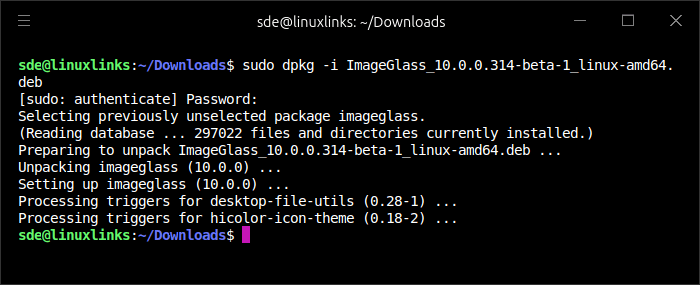
Installation proceeds without a hitch.
In Operation
This is what you’ll see at startup.
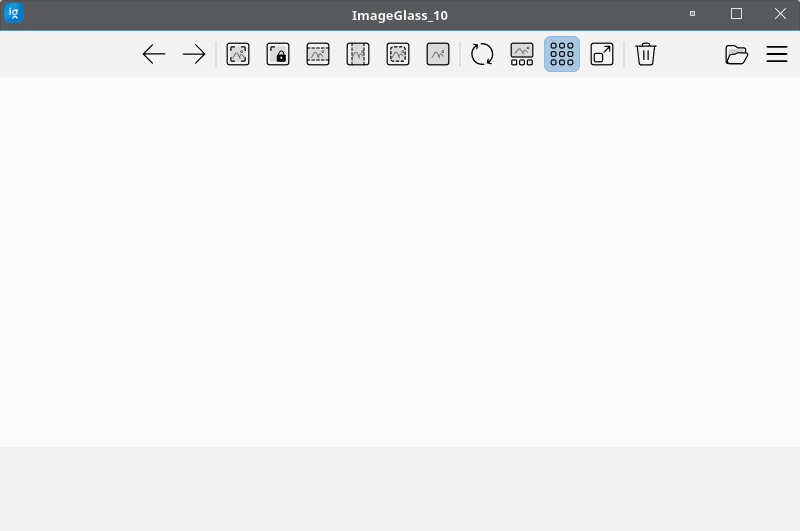
From left to right, the toolbar lets you view the previous image, view the next image, auto zoom, lock zoom ratio, scale to width, scale to height, scale to fit, scale to fill, refresh, turn off/on the gallery panel, turn off/on checkerboard background, full screen mode, and move to recycle bin. The final two icons let you open a file and access the main menu.
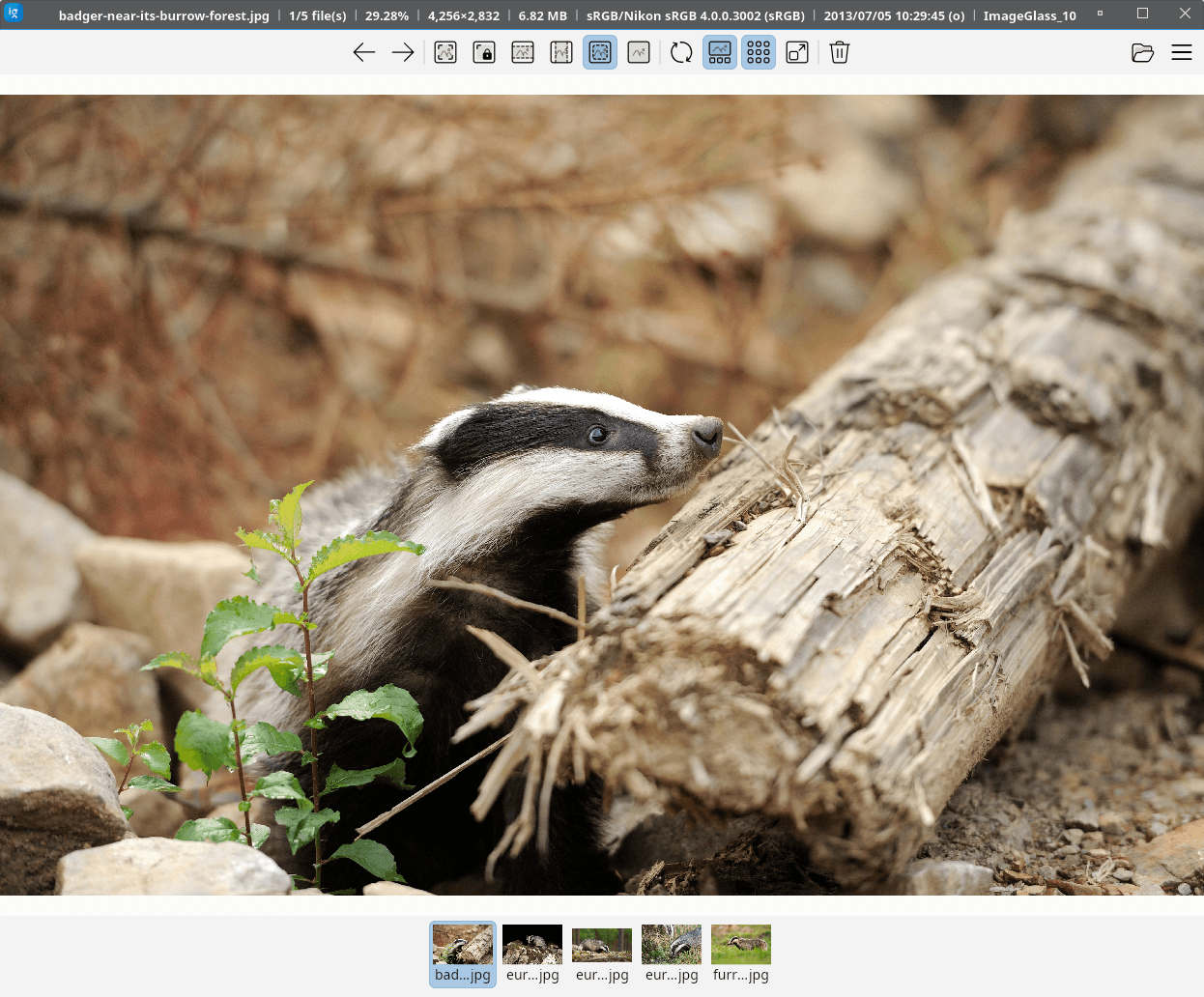
In the next image, I’ve loaded an image with the gallery panel showing at the bottom.
Key Features
- Supports more than 90 image formats including WEBP, GIF, SVG, PNG, JXL and HEIC.
- Runs natively on Linux with the cross-platform ImageGlass 10 codebase.
- Offers a clean, intuitive interface designed for fast image viewing.
- Includes customization options such as themes, languages and icon packs.
- Provides flexible layout and toolbar configuration.
- Can integrate with third-party apps for an extended workflow.
Summary
ImageGlass is definitely worth trying. It’s a fast image viewer that offers broad image format support, a polished interface, and decent customisation options. I also know that many LinuxLinks readers use multiple platforms, so being able to run the same software across different operating systems is a real advantage. As a cross-platform image viewer, ImageGlass clearly delivers on that front.
I hope the developer adds installation options beyond the current DEB package for Ubuntu and Debian. An AppImage or Flatpak would make the software much easier for users of other distributions to test and use.
There are some limitations when running ImageGlass on Linux. Most of them are fairly minor, although I would particularly like to see the frameless mode already available on Windows and macOS brought to Linux. As the software is still in beta, I also experienced a few crashes during testing.
The software is quite heavy on system resources. ps_mem reports memory usage of more than 730 MB, so that’s worth bearing in mind if you’re running Linux on a machine with limited RAM.
Website: github.com/d2phap/ImageGlass
Support:
Developer: Duong Dieu Phap
License: GNU General Public License v3.0
Related Software
| Graphical Image Viewers | |
|---|---|
| feh | Fast and light Imlib2-based image viewer |
| Regards | Modern image viewer with OpenGL/OpenCL support |
| Loupe | Written with GTK 4, Libadwaita and Rust |
| PhotoQT | Good looking, highly configurable, yet easy to use and fast |
| gThumb | Advanced image viewer and browser |
| Geeqie | Lightweight Gtk+ based image viewer |
| qimgv | Qt5 image viewer with video support |
| Vooki | Lightweight viewer with fast image preview |
| Gwenview | Simple image viewer for KDE |
| QuickViewer | Graphic image viewer for comfortable browsing |
| nomacs | Handles most image formats including RAW images |
| qView | Image viewer designed with minimalism and usability in mind |
| Oculante | Hardware-accelerated image viewer |
| GPicView | Simple and fast image viewer |
| Tacent View | Image and texture viewer |
| FIM | Universal image viewer which is highly customizable and scriptable |
| Eye of Gnome | Fast and functional image viewer |
| vipsdisp | Tiny GTK+ image viewer |
| Pineapple Pictures | Lightweight image viewer with Stay-on-Top window |
| Viewnior | Designed with usability in mind |
| sxiv | Simple X Image Viewer |
| PreviewQt | Preview all kinds of files |
| pqiv | Powerful image viewer with minimal UI |
| Ristretto | View and scroll through images |
| QIV | Quick Image Viewer |
| Fotema | Simple photo gallery software |
| CoreImage | Lightweight image viewer; part of the C suite |
| swayimg | Image viewer for Wayland |
| ParaPara | Image viewer created with lightweight and high-speed operation |
| Eye of MATE | Simple graphics viewer for the MATE Desktop Environment |
| LXImage-Qt | LXQt image viewer and screenshot tool |
| Mirage | Fast and simple GTK+ image viewer |
| PixelViewer | .NET based cross-platform image viewe |
| Pix | Image viewer and browser utility which is based on gThumb |
| ImageFan Reloaded | Tab-based image viewer |
| BeeRef | Simple reference image viewer |
| Ephoto | Image viewer based on the EFL |
| SphereView | Image viewer for 360° equirectangular photospheres and panoramas |
| Imagot | Basic graphical image viewer |
| flxvwr | Image viewer written in Go using the Fyne toolkit |
| Blackbody | Thermogram viewer. It allows viewing FLIR and TIFF images |
Read our verdict in the software roundup.
 Explore our comprehensive directory of recommended free and open source software. Our carefully curated collection spans every major software category. Explore our comprehensive directory of recommended free and open source software. Our carefully curated collection spans every major software category.This directory is part of our ongoing series of informative articles for Linux enthusiasts. It features hundreds of detailed reviews, along with open source alternatives to proprietary solutions from major corporations such as Google, Microsoft, Apple, Adobe, IBM, Cisco, Oracle, and Autodesk. You’ll also find interesting projects to try, hardware coverage, free programming books and tutorials, and much more. Discovered a useful open source Linux program that we haven’t covered yet? Let us know by completing this form. |