

Forgot My Password (FMP) is a password manager that safely allows you to generate, store, and manage your passwords in encrypted vaults. It uses GPG to protect your sensitive data.
This is free and open source software.
Key Features
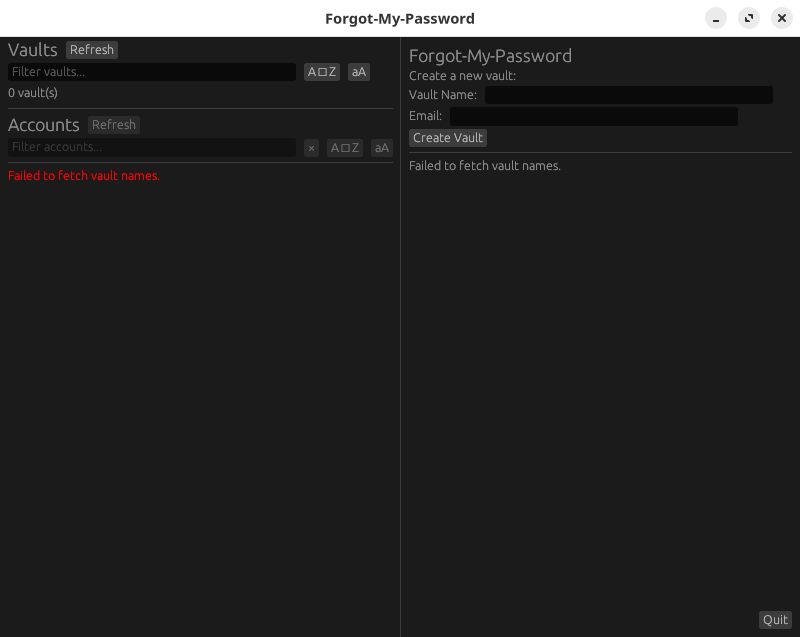
- GUI: Intuitive and fast GUI
- Create Vaults: Create encrypted vaults to store your passwords.
- Modify Accounts: Add, delete, and rename accounts within a vault.
- Passwords: Generate strong passwords and estimate their entropy.
- Backups: Backup and restore vaults securely.
- Modify Account Info: Update account usernames and passwords.
- Encryption With GPG: All data is encrypted using GPG. Only users with the correct GPG key can decrypt the vault contents.
- No Plaintext Passwords on Disk: All sensitive information is encrypted before being saved.
- Sensitive Variables Cannot Be Written to Disk: Sensitive variables are not written to disk in any form except encrypted.
- Sensitive Variables Are Obfuscated in Memory: The program uses secure memory handling (Rust’s secrecy crate, memory locking) to prevent secrets from being easily read from RAM.
- Sensitive Variables Are Cleared from Memory: The program zeroizes (overwrites) memory holding secrets when they are no longer needed.
- Memory Locking: System calls (like mlock) prevent sensitive memory from being swapped to disk.
- File Permissions: Strict file permissions are placed on sensitive files.
- Recipient Verification: Encryption is tied to a specific GPG recipient.
- Cross-platform compatibility: FMP is available on Linux and Windows.
Website: github.com/lwilk0/fmg
Support:
Developer: Luke Wilkinson
License: GNU General Public License v3.0
FMP is written in Rust. Learn Rust with our recommended free books and free tutorials.
Related Software
| GUI Password Managers | |
|---|---|
| KeePassXC | Safely store passwords and auto-type them into websites and software |
| Bitwarden | Password management for individuals, teams, and business organizations |
| KeeWeb | Password manager compatible with KeePass |
| Secrets | Password manager which makes use of the KeePass v.4 format |
| Password Safe | Password manager using wxWidgets |
| QtPass | Graphical User Interface for pass |
| KWalletManager | Password management tool with Blowfish and GPG encryption |
| Rooster | Simple password manager for geeks |
| OneKeePass | Supports the KeePass-compatible database |
| SpicyPass | Lightweight password manager |
| KeePassX | Multi-platform port of KeePass |
| Seahorse | GNOME front end for GnuPG |
| Pasaffe | Easy to use password manager for GNOME |
| Rotor | Stateless password manager |
| Identities | Modern password-store client made for GNOME |
| FMP | Password manager written in memory-safe Rust |
| Passy | Offline password manager with cross-platform synchronization |
| Keycord | Browse and edit password stores |
| Keybox | Minimal, encrypted, local password manager |
| Key Rack | View and edit passwords |
| FPM2 | GTK2 port from Figaro’s Password Manager |
| Buttercup | Simple password manager based on NodeJS |
Read our verdict in the software roundup.
 Explore our carefully curated directory of recommended free and open source software, covering every major software category. Explore our carefully curated directory of recommended free and open source software, covering every major software category.The directory forms part of our extensive collection of articles for Linux enthusiasts. It includes hundreds of detailed reviews, together with free and open source alternatives to proprietary software from companies such as Google, Microsoft, Apple, Adobe, IBM, Cisco, Oracle, and Autodesk. LinuxLinks also covers interesting projects worth exploring, Linux-compatible hardware, free programming books and tutorials, and much more. Know a useful free and open source Linux application that we haven’t covered? Tell us about it using our submission form. |
Please read our Comment Policy before commenting.