

In Operation
This is what you’ll see when you start the program. The majority of the interface is divided into 4 panes accompanied by useful tabs.
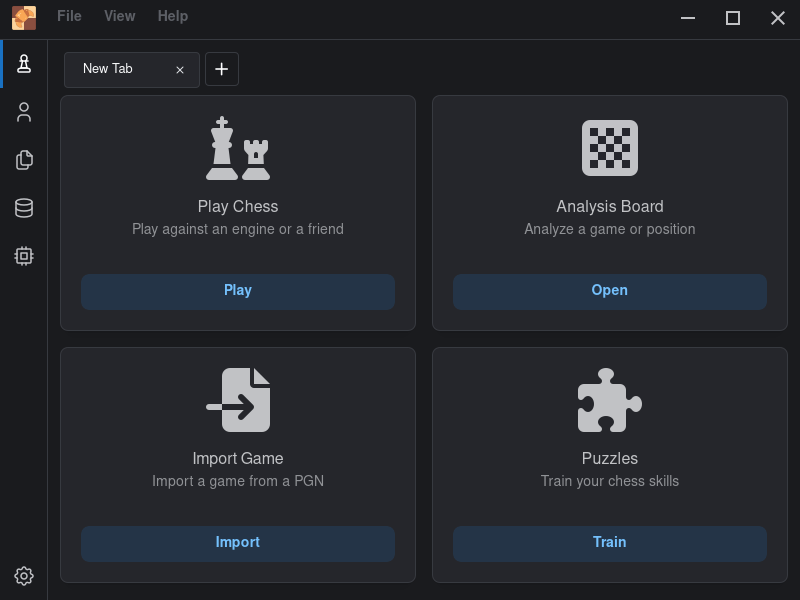
By default, there aren’t any chess engines installed. If you want to play chess against an engine or use an engine for analysis, you’ll need to download an engine.
On the left of the interface is a column of 5 icons. The last icon lets you add new engines. At the time of writing, there’s one-click installation of Stockfish and Komodo available. More automation would be useful e.g. efficient downloading of Syzygy tablebases and support for importing .bin format opening books.
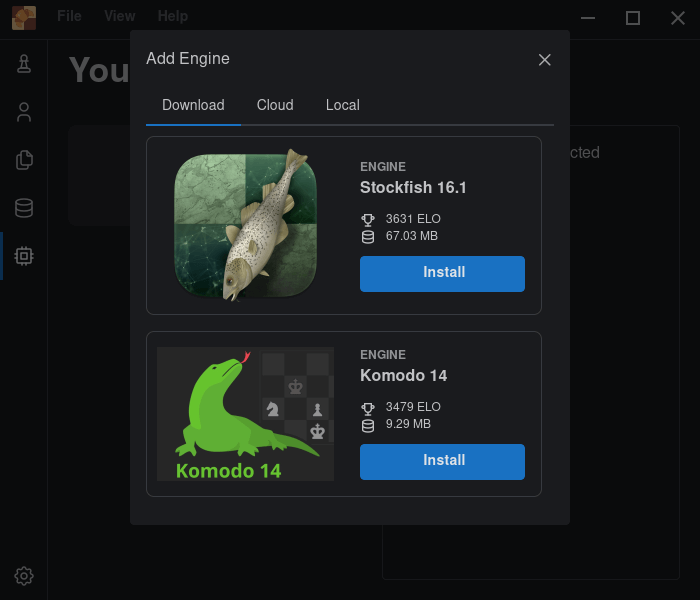
If you want a different chess engine, there’s support for any UCI engine. You’ll need to download such an engine to your local disk, and then use the Local tab to tell the software where to find the engine on your filesystem. The cloud tab lets you install ChessDB (a fabulous chess database) and Lichess Cloud.
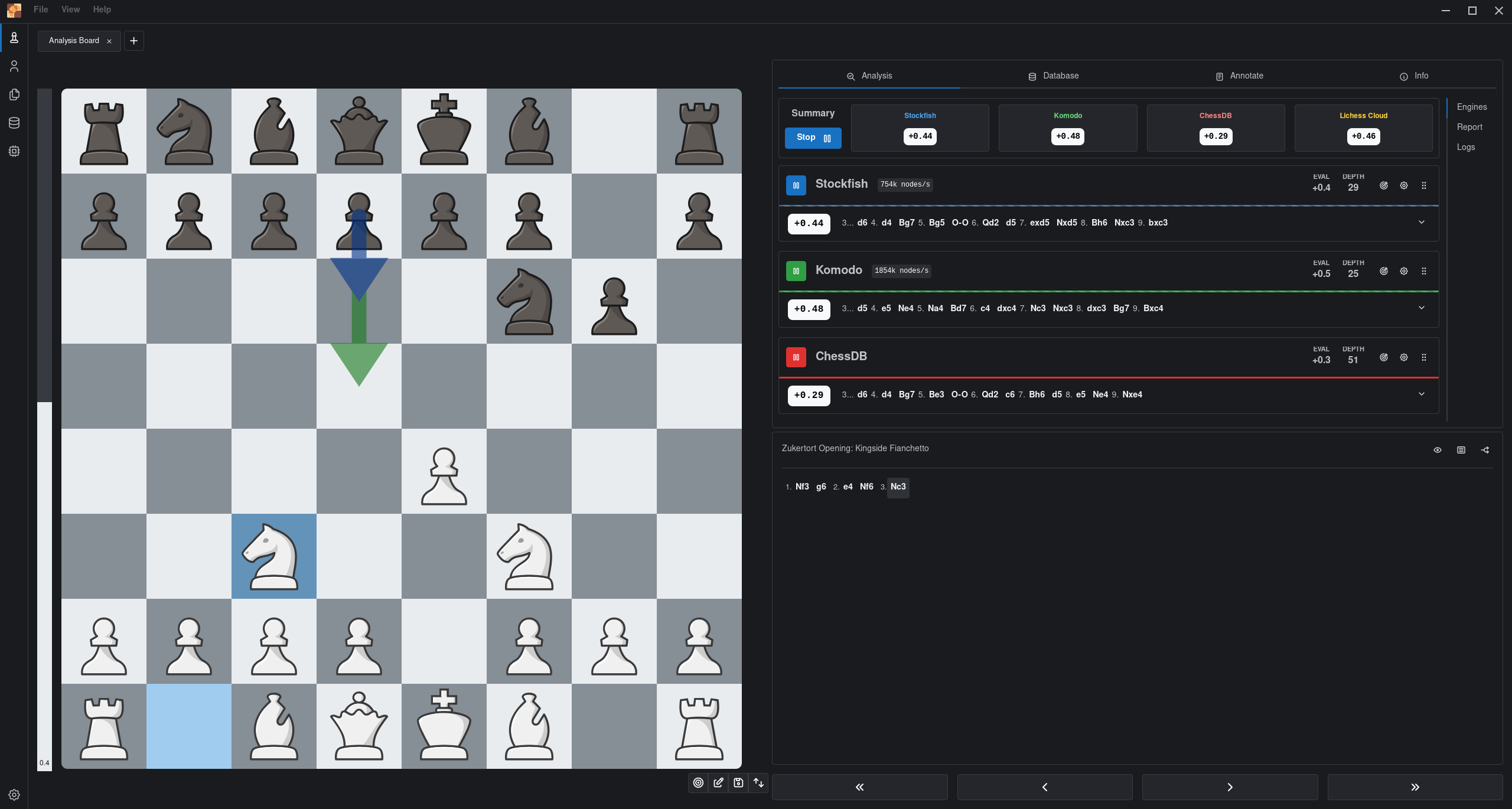
Other features of the software include the ability to store and analyze games, prepare a repertoire and train it with spaced repetition. There’s also the ability to perform absolute or partial position search in the database.
Summary
En Croissant warrants our seal of approval. It’s a good chess toolkit with an attractive user interface, albeit somewhat rough around the edges in certain aspects.
We particularly like the software’s advanced search options such as searching for games with similar pawn structures, and the ability to practice random positions and keep track of your learning progress. Its database management is also a plus.
A gem of a program particularly as you can hone your chess skills with Lichess Puzzles.
En Croissant’s low number of GitHub stars is somewhat of a travesty. The number of GitHub stars a project attracts is often an unreliable indicator of a program’s usefulness.
For the program to qualify as the ultimate chess toolkit, we’d like to see the program support playing over online chess servers such as the Free Internet Chess Server (FICS).
Website: encroissant.org
Support: GitHub Code Repository
Developer: Francisco Salgueiro
License: GNU General Public License v3.0
En Croissant is written in TypeScript and Rust. Learn TypeScript with our recommended free books and free tutorials. Learn Rust with our recommended free books and free tutorials
Pages in this article:
Page 1 – Introduction and Installation
Page 2 – In Operation and Summary
Related Software
| Chess Apps | |
|---|---|
| Lucas Chess | Highly polished chess app with superb training facilities |
| En Croissant | Modern chess GUI for play, analysis and study |
| PyChess | Feature-rich GTK chess client |
| Scid | Powerful chess database and analysis application |
| Knights | Chess game for the KDE desktop environment |
| ChessX | Chess database and FICS client |
| ChessMD | PGN database viewer and analysis tool |
| XBoard | Graphical chessboard for engines and online play |
| Cute Chess | GUI, CLI and library for chess and engine tournaments |
| Nibbler | Chess analysis GUI for UCI engines |
| GNOME Chess | Simple chess client for the GNOME desktop |
| JFXChess | JavaFX chess GUI centred around Stockfish |
| Python Easy Chess GUI | Play UCI chess engines, analyse positions and review saved games |
| Obsidian Chess Studio | Modern chess analysis and training platform |
| CoreChess | Chess GUI for UCI and CECP engines |
| SlugChess | Chess with Fog-of-War and shuffled officers |
| Pawn Appétit | Chess analysis, game management and opening repertoire training |
| Focalors | Offline chess coaching with game reviews and personalised puzzles |
Read our verdict in the software roundup.
| FICS Clients | |
|---|---|
| ChessX | Chess database and FICS client |
| PyChess | Advanced chess client following the GNOME Human Interface Guidelines |
| XBoard | GUI chessboard for chess engines and to play against humans over the internet |
| eboard | GTK+ based chess board interface to ICS and chess engines |
| Jin | Java based graphical client for internet chess servers |
| Raptor | Chess interface for freechess.org (FICS) |
Read our verdict in the software roundup.
 LinuxLinks helps you discover the best free and open source software for Linux. Explore our extensive collection of recommended applications, including alternatives to popular proprietary software. LinuxLinks helps you discover the best free and open source software for Linux. Explore our extensive collection of recommended applications, including alternatives to popular proprietary software.We also publish software reviews, Linux tutorials, hardware reviews, free programming books and articles covering the wider open source community. Browse our Linux resources to discover more. Know a useful free and open source Linux application we haven't covered? Suggest a program for inclusion. Has your software been featured on LinuxLinks? Display one of our Featured on LinuxLinks badges on your website or GitHub README. |
Please read our Comment Policy before commenting.