

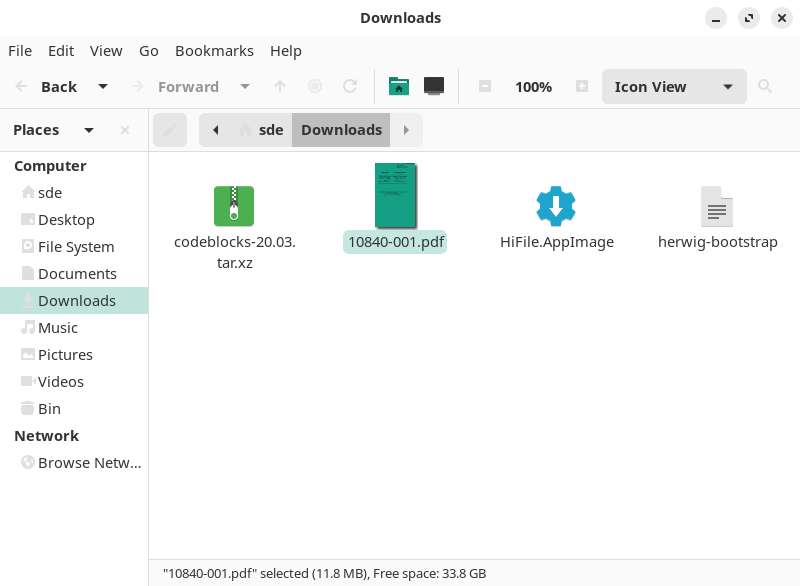
Caja is the default file manager for the MATE desktop environment. It originated as a fork of GNOME Files and provides a traditional graphical interface for navigating directories, organising files and launching applications. The application integrates with the MATE desktop, managing the background and desktop icons used to access files, folders, devices and application shortcuts.
Caja supports both browser-style navigation and a spatial mode in which folders open in separate windows. It can display multiple locations through tabs, while a configurable sidebar provides access to bookmarks, directory trees and other information. Local filesystem management is complemented by access to remote storage through common network protocols. Caja also supports extensions that integrate additional file operations into its interface, including archive management, image conversion and opening terminals. Its combination of conventional file management and desktop integration makes it useful both within MATE and in other Linux desktop environments.
This is free and open source software.
Key Features
- Provides graphical file and directory management with icon, list and compact views.
- Supports copying, moving, renaming, deleting and creating files and directories.
- Offers tabbed browsing for managing multiple directories within one window.
- Provides browser-style navigation and spatial mode with separate folder windows.
- Supports a configurable sidebar with bookmarks, directory trees, notes and emblems.
- Offers breadcrumb navigation and direct location entry.
- Supports local and remote filesystems through the desktop virtual filesystem.
- Provides network access using FTP, SFTP, SMB and WebDAV.
- Displays image thumbnails and file previews.
- Supports text file snippets and audio previews in the sidebar.
- Provides file searching and configurable sorting options.
- Supports file properties, permissions and file association management.
- Offers file deletion through the Trash with restoration facilities.
- Provides access to removable media and mounted storage devices.
- Manages the MATE desktop background and desktop icons.
- Supports bookmarks for frequently accessed folders and network locations.
- Integrates with Engrampa for creating and extracting archives.
- Provides optional extensions for opening terminals in selected directories.
- Supports image conversion and resizing through additional extensions.
- Offers extensions for sharing folders and sending files to other applications.
- Provides keyboard shortcuts for navigation, searching and common file operations.
- Supports additional functionality through the Caja extension framework.
Website: github.com/mate-desktop/caja
Support:
Developer: The Caja authors
License: GNU General Public License v2.0
Caja is written in C. Learn C with our recommended free books and free tutorials.
Related Software
| GTK File Managers | |
|---|---|
| Double Commander | File manager with two panels side by side |
| Files | File browser designed for elementary OS; loose fork of GNOME Files |
| GNOME Files | Simple file manager for GNOME |
| GNOME Commander | Two-panel graphical file manager |
| 4Pane | Multi-pane, detailed-list file manager |
| PCManFM | Slim and useful, but not to have any feature bloat |
| Sunflower | Small and highly customizable twin-panel file manager |
| Thunar | xfce’s file manager |
| Flux | Multi-threaded Linux file manager |
| Tux Commander | Windowed file manager with two panels side by side |
| Portfolio | Minimalist, touch-friendly file manager |
| A couple of GNOME Files forks are also worth mentioning. | |
| Nemo | File manager for the Cinnamon desktop environment |
| Caja | File manager for the MATE desktop |
Read our verdict in the software roundup.
 LinuxLinks helps you discover the best free and open source software for Linux. Explore our extensive collection of recommended applications, including alternatives to popular proprietary software. We also publish software reviews, Linux tutorials, hardware reviews, free programming books and articles covering the wider open source community. Browse our Linux resources to discover more. Know a useful free and open source Linux application we haven't covered? Suggest a program for inclusion. Has your software been featured on LinuxLinks? Display one of our Featured on LinuxLinks badges on your website or GitHub README. |
Please read our Comment Policy before commenting.