

Flux is a minimalist file manager for Linux written in Rust. It combines a GTK 4 and libadwaita interface with asynchronous file handling, aiming to remain responsive even when browsing directories containing thousands of files or generating large numbers of thumbnails.
Despite the minimalist description, Flux offers considerably more than basic file browsing. It can explore compressed archives as though they were ordinary directories, connect to remote servers through GVFS, unlock LUKS-encrypted volumes and search within the contents of files. There is also an embedded terminal and extensive keyboard control.
I evaluated Flux on CachyOS, an Arch-based distribution that has quickly established itself as one of the finest Linux distributions available. Flux is currently at version 0.1.0 and should be regarded as relatively young software, but its combination of speed, attractive presentation and useful advanced features makes it an interesting alternative to established file managers.
Installation
First, you need to install the program’s dependencies. On my test system, all of them are already present.
$ sudo pacman -S libadwaita gtk4 glib2 pango graphene cairo gdk-pixbuf2 ffmpeg imagemagick
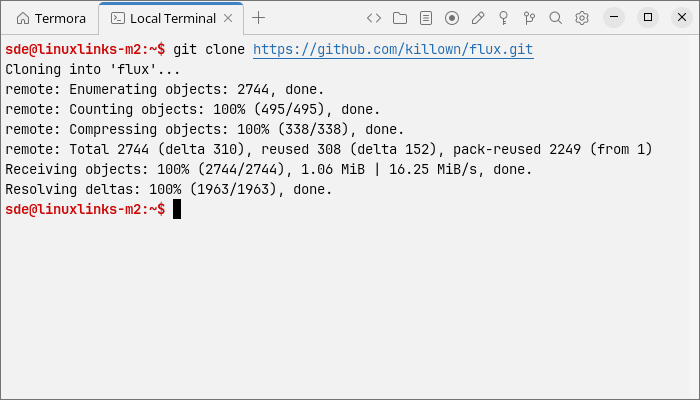
Next clone the project’s GitHub repository.
$ git clone https://github.com/killown/flux.git
Change into the newly created directory.
$ cd flux
Build the source code.
$ cargo build --release
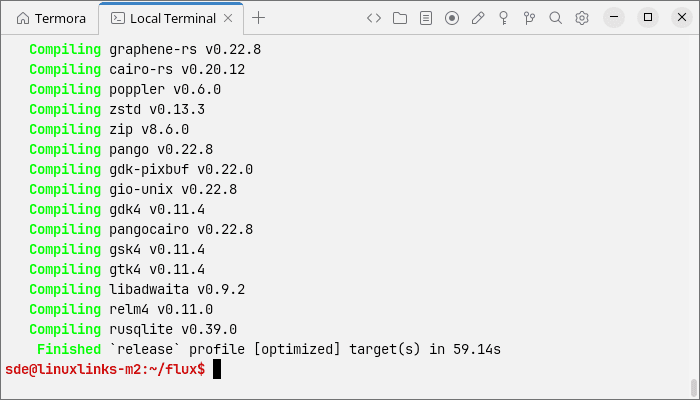
The compiled executable is placed at target/release/flux-fm. You can launch it directly with:
$ ./target/release/flux-fm
To make Flux available system-wide, copy the executable to /usr/local/bin.
$ sudo install -Dm755 target/release/flux-fm /usr/local/bin/flux-fm
If you want to use Flux’s additional functionality, there are some optional runtime dependencies. Install cryptsetup and udisks2 for handling LUKS-encrypted volumes. Network browsing requires gvfs and the appropriate GVFS back ends, such as gvfs-smb for Samba shares and gvfs-nfs for NFS resources.
In Operation
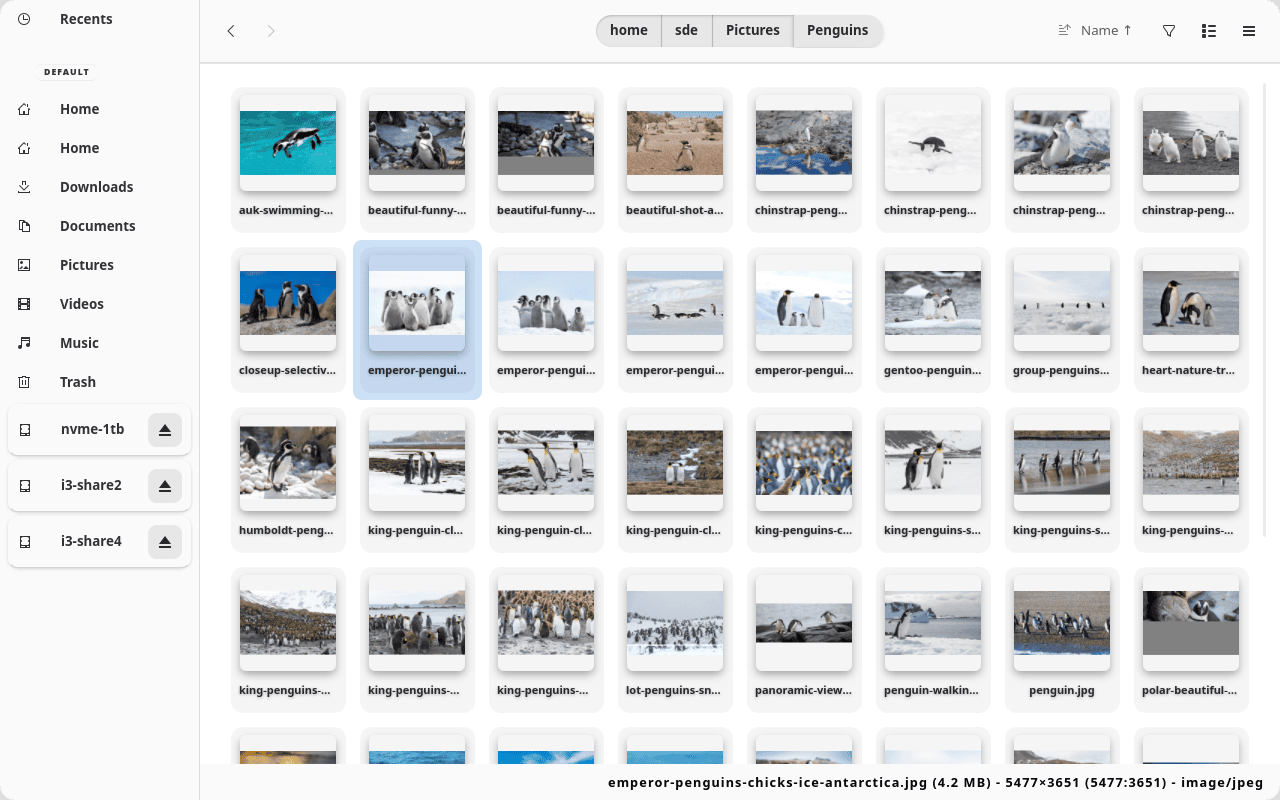
Flux has a clean, modern interface. A sidebar provides quick access to common locations, mounted drives and recently used files, while the main pane displays files in a spacious thumbnail grid. Navigation controls and breadcrumb buttons sit along the top, together with options for sorting, filtering and switching views. A status bar at the bottom shows details about the selected file.
- Grid and list views for browsing files and directories.
- Asynchronous thumbnail generation designed to keep the interface responsive in directories containing large numbers of media files.
- Standard file operations including copying, cutting, pasting, renaming, moving and sending items to the Trash.
- Breadcrumb navigation together with back and forward controls and the ability to enter a location directly.
- Sorting by different properties, reversing the sort order and optionally placing directories before files.
- Instant filtering by filename as text is entered.
- Filtering by file size using expressions such as
>10MB,<500KBand10MB..50MB. - Recursive searching within the contents of text files, with optional filtering by file extension.
- Browsing of ZIP, 7z, RAR and numerous tar-based archives without extracting the complete archive first.
- Support for password-protected ZIP, 7z and RAR archives.
- Access to SMB, SFTP, FTP, WebDAV, NFS, AFP and other remote locations through GVFS.
- Network bookmarks and a dedicated section showing currently connected servers.
- Unlocking and mounting LUKS-encrypted partitions and container files, provided cryptsetup and UDisks2 are installed.
- Automatic locking of an encrypted container when its decrypted volume is unmounted.
- An embedded terminal panel that can be shown or hidden with the F4 key.
- Custom artwork or icons for individual files and directories, with associations retained when items are renamed or moved.
- Bookmarks for keeping frequently visited directories in the sidebar.
- A temporary quick list for cycling between selected directories using the keyboard.
- Configurable custom actions for launching external programs or running commands from the context menu.
- Extensive keyboard control, including shortcuts for navigation, file operations, searching, sorting and toggling interface elements.
- A graphical shortcut reference window accessed with F1.
- Configuration through the human-readable
~/.config/flux/config.tomlfile. - Support for additional downloadable themes.
Summary
Flux is a promising file manager that pairs an attractive, uncluttered interface with an unusually broad set of features. Archive browsing, content searching, network access, encrypted-volume support and the embedded terminal give it capabilities extending well beyond simple file management. It remains young software, but it is already responsive, highly keyboard-friendly and well worth watching.
Website: github.com/killown/flux
Support:
Developer: Thiago Lucio
License: GNU General Public License v3.0
Flux is written in Rust. Learn Rust with our recommended free books and free tutorials.
Related Software
| GTK File Managers | |
|---|---|
| Double Commander | File manager with two panels side by side |
| Files | File browser designed for elementary OS; loose fork of GNOME Files |
| GNOME Files | Simple file manager for GNOME |
| GNOME Commander | Two-panel graphical file manager |
| 4Pane | Multi-pane, detailed-list file manager |
| PCManFM | Slim and useful, but not to have any feature bloat |
| Sunflower | Small and highly customizable twin-panel file manager |
| Thunar | xfce’s file manager |
| Flux | Multi-threaded Linux file manager |
| Tux Commander | Windowed file manager with two panels side by side |
| Portfolio | Minimalist, touch-friendly file manager |
| A couple of GNOME Files forks are also worth mentioning. | |
| Nemo | File manager for the Cinnamon desktop environment |
| Caja | File manager for the MATE desktop |
Read our verdict in the software roundup.
 Explore our carefully curated directory of recommended free and open source software, covering every major software category. Explore our carefully curated directory of recommended free and open source software, covering every major software category.The directory forms part of our extensive collection of articles for Linux enthusiasts. It includes hundreds of detailed reviews, together with free and open source alternatives to proprietary software from companies such as Google, Microsoft, Apple, Adobe, IBM, Cisco, Oracle, and Autodesk. LinuxLinks also covers interesting projects worth exploring, Linux-compatible hardware, free programming books and tutorials, and much more. Know a useful free and open source Linux application that we haven’t covered? Tell us about it using our submission form. |
Please read our Comment Policy before commenting.