

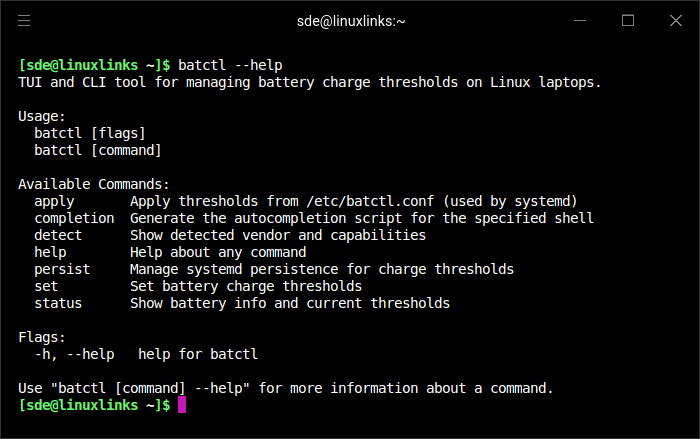
batctl is a terminal-based utility for configuring battery charging thresholds on Linux laptops. It provides both an interactive terminal user interface and a scriptable command-line interface, allowing users to adjust charging behaviour and examine battery information.
Many laptops offer hardware controls that restrict charging to a specified percentage. These limits can help reduce battery wear, particularly on systems that remain connected to mains power for extended periods. Unfortunately, different manufacturers expose their charging controls through different kernel interfaces.
batctl addresses this fragmentation by detecting supported laptop hardware and selecting an appropriate backend. It supports numerous manufacturers, including Lenovo, ASUS, Dell, Acer, Framework, System76, Samsung and MSI. A generic backend handles other systems exposing standard Linux battery charging interfaces.
Users can configure charging start and stop thresholds, where supported, or select from predefined profiles. The Max Lifespan, Balanced, Plugged In and Full Charge presets automatically adapt to the capabilities of the detected hardware.
The application also displays battery health, capacity, charge cycles and other available statistics.
Charging thresholds can be saved and restored after system restarts or suspend/resume events using systemd services. This is particularly useful on laptops whose firmware does not retain these settings automatically.
This is free and open source software.
Key Features
- Interactive terminal interface for managing battery charging thresholds.
- Scriptable command-line interface for automation.
- Automatically detects supported laptop hardware and charging interfaces.
- Supports more than 16 manufacturer-specific battery control backends.
- Configure charging start and stop thresholds where supported.
- Built-in Max Lifespan, Balanced, Plugged In and Full Charge presets.
- Automatically adapts charging presets to hardware-supported limits.
- Display battery charge, health, capacity, cycle count and energy statistics.
- Inspect supported charging behaviour controls.
- Save configuration settings and restore them after reboot or resume.
- Generic backend for standard Linux sysfs charging interfaces.
Website: github.com/Ooooze/batctl
Support:
Developer: Ooooze
License: MIT License
batctl is written in Go. Learn Go with our recommended free books and free tutorials.
Related Software
| Power Consumption Tools | |
|---|---|
| TLP | Power management package; features in Essential System Tools |
| auto-cpufreq | Automatic CPU speed and power optimizer |
| RyzenAdj | Adjusts AMD Ryzen APU thermal, current and wattage limits |
| PowerTOP | Enable various powersaving modes |
| TLP UI | GTK interface to review and modify TLP configuration |
| cpupower | Linux kernel tool |
| power-profiles-daemon | Makes power profiles handling available over D-Bus |
| cpupower-gui | Tool to set CPU frequency limits |
| batctl | Battery charge threshold manager for Linux laptops |
| TuneD | Daemon for monitoring and adaptive tuning of system devices |
| asusctl | Control aspects of ASUS laptops |
| system76-power | Utility for managing graphics and power profiles |
| jolt | Terminal-based battery and energy monitor |
| thermald | Thermal daemon for Intel Architecture |
| powerstat | Measures the power consumption of a laptop |
| LACT | Linux GPU Control Application |
| pstate-frequency | Controls CPU frequencies, governors and turbo boost modes |
| Wattage | Monitor the health and status of power devices |
| Power Options | Graphical profiles for tuning CPU, GPU and device energy use |
| PowerDevil | Controls brightness, battery behaviour and sleep in KDE Plasma |
Read our verdict in the software roundup.
 LinuxLinks helps you discover the best free and open source software for Linux. Explore our extensive collection of recommended applications, including alternatives to popular proprietary software. LinuxLinks helps you discover the best free and open source software for Linux. Explore our extensive collection of recommended applications, including alternatives to popular proprietary software.We also publish software reviews, Linux tutorials, hardware reviews, free programming books and articles covering the wider open source community. Browse our Linux resources to discover more. Know a useful free and open source Linux application we haven't covered? Suggest a program for inclusion. Has your software been featured on LinuxLinks? Display one of our Featured on LinuxLinks badges on your website or GitHub README. |
Please read our Comment Policy before commenting.