

Power Options is a Linux power management application that combines a background daemon with graphical frontends. It is designed to centralise power-saving controls that would otherwise be spread across several utilities and configuration files.
The program analyses the host system and can generate profiles suited to the hardware it finds. Its profile model is not limited to one battery and one AC configuration, making it useful for users who want different power characteristics for quiet work, maximum battery life, sustained performance or other situations.
This is free and open source software.
Key Features
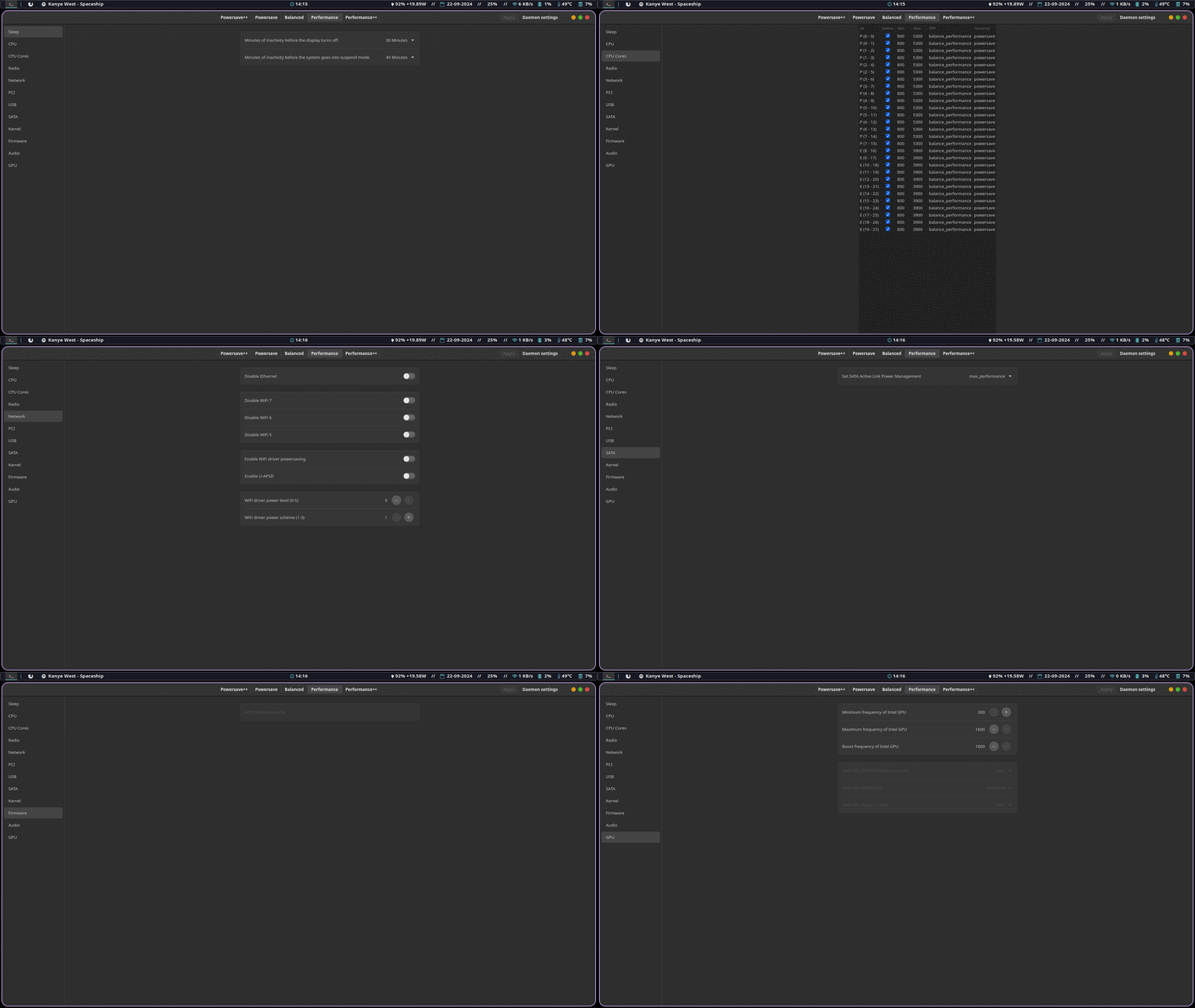
- Native GTK frontend together with a more advanced WebKit-based interface.
- Create as many power profiles as required and choose which profiles are used on battery and AC power.
- Temporarily or persistently override the automatically selected profile.
- Manage CPU settings, including controls for individual CPU cores.
- Configure suspend behaviour, screen power saving and display brightness-related settings.
- Control Bluetooth, Wi-Fi and NFC power-related behaviour where supported.
- Configure network power settings for compatible Intel wireless hardware.
- Adjust PCI Express Active State Power Management, PCI, USB and SATA power-saving options.
- Expose kernel, firmware, audio and GPU power-management settings.
- Configure Intel Running Average Power Limit settings on supported hardware.
- Profiles are stored in TOML, allowing the daemon to be used without a graphical frontend.
- Provide a system tray component for quick access to profiles and power-management controls.
- Keep profile data in human-readable configuration files, making it possible to inspect or edit settings outside the GUI.
Website: github.com/TheAlexDev23/power-options
Support:
Developer: TheAlexDev23
License: MIT License
Power Options is written in Rust. Learn Rust with our recommended free books and free tutorials.
Related Software
| Power Consumption Tools | |
|---|---|
| TLP | Power management package; features in Essential System Tools |
| auto-cpufreq | Automatic CPU speed and power optimizer |
| PowerTOP | Enable various powersaving modes |
| cpupower | Linux kernel tool |
| power-profiles-daemon | Makes power profiles handling available over D-Bus |
| cpupower-gui | Tool to set CPU frequency limits |
| batctl | Battery charge threshold manager for Linux laptops |
| TuneD | Daemon for monitoring and adaptive tuning of system devices |
| asusctl | Control aspects of ASUS laptops |
| system76-power | Utility for managing graphics and power profiles |
| jolt | Terminal-based battery and energy monitor |
| thermald | Thermal daemon for Intel Architecture |
| powerstat | Measures the power consumption of a laptop |
| LACT | Linux GPU Control Application |
| CPUFreq | System monitor and power manager |
| Wattage | Monitor the health and status of power devices |
| ddogreen | Smart power management tool |
Read our verdict in the software roundup.
 Explore our carefully curated directory of recommended free and open source software, covering every major software category. Explore our carefully curated directory of recommended free and open source software, covering every major software category.The directory forms part of our extensive collection of articles for Linux enthusiasts. It includes hundreds of detailed reviews, together with free and open source alternatives to proprietary software from companies such as Google, Microsoft, Apple, Adobe, IBM, Cisco, Oracle, and Autodesk. LinuxLinks also covers interesting projects worth exploring, Linux-compatible hardware, free programming books and tutorials, and much more. Know a useful free and open source Linux application that we haven’t covered? Tell us about it using our submission form. |
Please read our Comment Policy before commenting.