

ONLYOFFICE is a productivity suite that provides document, spreadsheet, presentation and PDF editors. It offers desktop applications for working locally alongside browser-based editors designed for collaborative editing and integration with document management systems.
The software places particular emphasis on compatibility with Microsoft Office formats. Its editors provide familiar document creation and formatting tools, making it suitable for individuals and organisations that routinely exchange Word, Excel and PowerPoint files.
The desktop applications work without an internet connection. Users can also connect to compatible cloud storage and collaboration platforms, allowing them to switch between local editing and shared document workflows.
This is free and open source software.
Key Features
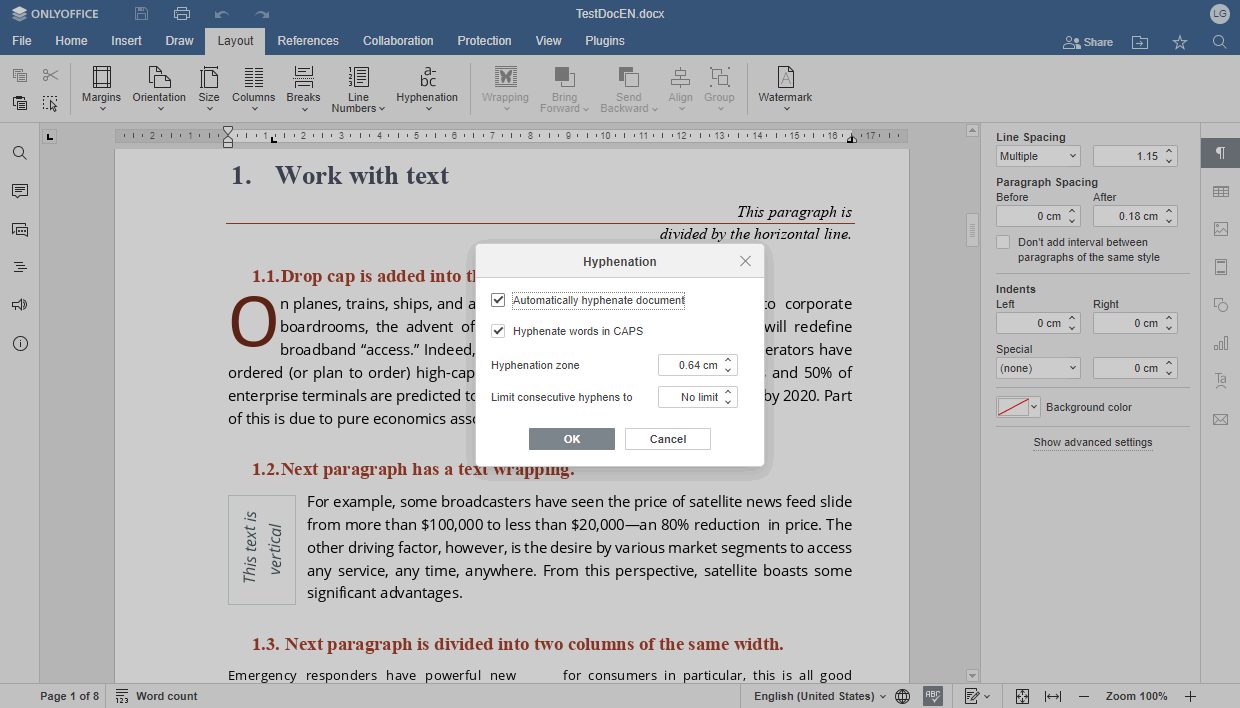
- Document editor – creates and edits text documents with styles, tables, images, headers, footers, references and change tracking.
- Spreadsheet editor – provides formulas, functions, charts, pivot tables, conditional formatting and data analysis tools.
- Presentation editor – creates slide presentations with templates, transitions, animations, multimedia and presenter tools.
- PDF editor – views, annotates, edits and organises PDF documents.
- Form creator – designs fillable forms and prepares documents for collecting structured information.
- Diagram viewer – opens and displays compatible diagram files.
- Microsoft Office compatibility – works with DOCX, XLSX and PPTX alongside other common document formats.
- OpenDocument support – opens and saves ODT, ODS and ODP files.
- Real-time co-editing – allows multiple users to edit shared documents using compatible online services.
- Collaboration tools – includes comments, change tracking, document comparison and review facilities.
- Cloud integration – connects to supported services including Nextcloud, ownCloud, Seafile and ONLYOFFICE platforms.
- Document security – supports password protection and digital signatures.
- Extensions – adds functionality through compatible editor plugins.
- Customisable interface – provides scalable display settings, themes and dark mode.
- Cross-platform support – runs on Linux, macOS, and Windows.
Website: www.onlyoffice.com
Support: GitHub Code Repository
Developer: Ascensio System SIA
License: GNU Affero General Public License v3.0
OnlyOffice is written in C++ and JavaScript. Learn C++ with our recommended free books and free tutorials. Learn JavaScript with our recommended free books and free tutorials.
Related Software
| Groupware Software | |
|---|---|
| Zimbra | Full-featured collaboration suite |
| SOGo | Collaborative software server focusing on simplicity and scalability |
| Kolab | Secure, scalable, and reliable groupware server |
| eGroupware | Enterprise ready web-based groupware suite |
| OpenMeetings | Video conferencing, instant messaging, whiteboard, and other groupware |
| Citadel | Complete and feature-rich groupware server |
| Kopano | Groupware application suite originally based on Zarafa |
| grommunio | Modern, digital communication and collaboration |
| GroupOffice | Groupware and CRM platform for enterprises and the public sector |
| HordeGroupware | Popular full-featured groupware server |
Read our verdict in the software roundup.
| Office Suites | |
|---|---|
| ONLYOFFICE | Multifunctional cloud online office suite |
| LibreOffice | Powerful, high quality, complete, free open source office suite |
| CryptPad | Encrypted collaborative office suite |
| Calligra Suite | Integrated set of open source applications, forked from KOffice in 2010 |
| OpenOffice | Office productivity software suite |
| Collabora Office | Desktop office suite |
Read our verdict in the software roundup.
| Collaborative Editing Tools | |
|---|---|
| ONLYOFFICE | Multifunctional cloud online office suite |
| Etherpad | Web-based collaborative real-time editor |
| La Suite Docs | Collaborative writing platform to create, organize, and share knowledge |
| Foam | Personal knowledge management and sharing system |
| CodiMD | Realtime collaborative markdown notes taking inspiration from Hackpad |
| ProseMirror | Rich semantic content editor |
| CryptPad | Realtime collaborative editor |
| HedgeDoc | Create real-time collaborative markdown notes |
| Notes | Distraction free notes taking app for Nextcloud |
| Collabora | Desktop office suite |
| Firepad | Full-featured text editor |
| Gobby | Supporting multiple documents in one session and a multi-user chat |
Read our verdict in the software roundup.
| PDF Tools | |
|---|---|
| Scribus | Desktop page layout software producing commercial grade PDF output |
| ONLYOFFICE | Cloud online office suite with great PDF functionality |
| LibreOffice Draw | Vector graphics editor and diagramming tool that can create PDFs |
| PDFBox | Java tool for working with PDF documents |
| Ghostscript | Ghostscript PostScript / PDF interpreter |
| Dangerzone | Make PDFs safe |
| pdf-compress | Compress an overly large PDF file to smaller monochrome |
| PoDoFo | Easy to use PDF parsing and creation library |
| veraPDF | Industry supported PDF/A validation |
| pdfgrep | Command-line utility to search text in PDF files |
| Rescribe | Desktop tool for performing OCR |
| PDF4QT | PDF editor |
| Scans to PDF | Create small, searchable PDFs from scanned documents |
| rst2pdf | Converts reStructuredText files into styled documents |
| Paper Clip | Edit PDF document metadata |
| open-pdf-sign | Adds standards-based digital signatures, timestamps and validation |
| pdfposter | Print large posters on multiple sheets |
| plakativ | Stretches PDF or raster image across multiple pages |
| PDF Metadata Editor | Simple GUI tool |
| unlockR | Simple tool to decrypt PDF files |
| pdfresurrect | Analyze PDF documents |
| Densify | Compress PDF files using Ghostscript |
| IceBox | Converts images into a PDF file |
Read our verdict in the software roundup.
 LinuxLinks helps you discover the best free and open source software for Linux. Explore our extensive collection of recommended applications, including alternatives to popular proprietary software. We also publish software reviews, Linux tutorials, hardware reviews, free programming books and articles covering the wider open source community. Browse our Linux resources to discover more. Know a useful free and open source Linux application we haven't covered? Suggest a program for inclusion. Has your software been featured on LinuxLinks? Display one of our Featured on LinuxLinks badges on your website or GitHub README. |
Please read our Comment Policy before commenting.