
Dangerzone takes potentially dangerous PDFs, office documents, or images and convert them to a safe PDF.
Give it a document that you don’t know if you can trust (for example, an email attachment). Inside of a sandbox, Dangerzone converts the document to a PDF (if it isn’t already one), and then converts the PDF into raw pixel data: a huge list of RGB color values for each page. Then, outside of the sandbox, Dangerzone takes this pixel data and converts it back into a PDF.
This is free and open source software.
Key Features
- Sandboxes don’t have network access, so if a malicious document can compromise one, it can’t phone home.
- Sandboxes use gVisor, an application kernel written in Go, that implements a substantial portion of the Linux system call interface.
- Optionally OCR the safe PDFs it creates, so it will have a text layer again.
- Compresses the safe PDF to reduce file size.
- After converting, Dangerzone lets you open the safe PDF in the PDF viewer of your choice, which allows you to open PDFs and office docs in Dangerzone by default so you never accidentally open a dangerous document.
- Cross-platform support – runs under Linux, macOS, and Windows.
Website: github.com/freedomofpress/dangerzone
Support:
Developer: Freedom of the Press Foundation
License: GNU Affero General Public License v3.0
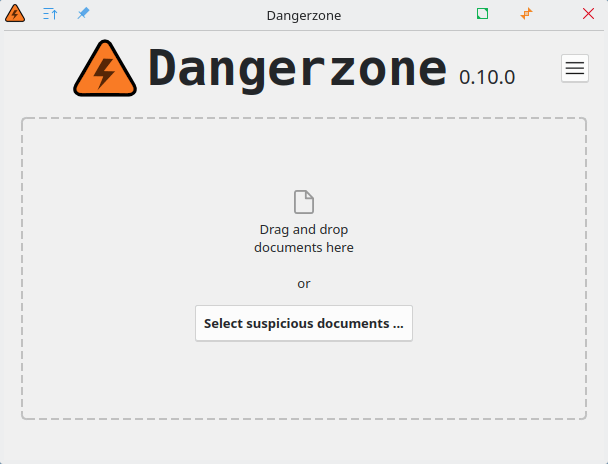
Dangerzone is written in Python. Learn Python with our recommended free books and free tutorials.
Related Software
| PDF Tools | |
|---|---|
| Scribus | Desktop page layout software producing commercial grade PDF output |
| ONLYOFFICE | Cloud online office suite with great PDF functionality |
| LibreOffice Draw | Vector graphics editor and diagramming tool that can create PDFs |
| PDFBox | Java tool for working with PDF documents |
| Ghostscript | Ghostscript PostScript / PDF interpreter |
| Dangerzone | Make PDFs safe |
| pdf-compress | Compress an overly large PDF file to smaller monochrome |
| PoDoFo | Easy to use PDF parsing and creation library |
| veraPDF | Industry supported PDF/A validation |
| pdfgrep | Command-line utility to search text in PDF files |
| Rescribe | Desktop tool for performing OCR |
| PDF4QT | PDF editor |
| Scans to PDF | Create small, searchable PDFs from scanned documents |
| rst2pdf | Converts reStructuredText files into styled documents |
| Paper Clip | Edit PDF document metadata |
| open-pdf-sign | Adds standards-based digital signatures, timestamps and validation |
| pdfposter | Print large posters on multiple sheets |
| plakativ | Stretches PDF or raster image across multiple pages |
| PDF Metadata Editor | Simple GUI tool |
| unlockR | Simple tool to decrypt PDF files |
| pdfresurrect | Analyze PDF documents |
| Densify | Compress PDF files using Ghostscript |
| IceBox | Converts images into a PDF file |
Read our verdict in the software roundup.
 Explore our carefully curated directory of recommended free and open source software, covering every major software category. Explore our carefully curated directory of recommended free and open source software, covering every major software category.The directory forms part of our extensive collection of articles for Linux enthusiasts. It includes hundreds of detailed reviews, together with free and open source alternatives to proprietary software from companies such as Google, Microsoft, Apple, Adobe, IBM, Cisco, Oracle, and Autodesk. LinuxLinks also covers interesting projects worth exploring, Linux-compatible hardware, free programming books and tutorials, and much more. Know a useful free and open source Linux application that we haven’t covered? Tell us about it using our submission form. |
Please read our Comment Policy before commenting.