
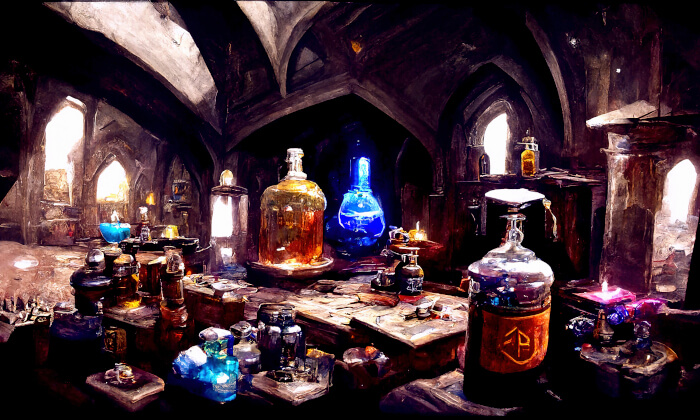
Art of Illusion is a program for creating high quality, photorealistic (or non-photorealistic) still images and animations (either in .mov format or as a sequence of still frames which can be joined together using other software to make movie files). It is powerful enough to be used for serious, high end animation work.
Images are produced by rendering scene files. These scene files must contain some 3-D objects, at least one light (or some form of global illumination) so that the objects can be seen,and at least one camera, the view from which provides the image. Complex scenes may contain many hundreds of objects and several lights. Files built for animation may have several cameras between which the view is cut to make for an interesting animation sequence.
Art of Illusion is written entirely in Java.
Key Features
- Interface:
- Object list, scene layout windows, and animation score.
- Tooltips and explanatory icons.
- Bundled documentation and help interface.
- Built-in “live help” chat client for connecting to the freenode Art of Illusion support channel.
- Extensions available as scripts or plugins with automated.
installation and update from online repository (requires internet connection) - Grid view and realtime display modes including Wireframe, Smooth, Textured.
- Modeling:
- Primitives: cube, sphere, cone, tube, curve, triangle mesh, spline mesh.
- Boolean modeling operations.
- Lathe, sweep, extrude (straight or along a curve).
- Subdivision surfaces (smoothing) with edge creasing available for triangle meshes.
- Mesh editor featuring adjustable mesh tension, bevel, taper, various selection methods (including select edge loop/strip), etc.
- Object array tool (multidimensional arrays or arrays along a curve).
- Isosurface modeling (via procedural nodes or direct numeric input).
- Animation:
- Distortion tracks for effects like bend, twist, and shatter.
- Skeletal animation with weighting, constraints and IK.
- Poses and Gestures.
- Keyframe editor with interpolating curves.
- Path animation.
- Animation through scripted objects, e.g. particles using Particle Jet script.
- Textures:
- Types: Uniform, image mapped, procedural 2D and 3D.
- Mapping options: Projection, spherical, cylindrical, UV.
- Per-vertex, per-face and per-face-per-vertex texture assignment (depending on textured object).
- Layered textures.
- Graphical language for procedural texture/material design.
- Procedural textures can be based on parameters like view angle (for fresnel-like effects), etc.
- Animateable textures via texture parameters and use of Time module.
- Environment background can be mapped with any photo (HDR or RGB), as well as procedural textures.
- Materials (Represent the internal properties of an object):
- Procedural and uniform materials.
- Adjustable index of refraction, scattering, eccentricity.
- Animatable materials via Time module.
- Rendering:
- Multithreading.
- Global illumination rendering, along with caustics and subsurface scattering.
- Global illumination methods: Monte carlo, photon mapping with final gathering, direct photon mapping, and ambient occlusion.
- Light types: Point lights, spotlights (both with editable radii), and directional lights.
- Soft shadows.
- Light scattering for materials: Both Single Scattering and Photon Scattering (BSSRDF). User can specify either or both at rendertime.
- Raytraced depth of field.
- Gloss/translucency (blurred reflections and blurry transparency).
- Motion blur.
- HDRI scene illumination.
- Save renders as HDRI images.
- Post Processing:
- Camera filters (Exposure Correction, Glow, Outline, Tint, Blur, etc).
- Noise reduction for Global Illumination.
- Scripting:
- Scripting language (Beanshell) allowing development of new tools/commands.
- Dynamic Scripts (“smart objects”).
- File Handling:
- 3D Import: .obj natively; .dem, .dxf, .geo, .lwo, .pov, .inc, .3ds via plugins.
- 2D Import via scripts: .ai, .svg.
- 3D Export: .pov, .obj, VRML, all native; .stl via plugin.
- 2D Export/Save: .jpg, .bmp, .png, .tif, .hdr, all native; .svg via plugin.
- Extended Functionality Through Scripts and Plugins:
- Direct-to-disk rendering using presets like “Letter,” “A4,” with DPI and Bleed settings (Advanced Rendering plugin).
- Wireframe/polygon renders with antialiasing and SVG export (Vector Renderer plugin).
- Preview renders in sidebar (Preview Plugin).
- Subdivision (Ngon) modeler with tools for both open-and closed-mesh modeling and support for Catmull-Clark subdivision surfaces (Polymesh Editor plugin).
- ABF+ UV unwrapping available through Polymesh Editor plugin.
- Procedural tree and plant creator (Tree and Plant Designer plugin).
- Other major features provided through script or plugin extensions such as: 3D text, mesh thickening, platonic solids, sculpt, fractal/image-based heightfields, hair, grunge, and more.
Website: www.artofillusion.org
Support: Documentation
Developer: Peter Eastman
License: GNU General Public License v2.0
Learn Java with our recommended free books and free tutorials.
Related Software
| Modelers | |
|---|---|
| Blender | Very fast and versatile 3D modeler/renderer |
| Blockbench | Low poly 3D model editor |
| Bforartists | Complete 3D suite to create 3D content |
| Wings 3D | Advanced subdivision modeler that is both powerful and easy to use |
| MakeHuman | Character creation suite using 3D morphing technology |
| Gmsh | Automatic three-dimensional finite element mesh generator |
| Dust3D | Create low poly 3D models for video games, 3D printing, and more |
| Art of Illusion | 3D-modeler, renderer and raytracer |
| CharMorph | Character creation tool for Blender |
| Maverick Model 3D | Triangle-based 3D model editor |
| K-3D | 3D modeling and animation system |
Read our verdict in the software roundup.
| Renderers | |
|---|---|
| Blender | 3D computer graphics software toolset that excels in many areas |
| Cycles | Physically based production renderer developed by the Blender project |
| Mitsuba | Extensible rendering framework written in portable C++ |
| LuxCoreRender | Physically based and unbiased rendering engine |
| MoonRay | Production path-tracing renderer |
| pbrt | Physically based ray tracing system |
| Malt | Fully customizable real-time rendering framework |
| Art of Illusion | 3D-modeler, renderer and raytracer |
| appleseed | Physically-based renderer targeted at production rendering |
| Renderer | Interactive 3D visualization of triangle meshes |
| Radiance | Suite of tools for performing lighting simulation |
| MiniLight | Minimal global illumination renderer |
| MantaRay | Advanced renderer which uses modern rendering techniques |
| Aqsis | 3D rendering solution adhering to the RenderMan standard |
Read our verdict in the software roundup.
 Explore our comprehensive directory of recommended free and open source software. Our carefully curated collection spans every major software category. Explore our comprehensive directory of recommended free and open source software. Our carefully curated collection spans every major software category.This directory is part of our ongoing series of informative articles for Linux enthusiasts. It features hundreds of detailed reviews, along with open source alternatives to proprietary solutions from major corporations such as Google, Microsoft, Apple, Adobe, IBM, Cisco, Oracle, and Autodesk. You’ll also find interesting projects to try, hardware coverage, free programming books and tutorials, and much more. Discovered a useful open source Linux program that we haven’t covered yet? Let us know by completing this form. |
Please read our Comment Policy before commenting.