
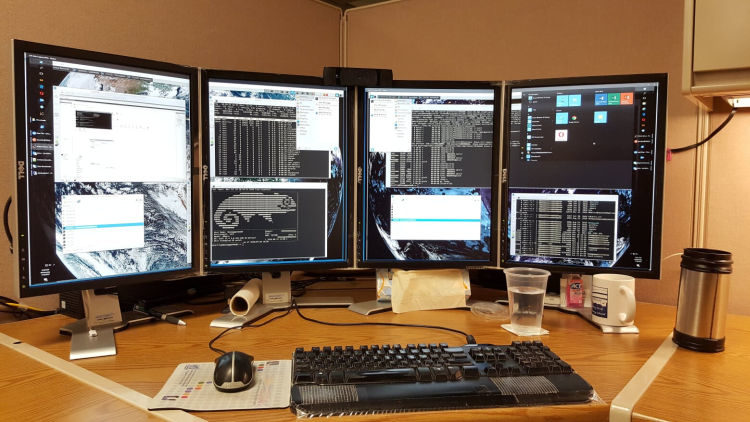
waypipe is a command-line utility that lets you run Wayland applications on a remote Linux computer while displaying and controlling their windows on your local desktop. It provides functionality comparable to X11 forwarding over SSH, but works with the Wayland display protocol.
Instead of transmitting an entire remote desktop, waypipe forwards the communication between individual applications and the local Wayland compositor. The application continues to execute on the remote machine, while its graphical interface appears alongside locally running programs.
The utility runs on both computers and can establish the necessary connection through SSH. It is particularly useful for accessing graphical applications on remote workstations, development machines and servers without establishing a complete remote desktop session.
This is free and open source software.
Key Features
- Launch remote applications using commands such as
waypipe ssh user@host application, with automatic configuration of the SSH tunnel. - Forward Wayland protocol messages and synchronise changes to shared memory buffers through a single socket.
- Transfer GPU-backed DMA-BUF image buffers, with Vulkan-based handling and optional GBM fallback.
- Support optional video encoding and decoding through FFmpeg to reduce the amount of graphical data transmitted.
- Offer LZ4 and Zstandard compression, with configurable compression levels to suit different network conditions.
- Provide a
--no-gpuoption to disable GPU-related protocols when applications encounter rendering compatibility problems. - Allow the selection of local and remote DRM render nodes for GPU-related operations.
- Support configurable socket paths, SSH executables and remote waypipe executable locations.
- Offer a one-shot mode that exits when the connection closes.
Website: gitlab.freedesktop.org/mstoeckl/waypipe
Support:
Developer: Manuel Stoeckl
License: GNU General Public License v3.0
waypipe is written in Rust. Learn Rust with our recommended free books and free tutorials.
Related Software
| Remote Display Clients | |
|---|---|
| TigerVNC | Platform-neutral implementation of VNC |
| Remmina | GTK+/Gnome Remote Desktop Client |
| KRDC | Connect with RDP or VNC to another computer |
| X2Go | Fast terminal server suite based on NoMachine's NX libraries |
| RustDesk | Works out of the box with no configuration required |
| Veyon | Computer monitoring and classroom management |
| TurboVNC | TightVNC-compatible remote desktop software |
| FreeRDP | Remote Desktop Protocol Implementation |
| TightVNC | Client/server allowing remote network access to graphical desktops |
| noVNC | VNC client web application |
| Connections | Aims at replacing Vinagre as the remote desktop client for GNOME |
| Xpra | Multi-platform persistent remote display server with built-in HTML5 client |
| Guacamole | Clientless remote desktop gateway |
| Dayon! | Easy to use, cross-platform remote desktop assistance solution |
| RustConn | Connection orchestrator for Linux with a GTK4/Wayland-native interface |
| HopToDesk | Remote desktop tool with end-to-end encryption |
| Field Monitor | Remote desktop client designed for GNOME |
| Vinagre | VNC client for the Gnome Desktop |
| rdesktop | Client for Windows Terminal Services |
Read our verdict in the software roundup.
 Explore our carefully curated directory of recommended free and open source software, covering every major software category. Explore our carefully curated directory of recommended free and open source software, covering every major software category.The directory forms part of our extensive collection of articles for Linux enthusiasts. It includes hundreds of detailed reviews, together with free and open source alternatives to proprietary software from companies such as Google, Microsoft, Apple, Adobe, IBM, Cisco, Oracle, and Autodesk. LinuxLinks also covers interesting projects worth exploring, Linux-compatible hardware, free programming books and tutorials, and much more. Know a useful free and open source Linux application that we haven’t covered? Tell us about it using our submission form. |
Please read our Comment Policy before commenting.