
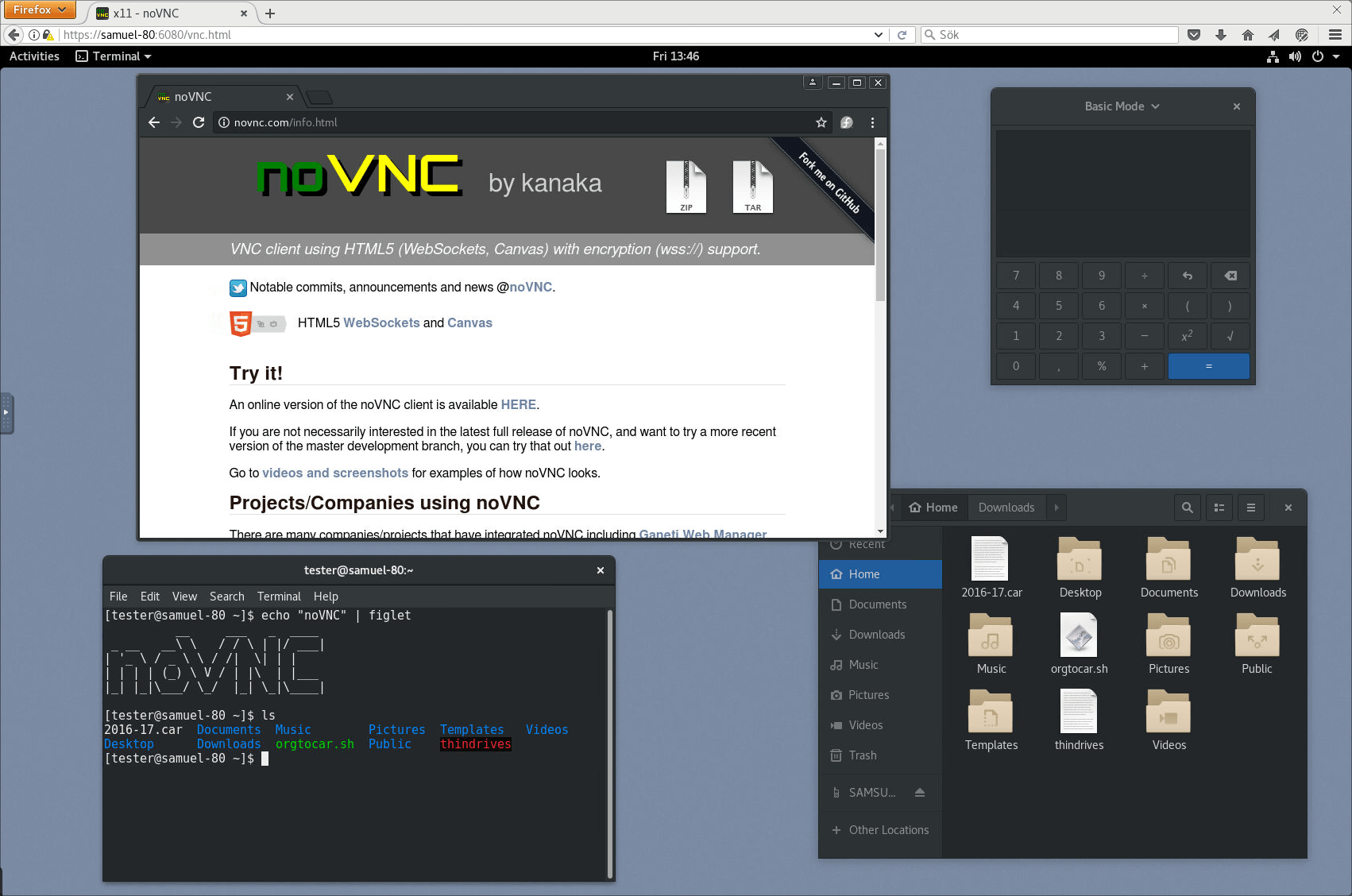
noVNC is a web-based VNC client and JavaScript library that lets users access remote desktops from a browser.
It works in modern desktop and mobile browsers, supports the standard VNC protocol over WebSockets, and can be used either as a ready-to-run application or integrated into other software. The project also includes tools such as novnc_proxy to help connect browsers to VNC servers through websockify.
This is free and open source software.
Key Features
- Runs in modern web browsers, including mobile browsers on iOS and Android.
- Provides both a complete web application and a JavaScript library for integration.
- Supports multiple VNC authentication methods including classical VNC, Tight, VeNCrypt Plain, XVP, RealVNC RSA-AES, Apple Diffie-Hellman, and UltraVNC MSLogonII.
- Supports VNC encodings including raw, copyrect, rre, hextile, tight, tightPNG, ZRLE, JPEG, Zlib, and H.264.
- Offers desktop scaling, clipping, and resizing.
- Includes local cursor rendering and support for back and forward mouse buttons.
- Supports clipboard copy and paste with full Unicode support.
- Provides touch gestures for emulating common mouse actions.
Website: github.com/novnc/novnc
Support:
Developer: noVNC Developers
License: Mozilla Public License 2.0
noVNC is written in JavaScript. Learn JavaScript with our recommended free books and free tutorials.
Related Software
| Remote Display Clients | |
|---|---|
| TigerVNC | Platform-neutral implementation of VNC |
| Remmina | GTK+/Gnome Remote Desktop Client |
| KRDC | Connect with RDP or VNC to another computer |
| X2Go | Fast terminal server suite based on NoMachine's NX libraries |
| RustDesk | Works out of the box with no configuration required |
| Veyon | Computer monitoring and classroom management |
| TurboVNC | TightVNC-compatible remote desktop software |
| FreeRDP | Remote Desktop Protocol Implementation |
| TightVNC | Client/server allowing remote network access to graphical desktops |
| noVNC | VNC client web application |
| Connections | Aims at replacing Vinagre as the remote desktop client for GNOME |
| Xpra | Multi-platform persistent remote display server with built-in HTML5 client |
| Guacamole | Clientless remote desktop gateway |
| Dayon! | Easy to use, cross-platform remote desktop assistance solution |
| RustConn | Connection orchestrator for Linux with a GTK4/Wayland-native interface |
| HopToDesk | Remote desktop tool with end-to-end encryption |
| Field Monitor | Remote desktop client designed for GNOME |
| Vinagre | VNC client for the Gnome Desktop |
| rdesktop | Client for Windows Terminal Services |
Read our verdict in the software roundup.
 Explore our carefully curated directory of recommended free and open source software, covering every major software category. Explore our carefully curated directory of recommended free and open source software, covering every major software category.The directory forms part of our extensive collection of articles for Linux enthusiasts. It includes hundreds of detailed reviews, together with free and open source alternatives to proprietary software from companies such as Google, Microsoft, Apple, Adobe, IBM, Cisco, Oracle, and Autodesk. LinuxLinks also covers interesting projects worth exploring, Linux-compatible hardware, free programming books and tutorials, and much more. Know a useful free and open source Linux application that we haven’t covered? Tell us about it using our submission form. |
Please read our Comment Policy before commenting.