
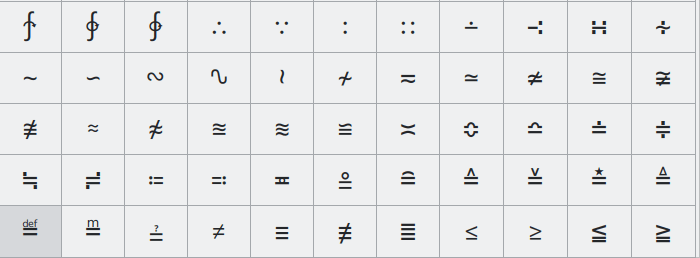
rofimoji is a searchable character picker that works with rofi and a range of similar menu programs.
It is aimed primarily at emojis and Unicode characters, but its bundled collections also cover CJK characters, Font Awesome, Nerd Fonts, Gitmoji, kaomoji and HTML named character references. The program can type a selected character into the active application, copy it to the clipboard, print it to standard output or expose its Unicode code point. It supports both X11 and Wayland by selecting suitable helper tools for the current session.
This is free and open source software.
Key Features
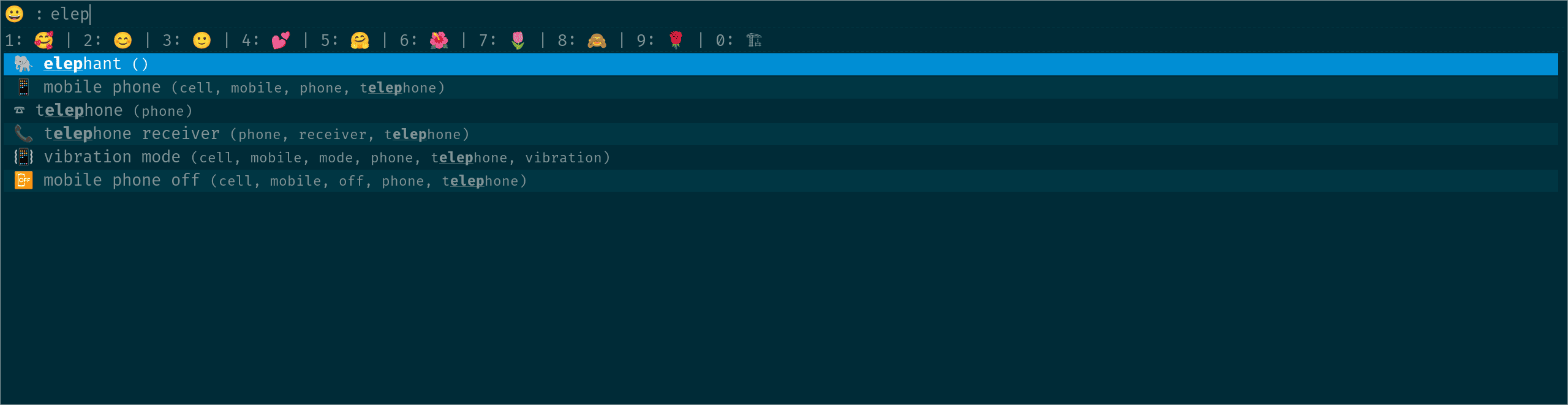
- Fuzzy-searches emojis and other characters using descriptive keywords.
- Can insert the selected character directly into the previously active window.
- Can copy selections to the clipboard instead of typing them.
- Offers a clipboard-based insertion mode for applications where simulated typing is unreliable.
- Can print selected characters to standard output for shell-oriented workflows.
- Can type or copy Unicode code points rather than the rendered character.
- Remembers recently used characters and exposes shortcuts for the most recent entries.
- Ranks frequently used characters ahead of less frequently selected ones.
- Supports emoji skin-tone selection.
- Supports multiple selections when used with compatible rofi configurations.
- Works with rofi, wofi, fuzzel, dmenu, tofi, bemenu, wmenu and Hyprlauncher.
- Automatically chooses suitable selector, clipboard and typing tools for X11 or Wayland.
- Includes Unicode emoji, Unicode blocks, CJK sets, Font Awesome 6, Nerd Fonts, Gitmoji, kaomoji and HTML named character references.
- Accepts custom character files and additional descriptions, including localized search terms.
- Can reuse an existing rofi theme or use a packaged grid-oriented theme.
- Can be configured through command-line options or an XDG configuration file.
Website: github.com/fdw/rofimoji
Support:
Developer: Fabian Winter
License: MIT License
rofimoji is written in Python. Learn Python with our recommended free books and free tutorials.
Related Software
| Character Map Tools | |
|---|---|
| KCharSelect | Select special characters from all installed fonts and copy them |
| gucharmap | GNOME Character Map (gucharmap) is a Unicode character map |
| Characters | Browse characters by various categories |
| Charmap | Pick characters and display substantial Unicode data about each one |
| Rofimoji | Emoji and Unicode character picker |
| Runemaster | Character map app for GNOME |
| Glyphana | Search and discover Unicode glyphs |
Read our verdict in the software roundup.
 LinuxLinks helps you discover the best free and open source software for Linux. Explore our extensive collection of recommended applications, including alternatives to popular proprietary software. LinuxLinks helps you discover the best free and open source software for Linux. Explore our extensive collection of recommended applications, including alternatives to popular proprietary software.We also publish software reviews, Linux tutorials, hardware reviews, free programming books and articles covering the wider open source community. Browse our Linux resources to discover more. Know a useful free and open source Linux application we haven't covered? Suggest a program for inclusion. Has your software been featured on LinuxLinks? Display one of our Featured on LinuxLinks badges on your website or GitHub README. |
Please read our Comment Policy before commenting.