

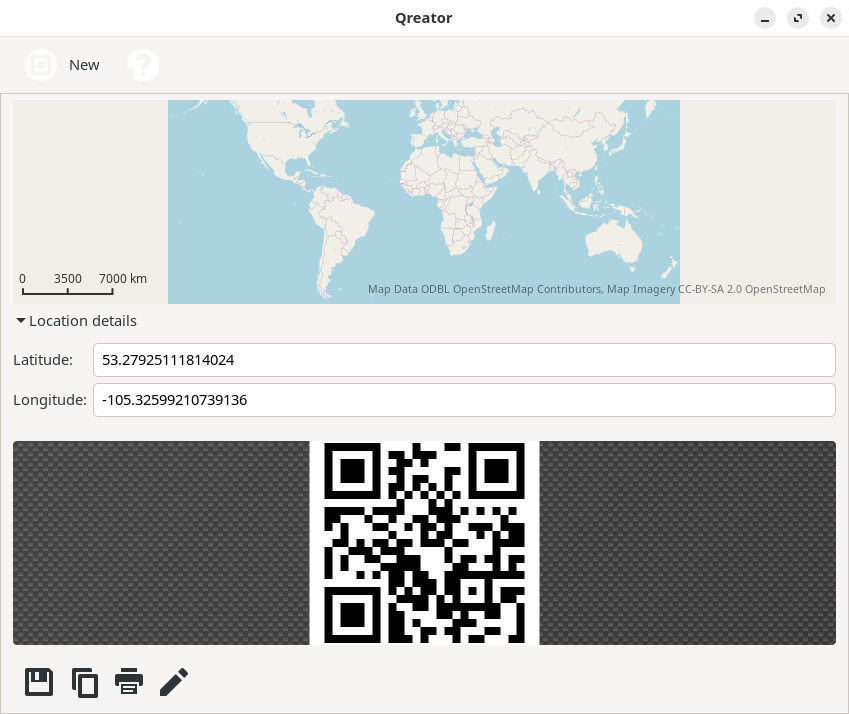
Qreator enables you to easily create your own QR codes to encode different types of information in an efficient and compact way.
This is free and open source software.
Key Features
- Create QR codes for:
- Business cards
- Geolocation.
- Phone call and messaging
- Text
- URL
- Wi-Fi network.
Website: launchpad.net/qreator
Support:
Developer: David Planella
License: GNU General Public License v3.0
Qreator is written in Python. Learn Python with our recommended free books and free tutorials.
Related Software
| QR Tools | |
|---|---|
| Zint | Barcode generating solution |
| CoBang | QR code and barcode scanner |
| Qreator | Easily create your own QR codes |
| Decoder | Fancy yet simple QR Codes scanner and generator |
| qrtool | Encode and decode QR code |
| QRab | QR code reader |
| qr-backup | Paper backup of files using QR codes |
| QR ScanGen | QR code scanner and generator |
| QR Scanner | QR scanner/generator app |
| libqrencode | Encoding data in a QR Code symbol |
| ClipQR | Scan QR codes on screen and from camera |
| Qrca | QR code scanner for Plasma Mobile |
| qr-rs | Encode URLs or text into QR codes |
| segno | Python library and CLI tool for generating QR Codes and Micro QR Codes |
| AR Tag | Minimalist image editor |
Read our verdict in the software roundup.
 Explore our comprehensive directory of recommended free and open source software. Our carefully curated collection spans every major software category. Explore our comprehensive directory of recommended free and open source software. Our carefully curated collection spans every major software category.This directory is part of our ongoing series of informative articles for Linux enthusiasts. It features hundreds of detailed reviews, along with open source alternatives to proprietary solutions from major corporations such as Google, Microsoft, Apple, Adobe, IBM, Cisco, Oracle, and Autodesk. You’ll also find interesting projects to try, hardware coverage, free programming books and tutorials, and much more. Discovered a useful open source Linux program that we haven’t covered yet? Let us know by completing this form. |
Please read our Comment Policy before commenting.